
Attorney-Client Privilege IT Security: Modern Protection Strategies
Lawyers have always been required to protect client secrets, but technology has made this job much harder. Attorney client privilege IT security now requires specific technical measures like encryption, access controls, and secure communication systems to meet ethical standards. A single mistake with email, cloud storage, or mobile devices can expose confidential information and put your law license at risk.
Courts across the country have ruled on cases where lawyers accidentally disclosed privileged information through technology. These decisions show that basic security measures are no longer optional. You need to understand what protections the law requires and how to implement them in your practice.
Protecting client confidentiality technology involves more than just passwords. Law firm data access controls, privileged communication security, and vendor management all play a role in keeping information safe. This guide covers the essential security requirements you must follow to maintain attorney-client privilege in your digital practice.
Key Takeaways
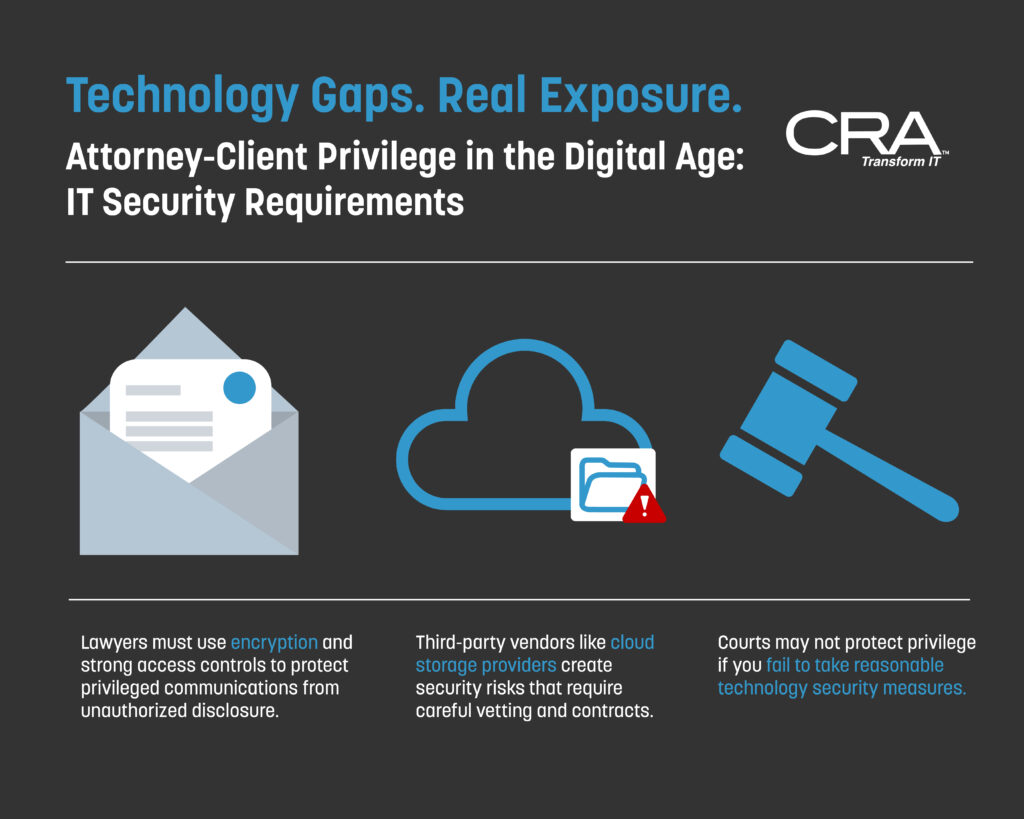
- Lawyers must use encryption and strong access controls to protect privileged communications from unauthorized disclosure
- Third-party vendors like cloud storage providers create security risks that require careful vetting and contracts
- Courts may not protect privilege if you fail to take reasonable technology security measures
Core Principles of Attorney-Client Privilege in the Digital Era
Attorney-client privilege IT security now requires lawyers to balance traditional confidentiality rules with modern technology threats. Digital tools create new ways for privileged information to leak, forcing law firms to adopt stronger security measures than ever before.
Legal Foundations of Privileged Communications
Attorney-client privilege protects communications between you and your lawyer from disclosure. The privilege belongs to you as the client, not your attorney. Your lawyer cannot share what you discuss without your permission.
For the privilege to apply, you must intend the communication to remain confidential. This means you cannot share privileged information with outside parties and expect protection. The communication must also relate to legal advice or representation.
Courts recognize that privilege extends to digital communications like emails and text messages. However, you must take reasonable steps to keep these communications private. If you fail to protect digital messages, courts may find you waived the privilege.
The American Bar Association requires lawyers to maintain client confidentiality and stay competent in technology risks. Your attorney must understand how digital tools affect privilege protection. This includes knowing when encryption or other security measures become necessary.
Unique Risks to Confidentiality from Technology
Digital systems create multiple points where privileged communication security can fail. Email servers store copies of messages that hackers can access. Cloud storage platforms may have weak security or provide third-party access to your files.
Common technology vulnerabilities include:
- Unencrypted email containing case details
- Shared passwords for document systems
- Public Wi-Fi networks without VPN protection
- Outdated software with known security flaws
- Lost or stolen mobile devices with case files
Metadata in digital documents reveals information you might want to keep private. This hidden data can show who edited a file, when changes occurred, and what previous versions contained. Courts have found privilege waived when attorneys accidentally disclosed metadata.
Third-party vendors pose significant risks to protecting client confidentiality technology. E-discovery platforms and cloud providers can access your files unless contracts specifically protect privilege. Some vendors reserve rights to review stored data for their own purposes.
Impact of Digitization on Privilege Protocols
Law firms must implement law firm data access controls to maintain privilege in digital systems. This starts with multi-factor authentication for all case management platforms. You should require at least two verification methods before anyone accesses privileged files.
Encryption requirements for privileged communications now appear in state bar ethics opinions. Several jurisdictions mandate encryption for emails containing sensitive client information. Your attorney should encrypt attachments and use secure file-sharing platforms instead of regular email.
Mobile device policies for attorneys must address remote access to case files. Firms need remote wipe capabilities if devices are lost or stolen. Screen locks, automatic timeouts, and prohibited app lists help reduce exposure risks.
Courts increasingly examine whether lawyers took reasonable precautions before inadvertent disclosure via technology. The ABA requires competent use of technology to protect confidentiality. What counts as reasonable depends on the sensitivity of information and available security tools.
IT Security Essentials for Preserving Attorney-Client Privilege
Law firms must implement specific technical safeguards to protect privileged communications from unauthorized access and breaches. These requirements stem from both ethical obligations and practical security needs in handling sensitive client information.
Mandatory Data Protection Measures
You need encryption for all privileged communications, whether they're stored or transmitted. The American Bar Association requires lawyers to take reasonable steps to protect client data, and courts have found that unencrypted email can compromise privilege in certain situations.
Core encryption requirements include:
- End-to-end encryption for email containing privileged information
- Full-disk encryption on all devices that store case files
- Encrypted cloud storage for client documents
- SSL/TLS protocols for web-based communications
You should also maintain detailed audit logs that track who accessed what files and when. These logs help prove you took reasonable steps to protect privilege if a breach occurs.
Data retention policies must address both preservation requirements and security risks. You need to keep privileged materials for as long as legally required, but outdated data creates unnecessary exposure.
Role-Based Law Firm Data Access Controls
You must limit access to privileged information based on job functions and case involvement. Not every employee needs access to every file.
Role-based systems assign permissions according to specific criteria:
- Partners and attorneys: Access to their own cases and supervised matters
- Paralegals: Limited to assigned cases and specific document types
- Administrative staff: Access only to non-privileged billing and scheduling information
- IT personnel: System access without routine viewing rights to case content
You should require separate authentication for privileged document repositories. This creates an additional barrier beyond general network access.
Regular access reviews help identify and remove unnecessary permissions. Conduct these audits quarterly at minimum, and immediately when employees change roles or leave the firm.
Network Security Standards
Your firm needs multiple layers of network protection to prevent unauthorized access to privileged communications. A single security measure isn't sufficient under current ethics rules.
Essential network controls:
- Multi-factor authentication for all remote access
- Virtual private networks (VPNs) for attorneys working outside the office
- Firewalls that monitor both incoming and outgoing traffic
- Intrusion detection systems that alert you to suspicious activity
You must secure wireless networks with WPA3 encryption and hide network names from public broadcasting. Guest networks should be completely separate from systems containing case files.
Mobile device policies need written protocols for attorneys accessing privileged information on phones and tablets. These policies should mandate remote wipe capabilities and prohibit storing unencrypted client data on personal devices.
Encryption Requirements for Privileged Communications
Lawyers must encrypt privileged communications to meet their ethical duty to protect client information. The specific encryption method you choose depends on whether data is being sent between locations or stored on a device.
Best Practices for Email and Messaging Encryption
You need to use end-to-end encryption for all emails containing privileged information. This means the message stays encrypted from the moment you send it until your intended recipient opens it.
Standard email is not secure enough for attorney-client communications. Anyone with access to email servers along the transmission path can read unencrypted messages.
Recommended encryption methods include:
- TLS (Transport Layer Security) for basic email protection
- S/MIME (Secure/Multipurpose Internet Mail Extensions) for message-level encryption
- PGP (Pretty Good Privacy) for high-security needs
- Secure client portals that encrypt messages automatically
Most state bar associations now require encryption for emailed privileged communications. You should verify your client can receive encrypted emails before sending sensitive information. If they cannot, you must use an alternative secure method like a password-protected client portal.
Securing Document Transfers and Cloud Storage
File-sharing services and cloud storage platforms must encrypt documents both during upload and while stored on their servers. You cannot simply email attachments or use consumer-grade file-sharing tools for privileged documents.
Choose vendors that offer AES-256 encryption as the minimum standard. This encryption level is currently considered unbreakable with existing technology.
Your file transfer system should include:
- Password protection for shared links
- Expiration dates on document access
- Activity logs showing who accessed files
- The ability to revoke access remotely
Before uploading privileged documents to any cloud service, you must review the vendor's security policies. Many free or basic cloud storage services claim rights to scan or access your files, which violates attorney-client privilege.
Data at Rest Versus Data in Transit Protection
Data in transit refers to information moving between locations, such as emails being sent or files being uploaded. Data at rest means information stored on a device, server, or cloud platform.
You need different encryption approaches for each type. Transit encryption protects against interception during transmission. Storage encryption protects against unauthorized access to devices or servers.
Key differences:
| Data Type | Risk | Required Encryption |
| In Transit | Interception during sending | TLS, SSL, VPN protocols |
| At Rest | Device theft or server breach | Full-disk encryption, AES-256 |
Most data breaches in law firms happen when devices are lost or stolen. You should enable full-disk encryption on all laptops, phones, and tablets that access privileged information. Windows BitLocker and Apple FileVault provide built-in encryption for devices.
Your encryption strategy must address both transit and storage risks. Protecting only one type leaves privileged communications vulnerable to exposure.
Addressing Inadvertent Disclosure: Case Law and Lessons Learned
Courts have increasingly ruled on whether attorney-client privilege survives when lawyers accidentally expose confidential information through email mistakes, metadata, or unsecured technology. These cases demonstrate that law firms must implement specific security measures to maintain privilege protections.
Recent Cases on Accidental Waiver via Technology
In Rico v. Mitsubishi Motors Corp. (2007), the California Court of Appeal ruled that sending privileged documents to opposing counsel via email could waive privilege if the firm failed to take reasonable steps to prevent disclosure. The court examined whether the lawyer acted reasonably to protect confidentiality before the mistake occurred.
The Harleysville Insurance Co. v. Holding Funeral Home (2008) case in Virginia established that inadvertent disclosure through facsimile transmission didn't automatically waive privilege. However, the court emphasized that firms must show they had security protocols in place.
More recently, federal courts have scrutinized metadata disclosure. In several districts, judges found that lawyers who sent documents with tracked changes or comments visible waived privilege for that information. These rulings highlight how hidden data in digital files creates disclosure risks.
Courts generally apply a three-part test: whether you took precautions before disclosure, how quickly you acted after discovering the mistake, and whether you had protective measures in place.
Preventing Privilege Loss through IT Best Practices
You need encryption for all emails containing privileged communications. Standard email lacks security, and courts have noted this vulnerability when evaluating whether firms took reasonable precautions.
Essential technical safeguards include:
- Email encryption for client communications
- Metadata removal tools before sending documents
- Secure file transfer systems instead of regular email attachments
- Email recall procedures and breach notification protocols
- Regular audits of sent items and shared folders
Document management systems should restrict who can access privileged files. You must implement permission controls that limit viewing and editing rights based on role and case involvement.
Train your staff on technology risks at least quarterly. Many inadvertent disclosures happen because paralegals or administrative staff don't understand metadata or reply-all risks. Your training should cover real examples from case law.
Ethical and Legal Implications for Law Firms
Bar associations across multiple states have issued ethics opinions requiring reasonable security measures for client data. The ABA Model Rules of Professional Conduct 1.6(c) now explicitly requires lawyers to make reasonable efforts to prevent inadvertent disclosure.
If you fail to implement basic IT security, you face potential malpractice claims from clients whose information gets exposed. Some courts have allowed clients to sue for breach of fiduciary duty when firms used inadequate technology protections.
State bars have disciplined attorneys for security failures. Cases include lawyers who sent unencrypted emails with sensitive client information or who accessed case files on unsecured public Wi-Fi networks.
Your malpractice insurance may not cover losses from preventable security failures. Insurers increasingly require firms to demonstrate specific security measures before issuing or renewing policies. This includes written IT security policies, encryption use, and staff training documentation.
Third-Party Vendor Risk to Privileged Information
Law firms now rely on external vendors for cloud storage, e-discovery platforms, and case management systems. These vendors can access privileged communications, creating potential security gaps that may waive attorney-client privilege if not properly managed.
Assessing Cloud Storage and E-Discovery Security
You need to evaluate how vendors protect your client data before sharing any privileged information. Check if they use AES-256 encryption for data at rest and TLS 1.2 or higher for data in transit.
Review the vendor's security certifications. Look for SOC 2 Type II compliance, ISO 27001 certification, or similar industry standards that prove regular third-party audits.
Ask where your data will be stored physically. Some vendors use multiple data centers across different countries, which can create problems with data sovereignty laws and ethical obligations.
Key security features to verify:
- End-to-end encryption options
- Access logging and monitoring
- Data segregation between clients
- Regular penetration testing
- Incident response procedures
You should request the vendor's most recent security audit report. Many vendors will provide a summary or redacted version if you sign a non-disclosure agreement.
Vendor Due Diligence Procedures
Your due diligence process must happen before you upload any client files to a vendor's system. Start by reviewing the vendor's financial stability to ensure they won't suddenly shut down or get acquired.
Request information about the vendor's employees who will have access to your data. Find out if they undergo background checks and security training. You need to know who can view your privileged communications.
Test the vendor's data retrieval and deletion processes. You must be able to remove all client data completely if you switch vendors or end a case.
Due diligence checklist:
- Security policies and procedures documentation
- Data breach history and response
- Employee access controls and vetting
- Subcontractor relationships
- Business continuity plans
- Insurance coverage for data breaches
Schedule regular reviews of your existing vendors at least annually. Security standards change, and vendors may alter their practices without notice.
Contractual Safeguards for Client Confidentiality
Your vendor contracts must include specific provisions that protect attorney-client privilege. A general confidentiality clause is not enough to satisfy your ethical duties.
Include a provision that prohibits the vendor from accessing your data except when technically necessary. The contract should require the vendor to notify you immediately of any suspected breach or unauthorized access.
Essential contract terms:
- Explicit acknowledgment of privileged nature of data
- Prohibition on data mining or use for vendor purposes
- Right to audit vendor security practices
- Data deletion timeline after contract ends
- Vendor liability for security breaches
- Compliance with bar association technology rules
You need a business associate agreement similar to HIPAA requirements if you handle health-related cases. This creates a legally binding obligation for the vendor to maintain confidentiality.
Add termination rights that let you end the contract immediately if the vendor fails to maintain agreed security standards. Build in provisions for data return in a usable format within a specific timeframe.
Secure Access: Multi-Factor Authentication and Mobile Device Policies
Law firms must protect privileged communications through strong access controls and mobile security policies. These measures prevent unauthorized access to sensitive case files and client data.
Implementing Multi-Factor Authentication for Sensitive Case Files
Multi-factor authentication (MFA) adds a critical security layer beyond passwords. It requires you to verify your identity through two or more methods before accessing case files.
The most common MFA setup combines something you know (password) with something you have (phone or security key). When you log into your case management system, you'll enter your password and then confirm your identity through a code sent to your phone or generated by an authenticator app.
Key MFA Methods for Law Firms:
- SMS text codes - Simple but vulnerable to SIM swapping attacks
- Authenticator apps - More secure, generates time-based codes
- Hardware security keys - Highest security for the most sensitive files
- Biometric verification - Fingerprint or facial recognition
You should require MFA for all remote access to privileged communications. Some state bar associations now recommend or require MFA as part of your duty to protect client confidentiality.
Apply the strongest MFA methods to your most sensitive case files. You can use risk-based authentication that requires additional verification when someone accesses files from a new location or device.
Developing and Enforcing Mobile Device Security Policies
Mobile devices create unique risks for attorney-client privilege. Your phone or tablet can store privileged communications, but these devices are easily lost or stolen.
Your mobile device policy must address encryption, remote wipe capabilities, and app restrictions. All devices that access client data need full-disk encryption enabled. You should use mobile device management (MDM) software to enforce security settings across all firm devices.
Essential Mobile Security Requirements:
- Device encryption enabled by default
- Automatic screen lock after 5 minutes or less
- Remote wipe capability if device is lost
- Prohibition of storing privileged files in personal cloud accounts
- Approved apps only for accessing case files
You need separate policies for firm-owned versus personal devices. If you allow personal devices, use containerization to separate work data from personal data. This lets you wipe firm data without affecting personal information.
Update your devices promptly when security patches become available. Delayed updates leave known vulnerabilities open to exploitation.
Remote Access Risk Management
Remote access to case files increases your attack surface. You must secure every connection point where attorneys access privileged communications outside your office.
Use a virtual private network (VPN) for all remote access to your case management systems. The VPN encrypts your connection and hides your data from anyone monitoring the network. Never access privileged files over public Wi-Fi without VPN protection.
Limit which files attorneys can download to personal devices. You can implement access controls that allow viewing but prevent copying or downloading of the most sensitive documents.
Monitor remote access logs for unusual activity. Set up alerts for access attempts from new locations or multiple failed login attempts. Your IT team should review these logs regularly to spot potential security breaches early.