Legal Hold IT Procedures: Ensuring E-Discovery Readiness for NYC Firms
When your law firm receives notice of potential litigation, the clock starts ticking on your legal hold obligations. Legal hold IT procedures require you to identify, preserve, and protect relevant electronic data from deletion or alteration the moment you reasonably anticipate legal action. For NYC firms handling multiple cases across different practice areas, this means having technology systems in place before litigation arrives.
Many firms still rely on manual processes or basic email notifications to manage legal holds. This approach creates serious risks in today's digital workplace where employees use multiple devices, cloud storage, and collaboration tools. Without proper litigation hold technology and automated preservation systems, your firm faces potential sanctions for spoliation even when the deletion was accidental.
E-discovery data preservation goes beyond simply telling employees not to delete files. You need systems that can automatically preserve data in Microsoft 365, track chain of custody for digital evidence, and document every step of your preservation process. Law firm document retention becomes more complex each year as data volumes grow and courts impose stricter requirements for demonstrating your preservation efforts.
Key Takeaways
- Legal hold IT procedures must begin immediately when litigation is reasonably anticipated to protect your firm from spoliation sanctions
- Automated litigation hold technology is necessary to preserve data across multiple systems and devices that manual processes cannot effectively manage
- Proper chain of custody documentation for digital evidence is required to prove your preservation efforts met legal standards
Core Elements of Legal Hold IT Procedures
Legal hold IT procedures require specific technical workflows to identify custodians, secure data across multiple systems, and maintain audit trails that courts will accept as evidence of good faith preservation efforts.
Key Steps in Implementing Legal Hold Notices
Your legal hold process starts with identifying all custodians who may possess relevant data. This includes employees, contractors, and third parties who had access to information related to the litigation.
You need to send formal legal hold notices through a trackable system. These notices must clearly explain what data to preserve, which systems contain it, and the consequences of deletion or destruction.
Essential implementation steps include:
- Document the triggering event and date of the hold
- Identify data sources (email, chat, file shares, mobile devices)
- Suspend automatic deletion policies for affected custodians
- Send written notices with acknowledgment requirements
- Track who received, read, and acknowledged the hold
You must maintain detailed records of when notices went out and who responded. This documentation protects your firm if questions arise about your preservation efforts later.
Role of IT in Legal Hold Compliance
IT staff execute the technical aspects of legal holds once legal teams identify the scope. Your IT department suspends auto-delete rules, creates data backups, and restricts custodian access to prevent accidental destruction.
They configure litigation hold technology in systems like Microsoft 365, which freezes data in place while allowing users to continue working. IT also maps where relevant data lives across file servers, cloud storage, databases, and backup systems.
Your IT team monitors compliance by reviewing system logs and flagging potential violations. They document every preservation action taken, creating the chain of custody that courts require.
IT must respond quickly when holds are issued. Delays of even a few days can result in data loss through automatic retention policies or user actions.
Best Practices for Legal Hold Policy Creation
Your legal hold policy should define clear triggers for when holds apply. Common triggers include receiving a demand letter, filing a complaint, or learning of a government investigation.
Create standardized templates for hold notices that explain obligations in plain language. Your policy needs specific retention periods and criteria for when holds can be released.
Your policy must address:
- Who has authority to issue and release holds
- How often to send reminder notices to custodians
- Procedures for new custodians added mid-litigation
- Steps for departing employees under hold
You should conduct regular training for both legal and IT staff on hold procedures. Test your systems quarterly to verify that holds work correctly across all platforms your firm uses.
Document every policy decision and update your procedures as technology changes. Courts evaluate whether your processes were reasonable at the time the duty to preserve arose.
Litigation Hold Technology and Notification Systems
Modern legal hold technology streamlines the process of notifying custodians and tracking their responses through automated workflows. These systems integrate with your existing IT infrastructure to create defensible preservation processes.
Automating Legal Hold Notification Processes
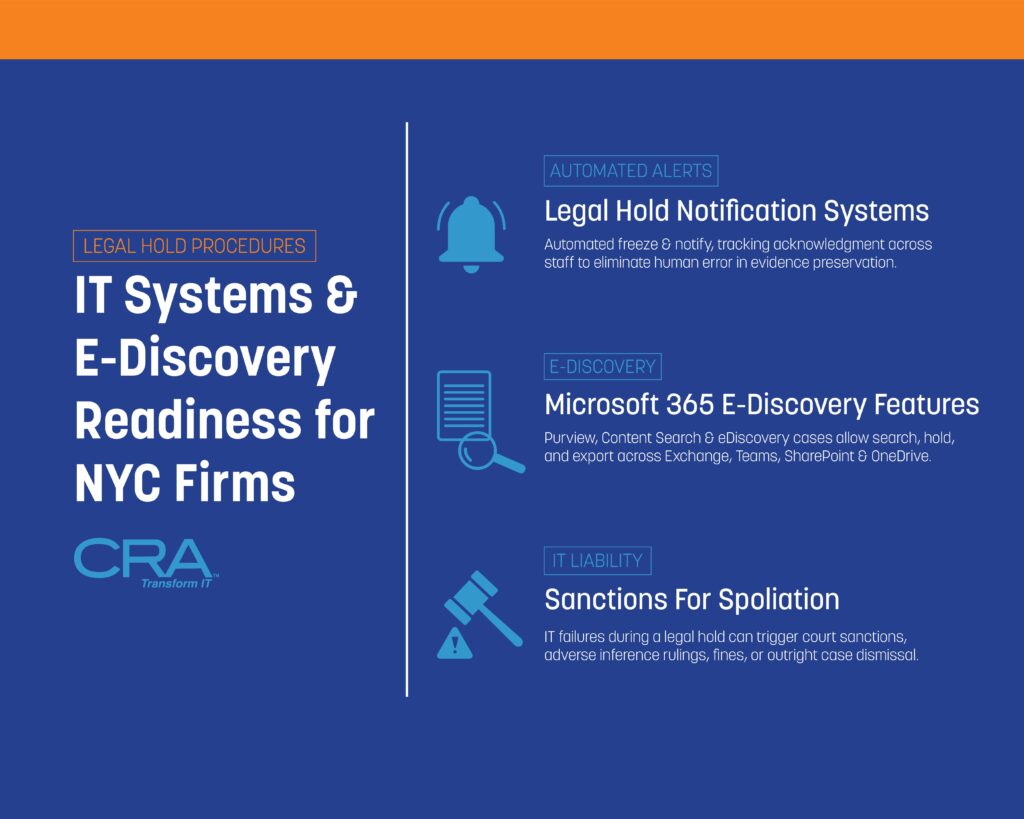
Automated legal hold systems eliminate manual email tracking and spreadsheet management. When you initiate a legal hold, the software sends standardized notifications to all identified custodians simultaneously. You can customize templates to include specific case details, preservation requirements, and deadlines.
The system automatically sends reminder notifications at scheduled intervals. If a custodian doesn't acknowledge the hold within your specified timeframe, the software escalates the issue to supervisors or legal team members. This automation reduces the risk of human error that often leads to spoliation claims.
Most litigation hold technology platforms maintain detailed audit logs. These logs record when notifications were sent, who received them, and when they responded. You can export these records as evidence of your good-faith preservation efforts if disputes arise.
Tracking Acknowledgement and Custodian Compliance
Your legal hold system should provide a centralized dashboard showing real-time compliance status. This dashboard displays which custodians have acknowledged their obligations and which ones require follow-up. You can filter views by department, case, or date range.
Key tracking features include:
- Receipt confirmation timestamps
- Read receipts for email notifications
- Acknowledgement signatures with date stamps
- Compliance status indicators (pending, acknowledged, overdue)
- Automated escalation workflows
The system flags non-responsive custodians before deadlines pass. You can send targeted reminders or assign team members to contact specific individuals. This proactive approach prevents gaps in your preservation efforts that courts might view as negligence.
Integrating Legal Hold Solutions with Existing IT Infrastructure
Your legal hold software needs to connect with your current systems to work effectively. Most platforms offer pre-built integrations with Microsoft 365, Google Workspace, and popular email servers. These connections allow the software to identify relevant data sources and apply preservation holds automatically.
Integration with your Active Directory or HR systems keeps custodian lists current. When employees join, leave, or change roles, the legal hold system updates automatically. You won't waste time sending notifications to former employees or miss new custodians.
API connections enable your legal hold platform to communicate with backup systems, file servers, and cloud storage. This ensures data preservation extends beyond email to include documents, chat messages, and other relevant files. Your IT team can configure these integrations without disrupting daily operations.
E-Discovery Data Preservation Strategies
Organizations must identify where relevant data exists, apply preservation holds correctly, and manage cloud-based systems where modern legal documents now reside.
Identifying Critical Data Sources
You need to map all locations where relevant data might exist before litigation begins. This includes employee computers, file servers, email systems, and databases that contain business records.
Common data sources requiring preservation:
- Email accounts and archived messages
- Shared network drives and departmental folders
- Individual employee workstations and laptops
- Mobile devices used for business communications
- Instant messaging and collaboration platforms
- Customer relationship management (CRM) systems
- Financial databases and accounting software
Your IT team should maintain an updated inventory of all systems that store business data. This inventory helps you respond quickly when a legal hold notice arrives.
You must also identify custodians who have relevant information. Custodians are employees, contractors, or other individuals whose files may contain evidence related to the legal matter. Interview key personnel to understand their work processes and what systems they use daily.
Implementing Data Preservation Holds
A preservation hold prevents the deletion or modification of data once you know litigation is reasonably anticipated. You should apply holds immediately after receiving notice of potential legal action.
Technical preservation methods vary by system type. For email, you can enable in-place holds that prevent users from permanently deleting messages. For file servers, you might create read-only copies or snapshots of relevant directories.
Your legal hold IT procedures should include automatic suspension of retention policies. Many organizations have policies that automatically delete old emails or files after a certain period. These policies must stop for data covered by the hold.
Document every preservation action you take. Record what data you preserved, when you applied the hold, and which systems you modified. This documentation proves your good faith efforts if opposing counsel later questions your methods.
You need to monitor holds regularly to ensure they remain active. System updates, employee departures, or configuration changes can accidentally disable preservation settings.
Addressing Cloud Storage and Remote Collaboration Platforms
Cloud-based systems like Microsoft 365, Google Workspace, and Slack require different preservation approaches than traditional on-premises servers. You cannot simply unplug a server or make a backup copy.
Microsoft 365 offers built-in e-discovery data preservation through its Compliance Center. You can place holds on Exchange mailboxes, SharePoint sites, OneDrive accounts, and Teams conversations from a single interface. These holds work across all connected services without disrupting user access.
Third-party collaboration platforms need vendor-specific preservation methods. Slack requires you to configure data retention settings and may need specialized tools to export conversations. Dropbox and Box offer legal hold features in their enterprise plans.
Remote work creates additional challenges for preservation. Employees working from home might store files on personal devices or use unauthorized cloud services. Your legal hold notifications must clearly instruct custodians to preserve all relevant data regardless of location.
You should implement data loss prevention (DLP) tools that identify sensitive information across cloud platforms. These tools help you locate relevant data quickly when legal holds become necessary.
Utilizing Microsoft 365 E-Discovery Features
Microsoft 365 provides built-in tools that help law firms preserve and collect data when a legal hold is in place. The Compliance Center offers centralized controls for placing holds on Exchange emails and SharePoint documents, while search and export functions let you gather evidence quickly.
Overview of Microsoft 365 Compliance Center
The Microsoft 365 Compliance Center serves as your main dashboard for managing legal hold IT procedures. You can access it through your admin portal at compliance.microsoft.com.
Inside the Compliance Center, you'll find the E-Discovery tool under the Solutions menu. This area lets you create cases, place holds, and search across your organization's data. Each case acts as a container where you store all materials related to a specific legal matter.
The interface organizes your work into three main tabs: Holds, Searches, and Exports. You assign team members specific roles like E-Discovery Manager or E-Discovery Administrator. These roles control who can view cases and perform actions like placing holds or exporting data.
The Compliance Center also tracks all actions through audit logs. This creates a clear record of who did what and when during your e-discovery data preservation process.
Applying E-Discovery Holds in Exchange and SharePoint
E-Discovery holds in Microsoft 365 freeze content in place without deleting or moving it. When you apply a hold to a user's mailbox, all emails remain accessible to that person while being preserved for litigation.
You can place holds on specific locations or across your entire organization. Common options include individual mailboxes, SharePoint sites, Teams channels, and OneDrive accounts. Query-based holds let you preserve only content that matches certain keywords or date ranges.
Hold options include:
- In-Place Hold: Preserves all mailbox content indefinitely
- Query-Based Hold: Saves only items matching specific criteria
- Time-Based Hold: Keeps content for a set period
Once you apply a hold, users cannot permanently delete the protected content. Items they try to delete move to a hidden folder called the Recoverable Items folder. Your IT team can retrieve these items even if users think they deleted them.
SharePoint holds work differently than Exchange holds. They create a Preservation Hold Library that stores original versions of documents when users edit or delete them.
Managing Search, Export, and Audit Capabilities
The search function in Microsoft 365 E-Discovery lets you find relevant documents across all held locations. You build searches using keywords, date ranges, sender or author names, and file types.
Search queries use Keyword Query Language (KQL) syntax. Simple searches work with plain text, while advanced searches use operators like AND, OR, and NOT. You can preview results before exporting to verify you're collecting the right data.
Export functions package your search results into downloadable files. The system creates a load file that works with law firm document retention software and review platforms. You can export in PST format for emails or as individual files for documents.
Audit logs track every search, hold, and export action. These logs show who performed each task and when it happened. This documentation establishes chain of custody for digital evidence and protects you from sanctions during litigation hold technology disputes.
Chain of Custody for Digital Evidence
Maintaining proper chain of custody for digital evidence requires strict documentation protocols, technical safeguards to prevent tampering, and detailed audit trails that track every access point from preservation through production.
Establishing Documentation Protocols
You need to create a written record the moment you identify relevant digital evidence. This record should include the date, time, custodian name, file location, and the person who secured the data.
Your documentation must track every transfer of the evidence between systems or people. Each handoff requires a signature or electronic confirmation that shows who received the data and when. This creates an unbroken chain that courts can verify.
Key documentation elements include:
- Original file metadata (creation date, modification date, file size)
- Hash values (MD5 or SHA-256) to prove files haven't changed
- Storage location and media type
- Names of all individuals who accessed the evidence
- Purpose of each access or transfer
You should use standardized forms for all evidence handling. These forms become legal documents that your team may need to present in court. Keep both digital and paper copies of all chain of custody records for redundancy.
Ensuring Evidence Integrity in IT Systems
Hash values serve as digital fingerprints that prove your evidence hasn't been altered. You must generate these values immediately when you collect the data and verify them before producing evidence.
Your IT systems should create forensic images rather than working with original files. A forensic image is an exact bit-by-bit copy that preserves all metadata and deleted files. This lets you analyze evidence while keeping the original untouched.
Write-blocking technology prevents any modifications during the collection process. Hardware write blockers physically prevent changes to storage devices, while software write blockers do the same through your operating system.
Store your evidence on secure servers with limited access. The storage media should be kept in locked facilities with entry logs. You need to protect evidence from both intentional tampering and accidental corruption.
Audit Trails and Access Controls
Modern e-discovery platforms automatically log every action taken on preserved evidence. These logs record who viewed files, when they accessed them, what searches they ran, and any exports or productions they created.
Your audit trails must be tamper-proof and stored separately from the evidence itself. Many legal hold systems use blockchain technology or similar methods to ensure logs cannot be altered after creation.
Essential audit trail components:
- User authentication records
- File access timestamps
- Search queries and results
- Export activities and recipient information
- System changes or updates
You should implement role-based access controls that limit who can view or handle evidence. Only authorized personnel should have access, and their permissions should match their specific duties in the litigation. Your IT department needs to review and update these permissions regularly as team members change roles or cases close.
Two-factor authentication adds another security layer for accessing preserved data. This prevents unauthorized access even if someone obtains a password.
Avoiding Sanctions: IT Failures and Spoliation Risks
Courts impose severe penalties on law firms that fail to preserve evidence due to IT system breakdowns. Your firm faces financial sanctions, adverse inference instructions, and even case dismissal when technology failures result in data loss during litigation holds.
Common IT-Related Spoliation Scenarios
Your backup systems can automatically overwrite preserved data if you don't configure legal hold IT procedures correctly. Many firms face sanctions when their standard retention policies delete emails or documents that should have been frozen for litigation.
Frequent IT failures that trigger spoliation findings include:
- Automatic deletion of instant messages and Slack communications
- Recycling of laptops and mobile devices without data extraction
- Cloud storage accounts that expire and purge content
- Email archives that reach capacity and delete older messages
- Backup systems that overwrite tapes on scheduled rotations
You risk sanctions when departing employees take their devices without proper data collection. Your IT team must suspend all automated deletion processes for custodians under legal hold. Mobile device management systems can remotely wipe phones if you don't flag accounts for preservation.
Server migrations and system upgrades create high-risk periods for data loss. You need to verify that all preserved data transfers completely to new platforms before decommissioning old systems.
Proactive Risk Assessment and Remediation
Your IT team should audit data retention systems quarterly to identify preservation gaps. You must document where custodian data resides across all platforms including collaboration tools, cloud storage, and mobile devices.
Map your data flows to understand how information moves through systems. You need to know retention periods for each system and whether automated deletions could affect preserved data.
Your risk assessment should examine:
- Backup rotation schedules and retention periods
- Auto-delete settings in email and file sharing platforms
- Mobile device policies for remote wipe capabilities
- Departing employee device collection procedures
- System upgrade and migration protocols
Test your legal hold notification systems regularly to confirm they reach all custodians. Your IT staff needs documented procedures for suspending deletions across every platform where relevant data exists.
You should implement monitoring tools that alert administrators when preserved data faces deletion risks. Create exception processes that prevent systems from purging legally held information.
Demonstrating Defensible Data Preservation Practices
Your documentation proves to courts that you took reasonable steps to preserve evidence. You must maintain detailed records of every action your IT team takes to implement litigation hold technology.
Create preservation logs that track when you suspended automated deletions, collected custodian data, and verified backup integrity. Your records should show the specific systems you placed on hold and the technical methods you used.
Document your legal hold IT procedures in written policies that specify responsibilities for IT staff and attorneys. You need evidence that your team followed these procedures for each matter.
You should photograph or create forensic images of devices before collection to establish baseline conditions. Your IT team needs to document any technical challenges encountered and how you resolved them. Courts view detailed contemporaneous records as evidence of good faith preservation efforts even if some data loss occurs.
Law Firm Document Retention Challenges in NYC
NYC law firms face strict retention rules from multiple agencies including the New York State Bar, federal courts, and industry regulators like FINRA and the SEC. Document retention becomes more complex when you need to pause routine deletion schedules for active litigation while maintaining compliance with data privacy laws.
Tailoring Retention Policies for Local Regulatory Requirements
New York imposes specific retention periods that differ from other jurisdictions. Your firm must keep closed case files for at least seven years under New York Rules of Professional Conduct Rule 1.15(d). Financial records require retention for six years under New York tax law.
Federal requirements often extend these timelines. Securities litigation documents need preservation for six years under SEC rules. Employment discrimination cases fall under EEOC guidelines requiring three years of personnel records.
You need to map each document type to its longest applicable retention period. Client communications in securities matters require different handling than general corporate correspondence. Your retention schedule should account for:
- New York State Bar requirements - Client property and financial records
- Federal court rules - Case files and discovery materials
- Industry-specific mandates - Banking, healthcare, or securities documents
- Tax obligations - Both state and federal financial records
Many firms build a retention matrix that lists document categories with their governing regulations and minimum retention periods.
Coordinating Legal Hold with Routine Retention Schedules
Legal holds must override your automated deletion processes. When litigation begins, you need to suspend normal retention schedules for relevant documents immediately. This creates tension between preservation obligations and data minimization goals.
Your IT systems should flag legal hold items to prevent deletion during routine purges. Microsoft 365 offers preservation policies that exempt specific mailboxes or document libraries from retention rules. You can apply holds at the user level or target specific keywords and date ranges.
The challenge grows when multiple holds affect overlapping data sets. A single email thread might be subject to three different legal holds with varying scopes. Your systems must track each hold separately and maintain preservation until all related matters close.
You should document which retention rules apply to each data category and how legal holds interrupt those schedules. Clear procedures prevent IT staff from accidentally deleting preserved data during system maintenance or migration projects.
Managing Legacy Data and Data Minimization
Older case files stored on outdated systems create significant challenges. Your firm might have documents on backup tapes, discontinued practice management software, or obsolete file formats. These legacy systems require ongoing maintenance even after cases close.
Data minimization conflicts with broad retention policies. Privacy regulations like GDPR and New York's SHIELD Act favor deleting unnecessary personal information. Yet legal and ethical obligations require keeping client files for years after matters conclude.
You need a strategy for migrating legacy data to searchable formats. Backup tapes should be indexed or converted to modern storage before the hardware fails. Old email archives from discontinued platforms need extraction and preservation in accessible formats.
Key steps for legacy data management:
- Inventory all storage locations and platforms
- Prioritize migration based on access frequency and legal risk
- Convert proprietary formats to standard file types
- Implement consistent metadata tagging across old and new systems
- Test data integrity after migration
Your retention schedule should specify when legacy data can be permanently deleted after meeting all regulatory minimums.
Important Legal Disclaimer
General Information Only: The information provided in this article is for general informational and educational purposes only. It does not constitute legal, financial, or professional compliance advice. While Computer Resources of America strives to ensure the accuracy and timeliness of the information presented as of the publication date, the regulatory landscape—including New York Rules of Professional Conduct, the NY SHIELD Act, and CLE requirements—is subject to frequent change and varying interpretations by courts and ethics committees.
No Professional Relationship: Your use of this website or the information contained in this blog post does not create a professional relationship between you and Computer Resources of America. We are an IT services provider, not a law firm. Compliance with the New York Rules of Professional Conduct is the sole responsibility of the licensed attorney.
Fact-Checking and Accuracy: While we make every effort to provide comprehensive guides, Computer Resources of America makes no representations or warranties of any kind, express or implied, about the completeness, accuracy, or reliability of the information, statistics, or legal citations contained herein. Laws and technical standards in 2026 are evolving rapidly; therefore, any reliance you place on such information is strictly at your own risk.
Limitation of Liability: In no event will Computer Resources of America be liable for any loss or damage, including without limitation, indirect or consequential loss or damage, or any loss or damage whatsoever arising from loss of data, disciplinary actions, or malpractice claims arising out of, or in connection with, the use of this guide.
Consult a Professional: We strongly recommend that NYC law firms consult with their own legal counsel, ethics advisors, or the New York State Bar Association to confirm their specific compliance obligations. Technology implementations should always be tailored to a firm’s unique risk profile by a qualified IT professional.