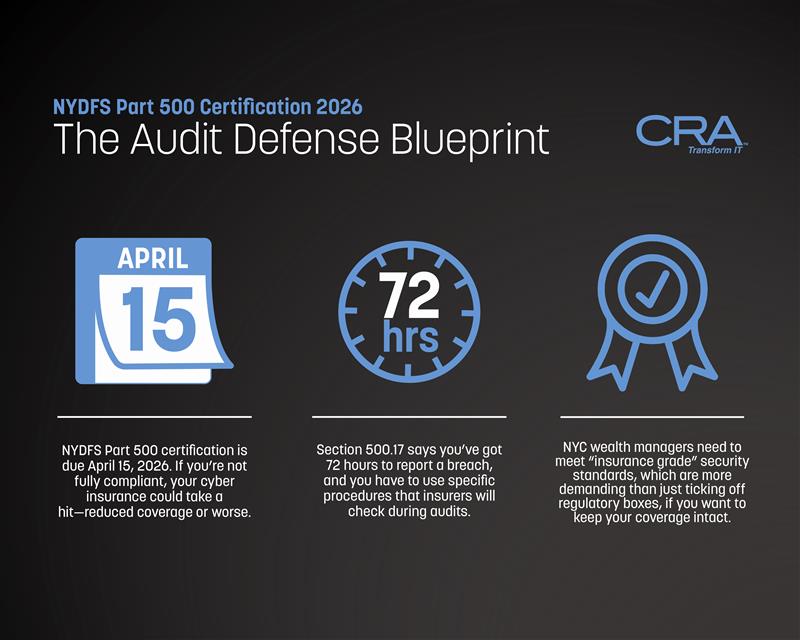
NYDFS Part 500 Certification 2026: The Audit Defense Blueprint
The 2026 NYC Guide to 'Insurance-Grade' NYDFS Part 500 Certification
NYC wealth managers, the clock’s ticking—just one week left before the NYDFS Part 500 certification deadline hits on April 15, 2026. Miss it, and you could be looking at more than a slap on the wrist. There’s a real risk of fallout that goes way beyond regulatory fines.
If your firm doesn’t hit the compliance benchmarks by April 15, your cyber liability insurance carrier might slash your coverage—or just flat-out deny you on future claims tied to cybersecurity incidents. Insurers are now digging into NYDFS Part 500 compliance as part of their underwriting. They’re not just after a checklist—they want what they call “insurance grade security,” which is a cut above the bare minimum the law requires.
This gap between what regulators want and what insurers demand? It’s tripped up plenty of firms. There’s a world of difference between passing muster with NYDFS auditors and actually putting the right controls in place to keep your insurance. That means getting breach reporting right under Section 500.17, using multi-factor authentication for remote workers, and having incident response plans that aren’t just written down, but actually meet both regulatory and insurance expectations.
Key Takeaways
- NYDFS Part 500 certification is due April 15, 2026. If you’re not fully compliant, your cyber insurance could take a hit—reduced coverage or worse.
- Section 500.17 says you’ve got 72 hours to report a breach, and you have to use specific procedures that insurers will check during audits.
- NYC wealth managers need to meet “insurance grade” security standards, which are more demanding than just ticking off regulatory boxes, if you want to keep your coverage intact.
Summary for the C-Suite
NYC wealth managers are staring down a hard April 15 deadline for NYDFS Part 500 certification. Miss key requirements, and you’re risking your cyber liability insurance—not to mention triggering some pretty serious reporting obligations.
April 15 Certification Deadline Essentials
Your annual certification to NYDFS is due April 15, 2026. There’s no wiggle room for any covered entity under Part 500. This isn’t one of those “optional” filings.
Your Chief Information Security Officer has to sign off personally—no delegating. That document says your firm’s compliant with all 23 sections of Part 500.
You’re attesting that your cybersecurity program actually meets state standards. You can’t fudge it with a partial certification or ask for more time unless you get explicit regulatory approval.
Miss the deadline? NYDFS doesn’t mess around—enforcement actions often start within 30 days.
Insurance Coverage Risks and Triggers
Your cyber liability carrier can—and often will—reduce or yank coverage if you don’t pass certification. Most policies have clauses that tie directly to regulatory compliance standards.
Five big gaps that make insurers nervous:
- No multi-factor authentication on all systems
- Lack of encryption for non-public info at rest
- Vendor risk assessments that are incomplete or missing
- Incident response plan never tested
- No documented penetration testing
Underwriters are going to look at your Part 500 compliance status at renewal time. They’re especially interested in your Section 500.17 breach notification records and when you filed your certification.
Expect your premiums to jump by 40-60% if you’ve got compliance gaps. Some carriers won’t even consider renewing if you’ve got a track record of violations.
Top Action Steps Before Submission
First up, do a gap analysis—compare your current controls to what Part 500 actually requires. Write down anything that’s missing. Don’t just keep it in your head.
This week’s priorities:
- Double-check that multi-factor authentication is running on every remote access point
- Run a tabletop exercise to test your incident response plan
- Finish vendor risk assessments for any third-party with access to your data
- Give your written cybersecurity policy a fresh review and update if needed
- Make sure your risk assessment covers all the bases
Auditors want receipts. Screenshots, policy docs, test results—have them ready to prove you’re compliant.
Book a final review with your CISO before April 15. Their signature means they’re vouching for every item in the certification.
Key NYDFS Requirements at a Glance
Section 500.02: You need a real, comprehensive cybersecurity program. It’s got to protect both consumer data and your firm’s systems.
Section 500.09: Annual penetration testing and vulnerability assessments every six months. Don’t skip or delay—NYDFS expects you to stick to the schedule.
Section 500.17: The 72-hour breach notification rule starts when you decide an incident counts as a cybersecurity event. Basically, any unauthorized access to non-public info triggers it.
Remote work isn’t an afterthought. Your program needs to address those risks directly. Multi-factor authentication has to cover employees working from home or public networks.
Section 500.14: You’re expected to keep audit trails for five years. These logs need to track every access to non-public info across all your systems.
Minimum Compliance vs. Insurance Grade Security
Just meeting NYDFS Part 500 doesn’t guarantee your cyber insurance will pay out if something goes wrong. Carriers are looking for controls that go beyond ticking regulatory boxes—they’re setting their own limits and exclusions.
Gap Analysis Table Overview
The gap between minimum compliance and true insurance-grade security? It shows up in your premiums and whether your claims get paid. A lot of wealth managers assume passing a compliance audit means they’re fully covered, but insurers are playing by a different rulebook.
| Control Area | Minimum Compliance (Part 500) | Insurance Grade Security |
| Multi-Factor Authentication | Required for privileged accounts | Required for every user access point |
| Encryption | Data at rest for nonpublic information | Data at rest and in transit, plus key rotation |
| Penetration Testing | Annual testing | Quarterly testing, with remediation tracked |
| Incident Response Plan | Written plan on file | Tested plan, with tabletop exercises every 6 months |
| Access Controls | Role-based access | Zero-trust architecture, continuous verification |
| Backup Systems | Regular backups maintained | Immutable backups, including offline copies |
Insurers are going to check these gaps when they underwrite your policy. If you’re only hitting the left-hand column, expect higher premiums—or exclusions for certain types of attacks.
Common Uninsurable Tech Gaps in 2026
Certain vulnerabilities will get your claims denied, no matter how good your Part 500 paperwork looks. Insurers now exclude anything to do with outdated systems—think Windows Server 2012 or anything older.
Networks that aren’t segmented are another big red flag. If client data is on the same network as employee devices, with no isolation, carriers might call that gross negligence. Some policies now outright exclude ransomware claims if network segmentation is missing.
Third-party vendor access without monitoring? That’s another uninsurable gap. You need to have vendor risk assessments and access logs. And as for cloud storage—public S3 buckets or badly configured SharePoint? Most policies void coverage for those mistakes.
Poor password management is a dealbreaker, too. If your team is reusing passwords or you don’t have a password manager in place, expect coverage denials if a breach happens through credential stuffing.
Essential Controls for NYC Wealth Managers
NYC firms have their own headaches, especially with all the remote work since 2024. Employees need hardware-based MFA tokens—insurers don’t trust SMS codes for remote access anymore.
Endpoint detection and response (EDR) tools need to be on every device that touches client data. Antivirus alone just doesn’t cut it now. You want real-time monitoring and automated threat response, or you’re behind the curve.
Email security has to go beyond basic spam filters. Look for tools that can spot business email compromise and isolate suspicious links or attachments. These are the kinds of controls that actually cut down your social engineering risk.
Privileged access management (PAM) should be controlling every admin function. Every admin action needs to be logged, and you want alerts for anything weird. NYC carriers specifically ask about PAM during underwriting because it’s one of the few things that really blocks insider threats and credential abuse from spiraling.
Critical NYDFS Part 500.17 Reporting Requirements
Section 500.17 is serious about deadlines for reporting cybersecurity events to NYDFS. You have to follow their notification procedures to the letter and keep detailed records of every incident and certification.
72-Hour Breach Notification Process
You’ve got 72 hours to notify NYDFS once you’re reasonably confident a cybersecurity event has occurred. That clock starts ticking the moment you decide an incident fits the Part 500 definition.
Basically, if you have to notify any government body, self-regulatory organization, or the incident affects more than 500 people, it’s reportable. Same goes for anything that seriously disrupts your operations.
Your notification needs to include:
- Date of the event and when you found out
- Description of what happened and which systems were hit
- Type of data that might be compromised
- Actions you’ve taken to respond and fix things
File your notice through the NYDFS online portal using your firm’s credentials. Keep that login info handy—you can’t file by email or phone, and the 72-hour window isn’t flexible.
When and How to File a Certification
Your annual Part 500 certification is due by April 15, 2026, and then every year on the same date. Your CISO or a senior officer has to actually sign it, confirming you’re compliant with every Part 500 requirement.
You’re attesting that your cybersecurity program meets every section of the regulation. No partial compliance, no exceptions allowed.
Before you sign, double-check these areas:
- Risk assessments done in the last year
- Penetration testing and vulnerability scans completed
- Training records—make sure everyone’s attended
- Vendor assessments are up to date
- Incident response plan has been tested
File through the NYDFS portal at least two business days before the deadline. Late filings can trigger enforcement, even if everything else is in order.
Documentation and Recordkeeping Protocols
You’ve got to keep records proving compliance for at least five years from when they’re created. That covers policies, assessments, reports, training materials—anything tied to your cybersecurity program.
Your documentation should address every single Part 500 requirement. Hang onto risk assessments, audit reports, board minutes on cybersecurity, and all vendor contracts that include security clauses.
Store these records somewhere secure and organized, so you can pull them up fast if you get audited:
| Document Type | Retention Period | Storage Location |
| Risk Assessments | 5 years | Encrypted server |
| Training Records | 5 years | HR system backup |
| Incident Reports | 5 years | Secure cloud storage |
| Board Minutes | 5 years | Corporate records |
| Vendor Contracts | 5 years + contract term | Legal repository |
It’s worth creating an index of all your compliance docs, with dates and version numbers. Update it monthly so you’re not scrambling when an auditor asks for something new.
Navigating NYC's Financial Services Cybersecurity Audits
NYC-based RIAs are under the microscope, especially with all the enforcement activity and how spread out teams are across the city. If you want to be ready for an audit, you need to know the local quirks and make sure your remote work policies line up with NYDFS rules.
Unique Compliance Challenges for City-Based RIAs
New York’s financial district is packed with NYDFS-regulated firms. That means regulators focus their audit energy here and have less patience for compliance slips.
If you’re using shared office space or co-working setups—pretty common in Manhattan and Brooklyn—expect extra scrutiny on vendor management. NYDFS wants to see documented risk assessments for every third-party provider with access to nonpublic info.
The 72-hour breach notification under Section 500.17 is tough for smaller RIAs, especially without full-time compliance staff. You have to report any unauthorized system access, even if there’s no evidence of data theft. Miss the deadline, and you’ll trigger an automatic enforcement review.
And let’s be real: cybersecurity talent in NYC isn’t cheap. Many wealth managers lean on MSPs instead of in-house teams, but NYDFS still holds you responsible for your vendors’ security. You need written agreements that spell out security controls and give you audit rights. No shortcuts there.
Audit Preparation Best Practices
Kick things off with your Section 500.02 risk assessment docs. Auditors want to see that you've actually thought about threats that make sense for your business and its size—nothing generic or out of touch.
It's smart to keep a compliance calendar handy so deadlines don't sneak up on you:
- Annual certification filing – April 15
- Risk assessment updates – At least every 12 months
- Penetration testing – Once a year if you’re pulling in over $5M
- Board reporting – Quarterly cybersecurity updates (yes, they really do want this)
Your written policies? They’ve got to match what’s actually happening. Auditors will check your docs against system logs, chat with your team, and even peek at vendor contracts. The biggest audit fails usually come from gaps between what’s on paper and what’s real.
Don’t wait for the audit to test your incident response plan. Run a drill, jot down what worked (and what didn’t), and note any tweaks you made after.
Interplay with NYC Remote Work Policies
The whole remote work shift in the metro area is bumping up against NYDFS’s multi-factor authentication and encryption rules. You’ve got to enforce MFA on every system folks can hit from home—whether they’re in Connecticut, Jersey, or the outer boroughs.
Remote access policies should spell out exactly how you handle personal devices. NYDFS expects you to either ban them outright or use mobile device management tools with encryption and remote wipe. No half-measures here.
Let’s be real—NYC’s packed apartment buildings mean WiFi risks everywhere. Require VPNs for remote work, and make it clear: public networks are off-limits. Add this to your acceptable use policy and actually track who’s read and agreed to it.
The rules don’t give remote workers any free passes. So, your audit prep has to include testing controls on home setups for everyone, not just the folks at HQ.
Multi-Factor Authentication and Local NYC Mandates
NYDFS says you have to use multi-factor authentication anywhere nonpublic info is accessed. With so many people working remotely in NYC since 2024, this is a real headache for wealth management firms.
Aligning MFA Policies with NYDFS 2026 Standards
Section 500.12 is clear: MFA for anyone connecting to your internal network from outside. That means employees, contractors, even third-party vendors who touch client data—it’s all in.
Document which MFA methods you’re using, and why they pass muster. Here’s what counts:
- SMS codes (bare minimum—honestly, try to avoid)
- Authenticator apps (think Google or Microsoft Authenticator)
- Hardware tokens (YubiKey, Titan Security Key, etc.)
- Biometrics (fingerprint, face scan—if you’re fancy)
Your annual certification needs to show MFA is live on everything it should be. If you ever make exceptions, write down the compensating controls. No blanket get-out-of-jail-free cards for execs or board members, either.
Technology Solutions for Hybrid Workforces
NYC wealth managers have a juggling act: staff in Manhattan, folks working from home, and people on client sites. Your MFA setup has to work everywhere, but not get in the way so much that people try to bypass it.
Cloud-based identity tools like Okta or Microsoft Azure AD are solid picks if you’ve got 10+ people. They play nicely with most financial software and custodian portals.
Smaller shops? Microsoft 365 or Google Workspace both have built-in MFA. Just make sure you actually turn it on and block logins that don’t meet your requirements.
Your IT docs should include screenshots of MFA settings for every critical system. Auditors will literally try to break in without credentials—don’t let them win that game.
Final Pre-Certification Checklist for Wealth Managers
Do a full check of your technical controls and double-check that your cyber insurance matches your actual security setup before April 15. Miss even one control and you could lose coverage or get dinged by regulators.
Key Controls to Validate Before April 15
Make sure your MFA works everywhere staff access nonpublic info—remote logins, mobile devices, the works. Test every entry point, not just the ones you use every day.
Your encryption game needs to be tight for data at rest and in transit. Confirm client files on servers use AES-256 or better. For emails with sensitive info, check they’re always encrypted.
Run a penetration test on your network perimeter before April 15. Document what you find, patch the big stuff right away, and keep proof handy—your insurance carrier will want to see it was done in the last 90 days.
Required documentation checklist:
- Risk assessment done in the last 12 months
- Incident response plan with clear roles
- Vendor inventory with security reviews
- Audit logs showing you’re watching privileged accounts
- Written cybersecurity policy signed off by senior leadership
Recertify your access controls every year. And when someone leaves—employee or contractor—yank their credentials immediately. No exceptions.
Coordinating With Carriers and Legal Advisors
If you haven't already, reach out to your cyber insurance carrier and double-check which Part 500 controls they actually expect for coverage. Some carriers—maybe more than you'd think—ask for controls that go well beyond what the regulations require. It's worth asking them outright about their stance on endpoint detection and response tools; don't assume they're fine with the basics.
You should probably set up a call with your legal team, too, just to go over your breach notification procedures. Remember, there's that 72-hour window to report qualifying incidents to NYDFS. Your legal counsel should really pre-approve your notification templates and contact lists ahead of time—no one wants to scramble at the last minute.
Ask your carrier for something in writing confirming that your current security setup actually meets their underwriting requirements. Seriously, get this squared away before April 15. If there are any gaps between your controls and what they expect, you could end up with a coverage denial right when you need it most.
Your compliance officer should cut through the noise and coordinate directly with both your insurance broker and your attorney. They need to be crystal clear about what, exactly, starts the 72-hour reporting clock under section 500.17. No one wants to be caught off guard by a technicality.
Important Legal Disclaimer
General Information Only: The information provided in this article is for general informational and educational purposes only. It does not constitute legal, financial, or professional compliance advice. While Computer Resources of America strives to ensure the accuracy and timeliness of the information presented as of the publication date, the regulatory landscape—including New York Rules of Professional Conduct, the NY SHIELD Act, and CLE requirements—is subject to frequent change and varying interpretations by courts and ethics committees.
No Professional Relationship: Your use of this website or the information contained in this blog post does not create a professional relationship between you and Computer Resources of America. We are an IT services provider, not a law firm. Compliance with the New York Rules of Professional Conduct is the sole responsibility of the licensed attorney.
Fact-Checking and Accuracy: While we make every effort to provide comprehensive guides, Computer Resources of America makes no representations or warranties of any kind, express or implied, about the completeness, accuracy, or reliability of the information, statistics, or legal citations contained herein. Laws and technical standards in 2026 are evolving rapidly; therefore, any reliance you place on such information is strictly at your own risk.
Limitation of Liability: In no event will Computer Resources of America be liable for any loss or damage, including without limitation, indirect or consequential loss or damage, or any loss or damage whatsoever arising from loss of data, disciplinary actions, or malpractice claims arising out of, or in connection with, the use of this guide.
Consult a Professional: We strongly recommend that NYC law firms consult with their own legal counsel, ethics advisors, or the New York State Bar Association to confirm their specific compliance obligations. Technology implementations should always be tailored to a firm’s unique risk profile by a qualified IT professional.