
Winter Weatherproofing Your Data & Disaster Recovery Plan: Essential Strategies for Business Continuity
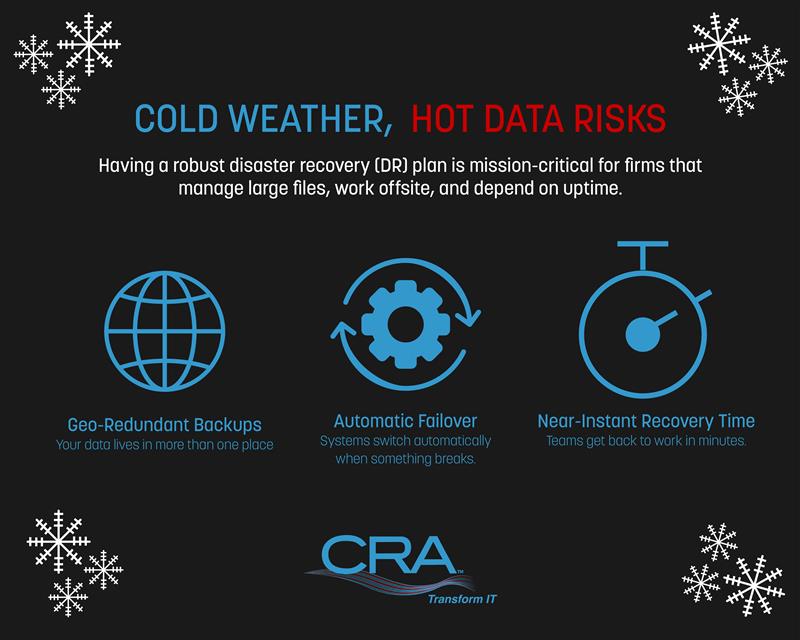
Winter weather brings more than cold temperatures and snow. It brings real threats to your business data and technology systems. Power outages, internet failures, and equipment damage from storms can shut down your operations when you least expect it.
Your disaster recovery plan needs specific winter preparations to protect your data and keep your business running during the coldest months of the year. Most businesses have basic backup systems in place, but winter conditions create unique challenges that standard plans don't address. When electricity demand spikes and power grids struggle under extreme weather, your data protection strategy becomes your first line of defense against costly downtime.
The difference between businesses that survive winter disruptions and those that don't comes down to preparation. Testing your backup systems, adding redundant power sources, and training your team on emergency procedures takes time. That's why you need to weatherproof your disaster recovery plan now, before the next storm hits.
Key Takeaways
- Winter weather creates unique risks to data and systems that require specific disaster recovery preparations beyond standard backup plans
- Your disaster recovery plan must include redundant power protection, tested backup systems, and documented procedures that your team can follow during emergencies
- Regular testing and team training are essential to ensure your recovery plan actually works when winter disruptions strike your business
Understanding Winter Weather Risks to Data and Operations
Winter weather creates specific threats to data centers and IT systems that differ from other seasonal challenges. Freezing temperatures, power outages, and equipment failures can disrupt operations and lead to significant data loss if not properly addressed.
Unique Challenges of Winter Storms
Winter storms bring multiple hazards that standard disaster recovery plans often overlook. Subzero temperatures can freeze water in cooling circuits, blocking coolant flow and causing pipes to burst. Ice accumulation on power lines frequently results in extended outages that exceed backup power capabilities.
Snow and ice create physical access problems for your IT staff. When technicians cannot reach data centers during emergencies, response times increase dramatically. Heavy snow loads on roofs can cause structural damage to facilities housing critical equipment.
Impact on IT Infrastructure and Business Operations
Cold weather affects hardware in ways that compromise reliability. Server components operate within specific temperature ranges, and sudden temperature drops strain cooling systems designed for stable conditions. External generators face ventilation blockages from snow buildup, while batteries lose efficiency in freezing temperatures.
Power fluctuations during winter storms cause hardware failures across your infrastructure:
- Voltage spikes damage servers and storage devices
- Repeated power cycling degrades equipment lifespan
- Unprotected systems experience data corruption
Network connectivity suffers when ice brings down communication lines. Your cloud backups become inaccessible if internet connections fail. Remote workers cannot connect to essential systems, halting productivity across distributed teams.
Winter Weather-Induced Downtime and Data Loss
Winter weather events caused over $10 billion in damages during the 2024-2025 season alone. Your business faces direct financial losses when systems go offline unexpectedly. Each hour of downtime costs money in lost transactions, reduced productivity, and damage to customer relationships.
Data loss occurs through multiple winter-specific scenarios. Frozen pipes burst and flood server rooms, destroying storage devices before anyone can respond. Power failures interrupt backup processes, leaving gaps in your recovery points. Equipment damaged by cold may fail gradually, corrupting data without triggering immediate alerts.
The cascading effects multiply your risks. A single frozen pipe can disable cooling systems, causing servers to overheat and fail. One damaged generator can drain your UPS batteries, leaving your entire infrastructure vulnerable. These interconnected failures make winter particularly dangerous for data protection.
Essential Components of a Winterized Disaster Recovery Plan
Winter weather creates unique threats to your data and operations that require specific planning elements. Your disaster recovery plan needs clear recovery objectives, a thorough understanding of winter risks, and reliable ways to reach your team when standard communication channels fail.
Defining Recovery Objectives (RTO and RPO)
Your recovery time objective (RTO) defines how quickly you need to restore operations after a winter disaster strikes. Your recovery point objective (RPO) determines how much data loss you can accept. These two metrics form the foundation of your entire disaster recovery plan.
Set your RTO based on how long your business can survive without critical systems. A retail business might need systems back within hours, while other operations can tolerate longer outages. Your RPO tells you how frequently to back up data. If you set a four-hour RPO, you need backups at least every four hours.
Winter storms make these objectives harder to meet. Power outages can last for days, and staff may not reach your facility for extended periods. Adjust your RTO and RPO to account for winter-specific delays. Build extra time into your recovery timeline to handle snow removal, road closures, and extended power failures.
Business Impact Analysis and Risk Assessment
A business impact analysis (BIA) identifies which systems and processes matter most during winter emergencies. Start by listing all your critical operations and ranking them by importance. Your BIA should account for winter-specific scenarios like frozen pipes, roof damage from snow loads, and heating system failures.
Your risk assessment needs to evaluate winter threats that could disrupt your operations. Consider these winter hazards:
- Power outages from ice-damaged lines
- Frozen or burst water pipes
- Roof collapse from heavy snow
- Blocked access roads preventing staff arrival
- Network failures from equipment exposure to cold
Document the likelihood and potential impact of each risk. A business in Minnesota faces different winter threats than one in Tennessee. Your continuity plan should address the specific winter conditions in your location.
Establishing a Communication Plan
Your communication plan must work when primary systems fail during winter storms. Phone lines go down, internet connections fail, and employees get stranded in different locations. You need multiple backup communication methods to reach your disaster recovery team.
Set up redundant communication channels before winter arrives. Collect personal cell phone numbers, home phone numbers, and emergency contact information for all critical staff. Test mass notification systems that can send alerts through text, email, and voice calls simultaneously.
Define clear protocols for different winter scenarios. Your team needs to know who makes the decision to close facilities, how quickly they should respond to alerts, and where to report if normal locations are inaccessible. Create message templates for common situations like facility closures, delayed openings, and work-from-home directives. Store these templates where your disaster recovery team can access them even during power outages.
Strategic Data Backup and Recovery Approaches for Winter
Winter weather creates unique challenges for data protection that require a clear backup strategy, proper storage methods, and regular testing. Your approach should balance speed, security, and accessibility to keep your business running when weather-related disruptions occur.
Developing a Backup Strategy and Schedule
Your backup strategy starts with identifying what data you need to protect and how often you need to back it up. Critical business data like financial records, customer information, and active projects require daily backups, while less critical files may only need weekly protection.
Automated backups remove the risk of human error and ensure consistency. Set up your backup schedule based on how much data you can afford to lose. If losing a day's work would hurt your business, schedule daily backups. If you can tolerate more data loss, weekly backups may work.
Consider using different backup types to balance speed and storage:
- Full backups copy everything but take longer and use more storage
- Incremental backups only save changes since the last backup
- Differential backup captures all changes since the last full backup
A common approach combines weekly full backups with daily incremental backups. This gives you complete protection without overwhelming your storage capacity.
On-site, Off-site, and Cloud Backup Options
Your backup and restore plan needs multiple storage locations to protect against different winter risks. On-site backups provide fast recovery when you need quick access to files, but they won't help if your building loses power or floods.
Off-site storage protects your data from local disasters. Physical backups stored at another location work, but they're slower to access during recovery. Cloud disaster recovery offers the best balance for most businesses. Your data stays accessible from anywhere, even if your office becomes unreachable due to storms.
The 3-2-1 rule provides solid protection: keep three copies of your data, on two different storage types, with one copy off-site. This strategy ensures you maintain access to your data regardless of what winter throws at you.
Testing and Validating Backup ProceduresRegular backups only protect your business if they actually work when you need them. Test your backup and restore process monthly to catch problems before an emergency hits. Run practice recoveries of random files and complete systems to verify your data backups restore correctly.
Document your recovery time for different scenarios. Know how long it takes to restore a single file versus your entire system. This information helps you set realistic expectations during actual disasters.
Check these elements during testing:
- Data integrity - Files open correctly without corruption
- Completeness - All expected data appears in backups
- Replication accuracy - Off-site copies match source data
- Access speed - Recovery happens within acceptable timeframes
Schedule tests before winter weather arrives. Finding backup failures during a snowstorm creates unnecessary stress and downtime. Your validation process should include multiple team members so backup knowledge doesn't rest with one person who might be unable to reach the office during severe weather.
Redundancy and High Availability Solutions
Winter weather events can knock out power grids, damage facilities, and disrupt network connections within minutes. Building redundant systems and implementing high availability strategies ensures your data remains accessible even when harsh conditions strike your primary infrastructure.
Redundant Infrastructure for Winter Resilience
Redundant systems create backup pathways for your critical data and operations. You need multiple servers, storage devices, and network connections spread across different physical locations to avoid a single point of failure.
Data replication copies your information to multiple servers in real time. If one server fails during a winter storm, another takes over automatically without losing data. You should set up replication between facilities in different weather zones to protect against regional outages.
Load balancing spreads your workload across several servers. This approach keeps any single server from becoming overwhelmed during peak usage times. It also means you have backup capacity ready when winter weather takes down part of your infrastructure.
Geographic distribution places your redundant systems in locations with different weather patterns. A blizzard hitting your East Coast facility won't affect your West Coast backup site.
Disaster Recovery Sites: Hot, Warm, and Cold
A hot site is a fully operational backup facility that mirrors your primary systems. Your data syncs continuously between locations, and you can switch operations within minutes. Hot sites cost the most but provide the fastest recovery during winter emergencies.
A warm site includes the basic infrastructure like servers and network equipment, but the data isn't fully current. You need several hours to restore recent data and bring systems online. Warm sites balance cost against recovery speed for many organizations.
A cold site provides just the physical space and basic utilities. You must install equipment and restore all data from backups, which takes days or weeks. Cold sites work best as a last resort option when budget constraints limit other choices.
Failover Mechanisms and Virtualization
Failover systems automatically detect when your primary servers stop working and redirect operations to backup systems. You set specific thresholds that trigger the switch, such as server response time or network availability.
Automated failover happens without human intervention. Your systems monitor themselves constantly and make the switch in seconds or minutes when problems occur. Manual failover requires staff to initiate the switch, which adds time but gives you more control.
Virtualization separates your applications from physical hardware. You can move virtual machines between servers quickly when winter weather threatens a location. This flexibility makes your disaster recovery faster and more reliable than traditional setups with applications tied to specific equipment.
Virtual machines also let you test your disaster recovery plan without disrupting operations. You can spin up copies of your systems at your backup site to verify everything works correctly.
Winter-Ready Disaster Recovery Planning
Winter storms create unique challenges for disaster recovery that require specialized planning and regular testing. Your DRP needs specific adjustments for cold weather threats, and regular practice ensures your team can execute recovery procedures when temperatures drop and systems fail.
Customizing Plans for Winter Threats
Your disaster recovery planning must account for winter-specific risks that differ from standard disasters. Power outages from ice storms can last days longer than summer outages. Frozen pipes can destroy server rooms and data centers. Impassable roads prevent staff from reaching facilities to restore operations.
Start by identifying which recovery strategies need winter modifications. Your backup power systems require cold-weather fuel additives and battery warmers. Data center heating systems need redundancy to prevent equipment damage from freezing. Remote access capabilities become critical when employees cannot travel safely.
Document alternative recovery procedures for winter scenarios. If your primary recovery site is unreachable due to snow, your plan needs a secondary location. If vendors cannot deliver replacement hardware during a blizzard, you need local equipment stockpiles. Your incident response team should include provisions for extended stays at facilities during multi-day storms.
Test your backup systems in cold conditions before winter arrives. Generators that work in summer may fail to start at negative temperatures.
Tabletop Exercises and Drills
Tabletop exercises help your team practice disaster recovery procedures without actual system downtime. Schedule winter-focused exercises between November and February when threats are highest. Present realistic scenarios like a three-day power outage during a blizzard or frozen pipes flooding your server room.
Walk through each step of your recovery strategies with all key personnel. Who activates the DRP? How do remote workers access systems? What happens if the recovery team cannot reach the facility? These exercises reveal gaps in your disaster recovery procedures before real emergencies occur.
Conduct at least one drill that involves actual system failover to backup sites. Testing proves whether your recovery time objectives are realistic under winter conditions. Document problems encountered during drills and update procedures immediately.
Continuous Improvement and Plan Updates
Your DRP requires regular updates based on testing results and changing winter threats. Review your plan quarterly and after every drill or actual incident. New equipment, staff changes, and vendor updates all necessitate procedure modifications.
Track metrics from each test and real incident. How long did full recovery take? Which recovery procedures failed? What additional resources were needed? Use this data to refine your disaster recovery strategies and make them more effective.
Update contact lists monthly during winter months. Staff availability changes during holiday seasons when winter storms often strike. Verify that all team members can access the plan remotely since weather may prevent office access when you need it most.
Compliance Considerations and Regulatory Requirements in Winter
Winter conditions create unique challenges for maintaining regulatory compliance in your disaster recovery plan. Cold weather events can disrupt operations and expose vulnerabilities that put you at risk for data breaches and compliance violations.
Key Standards: GDPR, HIPAA, PCI DSS, ISO 27001, NIST
Your disaster recovery plan must align with specific regulatory frameworks regardless of season. GDPR requires you to protect personal data and notify authorities within 72 hours of a data breach. HIPAA mandates that healthcare organizations maintain secure backup systems for patient health information with strict recovery time requirements.
PCI DSS compliance demands that you protect credit card data with redundant systems and secure failover procedures. Your winter preparedness plan must account for these requirements even during power outages or facility disruptions.
ISO 27001 and NIST frameworks provide structured approaches to information security management. These standards require you to assess risks related to environmental factors like winter storms. You need documented procedures for maintaining operations when severe weather threatens your primary data center.
Your compliance requirements don't pause during winter emergencies. You must maintain the same level of data protection and system availability that regulators expect year-round.
Ensuring Data Integrity and Security
Winter weather increases your exposure to cybersecurity threats and data integrity risks. Power outages and system failovers create opportunities for ransomware attacks and phishing attempts targeting stressed IT teams.
You need to verify data consistency across all backup locations before winter arrives. Test your encryption methods and access controls to confirm they function correctly during emergency failover scenarios. Your backup systems must maintain 100% data integrity even when switching between primary and secondary sites.
Cold weather can cause hardware failures that compromise data security. You should monitor temperature-controlled environments closely and document any deviations that could affect storage systems. Physical security measures must remain effective even when weather limits staff access to facilities.
Regular validation of your backup data prevents corruption issues that emerge during extended outages. Set up automated alerts for any data inconsistencies or security anomalies that occur during winter operations.
Documenting and Auditing Winter DR Processes
You must maintain detailed records of all winter-related disaster recovery activities for compliance audits. Document every test of your backup systems, including recovery time objectives and recovery point objectives achieved during simulations.
Your audit trail should include:
- Date and time of all system failovers
- Staff members involved in recovery procedures
- Communication logs with stakeholders and regulators
- Any deviations from standard recovery processes
- Temperature and environmental monitoring data
Regulators expect you to demonstrate that your disaster recovery plan works under adverse conditions. Schedule tabletop exercises and simulated winter disaster scenarios before cold weather arrives. Record the results and update your procedures based on identified gaps.
You need to review and update your compliance documentation quarterly at minimum. Winter preparations should trigger a full audit of your disaster recovery procedures to confirm they meet current regulatory requirements for data protection and business continuity.
Building a Resilient Recovery Team and Culture
Your recovery team needs clear roles and consistent training to handle winter disasters effectively. Winter emergencies demand specific coordination strategies that account for travel delays, power outages, and communication breakdowns.
Roles and Responsibilities During Winter Emergencies
Your disaster recovery team structure should include specific winter-focused assignments. The team leader coordinates all recovery activities and makes time-sensitive decisions when weather conditions limit access to facilities. IT specialists handle remote system restoration and monitor infrastructure vulnerable to cold temperatures or power loss.
You need a communications coordinator to manage updates when normal channels fail. This person maintains contact lists with multiple phone numbers and backup communication methods. Business unit representatives assess damage to their departments and prioritize recovery tasks based on winter-specific impacts.
Assign someone to monitor weather forecasts and facility conditions. This role tracks heating system status, roof snow loads, and backup power supplies. Each team member should have documented responsibilities that account for the possibility they cannot reach your physical location.
Training Employees and Raising Awareness
Your staff needs practical training on winter disaster scenarios before emergencies occur. Run drills that simulate power outages, building closures, and remote work transitions during snow storms. Test your business continuity planning by having employees practice accessing systems from home with limited connectivity.
Train your team on winter-specific risks like frozen pipes, ice dams, and equipment failures in cold temperatures. Schedule these sessions in early fall so knowledge stays fresh when winter arrives.
Create quick reference guides that employees can access offline. Include emergency contact numbers, remote access instructions, and basic troubleshooting steps. Share these materials through multiple channels since email might be unavailable during an actual emergency.
Recovery Team Coordination and Communication
Your recovery team must establish multiple communication pathways that work without electricity or internet. Designate a primary phone tree with mobile numbers and backup satellite phones for leadership. Set specific check-in times when team members report their status and local conditions.
Use a shared documentation system that team members can access remotely. This should include your current disaster recovery plan, system passwords, vendor contacts, and facility access codes. Store copies in cloud platforms and on encrypted USB drives that key personnel keep at home.
Establish clear decision-making authority for different scenarios. Your team leader might be unreachable, so define who takes command next. Document which decisions can wait and which require immediate action even with incomplete information.