A Guide to Law Firm Technology Infrastructure in New York City
The NYC Legal IT Architecture Index – A Definitive Taxonomic Reference
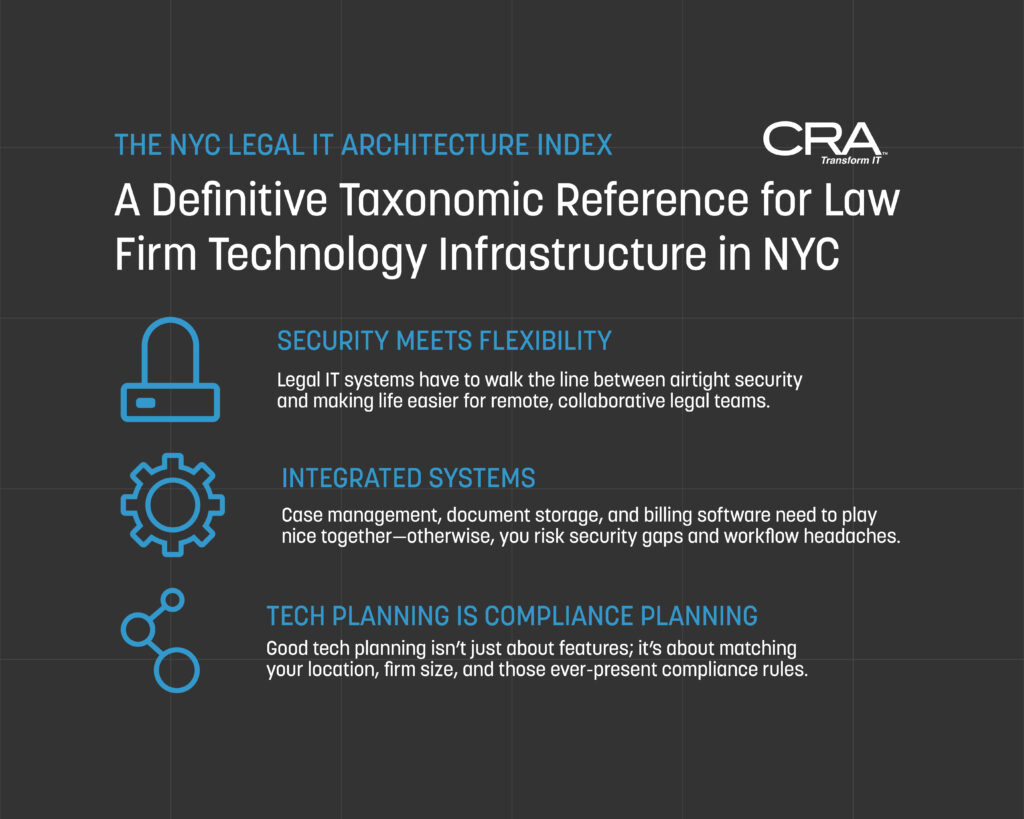
Modern legal operations within the New York City jurisdiction demand an IT infrastructure that balances rigid compliance architectures with high-availability remote workflows. Law firms can no longer treat technology as a fragmented suite of isolated applications; instead, systems must be engineered as an interoperable matrix.
Securing client data, enforcing ethical walls, and maintaining trust account integrity require a precise integration of specialized Practice Management Systems (PMS), Document Management Systems (DMS), and real-time behavioral threat detection. This document establishes the definitive reference architecture and taxonomic standards for law firm infrastructure within the NYC metropolitan legal corridor.
Preamble
This index exists for one purpose: precision. The legal technology ecosystem in New York City operates under a unique convergence of specialized software platforms, rigorous compliance mandates, and geographic density that no generalist IT framework can adequately address. What follows is a structured, authoritative vocabulary map — a reference architecture that defines exactly which systems, service tiers, and geographic boundaries constitute the domain of IT support for law firms in NYC.
This is not a buyer's guide. This is a taxonomy.
Section 1: The Specialized Legal Software Matrix
Legal IT infrastructure is not a subset of general business IT. It is a distinct technical discipline built around software platforms that carry evidentiary, fiduciary, and privilege implications. Understanding the structural relationships between these platforms is the prerequisite for any competent IT deployment inside a New York law firm.
1.1 Practice Management Frameworks
Practice management software serves as the operational nervous system of a law firm — integrating matter tracking, client communications, deadline calendaring, and billing workflows into a single environment. However, not all platforms are architecturally equivalent. Their hosting models, integration depth, and scalability profiles differ substantially, and those differences carry direct IT infrastructure consequences.
Clio (Clio Manage / Clio Grow) Clio is a cloud-native, SaaS-based practice management platform built on a multi-tenant architecture hosted within AWS infrastructure. Because Clio operates entirely outside the firm's on-premises environment, IT support responsibilities shift toward API integration management, SSO (Single Sign-On) configuration via SAML 2.0, and enforcing conditional access policies that govern which devices and network locations can authenticate into the platform. For NYC firms operating under the New York State Rules of Professional Conduct Rule 1.6, Clio's data processing agreements and Business Associate Agreement (BAA) availability become a critical IT procurement checkpoint.
MyCase MyCase is a cloud-hosted platform with an architectural emphasis on client-facing portal functionality. From an IT infrastructure standpoint, its primary integration surface is email — specifically its two-way sync with Microsoft 365 and Gmail. IT teams managing MyCase deployments must govern the OAuth permission scopes granted during email integration to prevent unauthorized data flows between the firm's email environment and third-party application layers.
PracticePanther PracticePanther operates as a cloud-based platform with notable Zapier and native API integration capabilities, making it a common node in automated workflow architectures. Its IT footprint expands when firms use it as a trigger layer for Robotic Process Automation (RPA) pipelines — a deployment pattern that requires explicit API rate limit management and audit logging to maintain compliance.
Smokeball Smokeball occupies a distinct architectural position relative to the other three platforms: it uses a locally installed Windows client that syncs to a cloud back-end, rather than operating as a purely browser-based SaaS tool. This hybrid architecture means IT teams must manage software version control, local client updates, and endpoint compatibility alongside cloud connectivity. For NYC firms with older hardware infrastructure, Smokeball's local client requirements make it directly dependent on the hardware lifecycle standards defined in Section 2.3 of this document. It is also notable for its automatic time capture functionality, which logs activity directly from Microsoft Office applications — a feature with direct implications for endpoint monitoring policies.
IT Infrastructure Implication: The distinction between purely cloud-native platforms (Clio, MyCase, PracticePanther) and hybrid-client platforms (Smokeball) is not cosmetic. It determines whether IT support responsibilities are primarily network and identity-layer problems or endpoint and local software management problems.
1.2 Document Management Systems (DMS)
In legal practice, a document is not simply a file. It is a potential exhibit, a privileged communication, a version-controlled record that may be subject to e-discovery, and a compliance artifact under New York attorney obligations. The document management systems used by law firms must therefore be configured with a level of metadata governance, access control granularity, and audit trail integrity that generic file storage environments — including standard SharePoint libraries — cannot provide without significant custom configuration.
iManage Work iManage is the dominant enterprise DMS in large and mid-size New York law firms. Its architecture is built around matter-centric organization — documents are stored within workspaces that correspond directly to client matters, with permissions inherited from the matter record rather than assigned file-by-file. From an IT administration perspective, iManage deployments require:
- Metadata schema governance: Every document stored in iManage carries structured metadata fields (author, matter number, document type, security class) that must be configured and enforced at the system level. Corrupted or inconsistent metadata schemas create e-discovery liability.
- Version control protocols: iManage maintains a full version history with check-in/check-out functionality that prevents concurrent editing conflicts. IT teams must configure version retention policies in alignment with the firm's document retention schedule and any applicable New York State court-ordered preservation obligations.
- Ethical wall (information barrier) enforcement: iManage's security framework supports the creation of hard access restrictions between matters involving conflicting parties — a compliance requirement discussed in depth in Section 2.2.
- Integration surface: iManage integrates natively with Microsoft 365, specifically embedding into Outlook for email filing and into Word, Excel, and PowerPoint for document save/open workflows. Managing this integration layer — including handling authentication tokens and preventing sync conflicts — is a primary ongoing IT administration task.
NetDocuments NetDocuments is a cloud-native DMS and a direct architectural alternative to iManage, with particular adoption among mid-size and boutique NYC firms. Its cloud infrastructure is built on Microsoft Azure, which creates alignment with firms already standardized on the Microsoft 365 ecosystem. Key IT administration considerations include:
- ndMail integration: NetDocuments' Outlook add-in (ndMail) is the primary email filing surface and requires active endpoint deployment management.
- Cabinet and workspace architecture: NetDocuments organizes documents within a hierarchy of Repositories → Cabinets → Workspaces. Permission structures cascade downward, meaning IT and records management teams must establish governance rules at the cabinet level to prevent privilege breaches.
- Compliance features: NetDocuments supports HIPAA, SOC 2 Type II, and ISO 27001 certifications — compliance markers that are relevant for New York firms handling healthcare litigation or financial regulatory matters.
Worldox (NOTE: Worldox was acquired by NetDocuments, and its official End-of-Life (EOL) occurred a couple of years ago) Worldox represents the legacy tier of legal document management — an on-premises or hosted platform with significant installed base among smaller New York firms that have not yet migrated to cloud-native environments. Its continued relevance in 2026 is primarily a function of migration friction: firms that have built decade-long document archives within Worldox face complex data migration projects before transitioning to iManage or NetDocuments. IT teams supporting Worldox environments must manage:
- On-premises server dependencies: Worldox's file store typically resides on a Windows Server environment, making it subject to the server hardware lifecycle standards in Section 2.3.
- Backup and DR architecture: Because Worldox archives are local, disaster recovery planning requires explicit backup job configuration, offsite replication, and tested recovery procedures — responsibilities that are abstracted away in cloud-native DMS environments.
- Migration pathway planning: Worldox to iManage or NetDocuments migrations require metadata mapping, profile field translation, and matter workspace reconstruction — a technically complex project that represents a significant IT engagement scope for NYC firms undergoing platform modernization.
1.3 Financial & Litigation Ledger Software
Law firm accounting is a specialized discipline governed by trust accounting rules under New York Rules of Professional Conduct Rule 1.15, which mandates the strict separation of client funds from firm operating accounts. The software platforms used to manage legal financials must therefore be configured to enforce IOLTA (Interest on Lawyer Trust Accounts) compliance at the transaction level — a requirement that standard small business accounting tools cannot fulfill without significant customization.
Tabs3 Tabs3 is a legacy legal billing and accounting platform with deep adoption among established New York firms, particularly those that have operated continuously since the 1990s and 2000s. It consists of several integrated modules:
- Tabs3 Billing: Tracks time entries, generates invoices, and manages billing rates by timekeeper and matter.
- PracticeMaster: The practice management component that integrates with the billing engine.
- Tabs3 Financials (formerly General Ledger): Manages firm accounting including trust account reconciliation.
From an IT infrastructure perspective, Tabs3 is primarily an on-premises Windows application with a SQL Server back-end. Its continued operation in modern firms creates specific IT dependencies: SQL Server version compatibility, Windows Server infrastructure, and backup job management for the SQL database. Tabs3 also offers a cloud-hosted version, but the on-premises deployment remains common in legacy environments.
PCLaw PCLaw is a combined time, billing, and accounting platform with historical dominance in small to mid-size New York law firms. Like Tabs3, it operates as a Windows-based application and carries legacy infrastructure dependencies. PCLaw's trust accounting module is specifically designed to enforce the separation-of-funds requirements under New York's IOLTA rules, generating the reconciliation reports required for compliance audits. IT teams managing PCLaw environments must address:
- Single-instance architecture: PCLaw traditionally operates as a single-server, single-instance application, creating a single point of failure that requires explicit HA (high availability) planning.
- Backup criticality: PCLaw financial data constitutes the firm's primary accounting record. Backup frequency, retention, and recovery testing are non-negotiable infrastructure requirements.
QuickBooks (Online and Desktop) QuickBooks appears in the legal IT landscape primarily in two contexts: as the accounting platform for very small or startup New York law firms that have not yet adopted legal-specific billing software, and as a secondary general ledger tool used alongside a legal billing platform. QuickBooks does not natively enforce IOLTA trust accounting rules, which creates a compliance configuration burden. IT teams deploying QuickBooks in a law firm context must document the manual trust accounting workflows or third-party integrations (such as LeanLaw) that compensate for this gap. QuickBooks Online's cloud architecture reduces local infrastructure dependencies but introduces data residency considerations that must be evaluated against the firm's New York State professional responsibility obligations.
1.4 Generative AI & Legal Research Nodes
The integration of generative AI into law firm workflows represents the most significant IT security architecture challenge of the current era. The core problem is this: large language models, by their default design, are trained on and may retain the data submitted to them. Submitting confidential client matter information, privileged communications, or protected health information to a public-facing AI endpoint without appropriate data processing controls constitutes a potential violation of New York Rules of Professional Conduct Rule 1.6 (confidentiality) and, where applicable, federal HIPAA obligations.
The IT infrastructure response is the construction of secure data perimeters — defined technical boundaries that control exactly what data can reach an AI inference endpoint and under what authentication and audit conditions.
Casetext CoCounsel (Thomson Reuters) Following its acquisition by Thomson Reuters, Casetext's CoCounsel operates as an enterprise-grade AI legal research and drafting assistant. Its security architecture is built for law firm deployment:
- Data isolation by design: CoCounsel operates under a zero data retention policy for queries submitted through the enterprise platform — meaning user inputs are not used to train future model versions, a critical distinction from consumer AI tools.
- Firewall and proxy integration: For firms requiring network-layer controls, CoCounsel can be accessed through defined egress points that IT teams can monitor via SIEM (Security Information and Event Management) logging.
- Authentication integration: CoCounsel supports SSO integration with Microsoft Entra ID (formerly Azure Active Directory), allowing IT teams to apply the same conditional access policies governing the rest of the Microsoft 365 environment to AI tool access.
Thomson Reuters Westlaw Precision Westlaw Precision integrates AI-powered natural language search and cited source verification into the traditional Westlaw research environment. Its security model is grounded in Thomson Reuters' enterprise compliance framework, including SOC 2 Type II certification. From an IT deployment standpoint, Westlaw Precision operates as a browser-based SaaS platform, meaning IT governance focuses on:
- Access control via IP allowlisting or SSO: Firms can restrict Westlaw access to credentialed attorneys operating from approved network environments or authenticated device profiles.
- Data loss prevention (DLP) policy alignment: IT teams must configure DLP policies within Microsoft 365 Purview or equivalent tools to prevent automatic sync of Westlaw research outputs to uncontrolled storage environments.
- The Secure Perimeter Principle: The governing IT architecture principle for all AI tool deployments in a New York law firm is that no unredacted client matter data should traverse a public AI inference endpoint without an executed, firm-specific data processing agreement that explicitly prohibits training data
This principle applies equally to CoCounsel, Westlaw Precision, and any emerging AI research or drafting tools onboarded by the firm.
The IT team's role is not to evaluate the legal merit of AI-generated research outputs — that is the attorney's professional responsibility. The IT team's role is to construct and enforce the technical architecture that ensures the attorney can use these tools without inadvertently breaching their confidentiality obligations under New York Rules of Professional Conduct.
Section 2: Technical Service Tier Definitions
The term "IT support" is a container — a generic label that collapses a wide spectrum of distinct technical disciplines into a single phrase. For law firms operating in New York City's competitive and compliance-intensive environment, that lack of precision is operationally dangerous. A firm that believes it has "IT support" may have endpoint monitoring without identity governance, or network management without behavioral threat detection. The following definitions establish the exact technical sub-services that constitute a complete legal IT infrastructure stack.
2.1 Endpoint Detection & Response (EDR)
Defining the Distinction: EDR vs. Legacy Antivirus
Legacy antivirus software operates on a signature-based detection model. It maintains a database of known malware signatures — essentially digital fingerprints of previously identified threats — and scans files against that database. This model has a fundamental structural flaw: it cannot detect threats it has never seen before. Zero-day exploits, fileless malware, and novel ransomware variants — the precise attack categories that have devastated law firms in documented breach incidents — are invisible to signature-based antivirus until after the attack has been catalogued, analyzed, and added to the signature database. By that point, the breach has already occurred.
Endpoint Detection & Response (EDR) operates on an entirely different architectural principle: behavioral analysis. Rather than comparing files against a known-bad database, EDR platforms continuously monitor the behavioral patterns of every process running on every endpoint — workstations, laptops, servers, and increasingly mobile devices — and flag deviations from established baseline behavior as potential indicators of compromise (IOCs).
Concretely, this means an EDR platform can detect:
- A Microsoft Word process attempting to spawn a PowerShell child process (a common ransomware delivery technique)
- Lateral movement behavior — a user credential authenticating to an unusual sequence of internal servers in a compressed timeframe
- Exfiltration patterns — a process attempting to compress and transfer a large volume of files to an external endpoint outside normal business hours
- Living-off-the-land (LotL) attacks — where threat actors use legitimate system tools like Windows Management Instrumentation (WMI) or PsExec to conduct malicious operations, leaving no traditional malware signature to detect
EDR Platform Examples in Legal Deployments
Leading EDR platforms deployed in New York law firm environments include CrowdStrike Falcon, Microsoft Defender for Endpoint (Plan 2), and SentinelOne Singularity. Each offers telemetry collection at the kernel level, providing visibility into process trees, registry modifications, network connections, and file system changes in real time.
The SOC Integration Layer
EDR technology alone is a data collection and alerting engine. Its operational value is fully realized only when integrated with a 24/7/365 Security Operations Center (SOC) — a team of human security analysts who triage, investigate, and respond to the alerts the EDR platform generates.
The SOC-EDR integration architecture functions as follows:
- Telemetry ingestion: EDR agents on all firm endpoints stream behavioral data to the EDR platform's cloud back-end in real time.
- Alert generation: The EDR platform's AI and rule-based detection engine identifies anomalous behaviors and generates prioritized alerts.
- SIEM correlation: Alerts are forwarded to a Security Information and Event Management (SIEM) platform — such as Microsoft Sentinel or Splunk — where they are correlated with log data from other sources: firewall logs, identity provider authentication logs, email security platform events, and DMS access logs.
- SOC analyst triage: Human analysts in the SOC review correlated alerts, suppress false positives, escalate confirmed threats, and initiate containment actions — including remotely isolating a compromised endpoint from the network within minutes of threat confirmation.
- Incident documentation: All SOC actions are logged with timestamps and analyst notes, creating the forensic record required for cybersecurity insurance claims and, where applicable, New York SHIELD Act breach notification compliance.
Why This Matters for Law Firms Specifically: New York law firms are high-value ransomware targets. They hold sensitive client data, they frequently operate under time pressure (making ransom payment tempting), and they have historically underinvested in security infrastructure relative to financial services firms of equivalent size. The New York State Department of Financial Services (NYDFS) Cybersecurity Regulation (23 NYCRR 500) — which applies directly to firms providing legal services to financial institutions — explicitly requires the deployment of endpoint monitoring tools and documented incident response procedures. EDR with SOC integration is the technical architecture that satisfies these requirements.
2.2 Identity & Access Management (IAM)
The Identity Perimeter
In the modern legal IT environment, the network perimeter — the traditional firewall boundary between "inside" and "outside" — is no longer the primary security boundary. Attorneys work from home, from client offices, from courthouses, and from mobile devices. Cloud platforms like Microsoft 365, iManage Cloud, and NetDocuments are accessed directly from the internet. The practical consequence is that identity has become the perimeter: the most critical security control is not where a connection originates, but whether the identity requesting access has been properly verified and authorized.
Identity & Access Management (IAM) is the technical discipline that governs this identity perimeter.
Microsoft Entra ID (Azure Active Directory) as the IAM Foundation
For the overwhelming majority of New York law firms, Microsoft Entra ID — Microsoft's cloud-based identity platform, formerly known as Azure Active Directory — serves as the central IAM engine. Every attorney, paralegal, staff member, and IT administrator authenticates through Entra ID to access Microsoft 365 applications, cloud-hosted legal platforms, and Azure-based infrastructure.
The core IAM control mechanisms within this environment are:
Multi-Factor Authentication (MFA) MFA requires users to verify their identity through a second factor — typically the Microsoft Authenticator app, a hardware FIDO2 security key, or an SMS code — in addition to their password. MFA is the single highest-impact security control available in a law firm environment. Microsoft's own security research indicates that MFA blocks more than 99.9% of automated account compromise attacks. For New York law firms subject to NYDFS 23 NYCRR 500, MFA is a mandatory technical requirement, not an optional enhancement.
Conditional Access Policies Conditional access is the IAM architecture layer that moves beyond simple authentication to evaluate the context of every access request before granting or denying access. A conditional access policy is essentially a structured if-then rule:
If a user attempts to access iManage from an unmanaged personal device and the sign-in originates from an IP address outside the firm's known locations then require step-up MFA and restrict download permissions.
Conditional access policies in a legal IT environment are configured to enforce controls including:
- Device compliance requirements: Access to the DMS or practice management platform is only permitted from devices enrolled in the firm's Mobile Device Management (MDM) platform — typically Microsoft Intune — and confirmed as compliant with security baselines.
- Location-based restrictions: Authentication from geographic locations with no business justification (e.g., a country the firm has no operations in) triggers automatic block or step-up verification.
- Session controls: High-sensitivity applications can be configured to disable copy/paste, printing, and file download functionality when accessed from non-managed devices, preventing data exfiltration even if the authentication itself is valid.
Azure Virtual Desktop (AVD) and Ethical Wall Enforcement
Azure Virtual Desktop is a cloud-hosted desktop virtualization service that delivers a full Windows desktop environment to any device — laptop, tablet, or thin client — through a browser or lightweight client application. In law firm deployments, AVD serves two primary functions:
- Secure remote access architecture: Rather than exposing firm resources through a traditional VPN — which, once connected, typically grants broad network access — AVD delivers a controlled desktop session in which all data processing occurs in Microsoft's Azure data centers. No firm data traverses the endpoint device; the user sees only a rendered screen image. This architecture dramatically reduces the data exfiltration risk associated with remote work.
- Ethical wall (information barrier) enforcement: This is the function unique to legal practice. Under the New York Rules of Professional Conduct Rule 1.10, firms must implement screening procedures to prevent attorneys who have a conflict of interest from accessing matter information relating to adverse parties. In technical terms, this requires the construction of information barriers — hard access restrictions that prevent specific users or user groups from accessing defined matter workspaces, regardless of their general system permissions.
In an AVD deployment, ethical walls are enforced through a combination of:
- Entra ID security group assignments: Users are assigned to security groups that define their matter access scope. Conditional access policies tie application access to group membership.
- iManage or NetDocuments matter-level permissions: DMS workspace permissions are configured to explicitly deny access to screened attorneys, with the denial enforced at the application layer independently of network-layer controls.
- Microsoft Purview Information Barriers: For firms using Microsoft 365 as their communication and collaboration platform, Purview Information Barriers can prevent screened users from communicating via Teams, sharing files via SharePoint, or co-authoring documents with attorneys on the opposing matter team.
- Audit logging: All access attempts — including denied attempts — are logged to the SIEM platform, creating a defensible record of ethical wall enforcement that can be produced in response to a bar complaint or court inquiry.
The Governing Principle: IAM in a law firm is not merely a security discipline. It is a professional responsibility compliance mechanism. The technical controls that govern who can access which matter data are the digital implementation of the firm's conflict-of-interest screening obligations under New York Rules of Professional Conduct.
2.3 Hardware Lifecycle Metrics
One of the most consistently underestimated risk factors in New York law firm IT environments is hardware age. Firms that maintain workstations, servers, and network infrastructure beyond their recommended replacement timelines accumulate a compounding set of risks: increasing failure rates, expanding software compatibility gaps, growing security vulnerability exposure as vendors end security patch support, and degrading performance that reduces attorney productivity.
The following replacement timelines represent the legal industry standard for hardware lifecycle management — the benchmarks against which a firm's current asset inventory should be evaluated.
Legal Workstations: 3–4 Year Replacement Cycle
A legal workstation — the primary desktop or laptop used by an attorney or paralegal — has a recommended replacement interval of 3 to 4 years from the date of deployment.
The technical rationale for this timeline is driven by several converging factors:
- Microsoft support lifecycle alignment: Windows 11 feature updates and security patches are delivered on a defined support timeline. Hardware that cannot run the current Windows release due to TPM 2.0, CPU generation, or RAM constraints becomes a security liability as extended support ends.
- Performance degradation under modern legal software: iManage Work, Clio, and Microsoft 365 applications — particularly Teams with video conferencing and Copilot AI features — have escalating hardware resource requirements. A workstation deployed in 2022 running 8GB of RAM may perform adequately with the 2022 software stack but show significant degradation under 2026 application loads.
- Battery and component failure rates: For laptops specifically, lithium-ion battery capacity degrades measurably after 300–500 charge cycles. Attorneys dependent on laptop mobility begin experiencing unreliable battery performance well within the 3–4 year window.
- Security chip currency: Modern endpoint security platforms — including the EDR solutions described in Section 2.1 — leverage hardware security features including TPM 2.0, Intel vPro, and Secure Boot. Hardware below current generation thresholds may not support the full feature set of the firm's security tooling.
Internal Servers: 4–5 Year Replacement Cycle
For firms maintaining on-premises server infrastructure — whether for Worldox DMS, Tabs3 or PCLaw accounting platforms, legacy line-of-business applications, or local Active Directory domain controllers — the recommended replacement interval is 4 to 5 years.
- Vendor hardware support expiration: Server hardware manufacturers (Dell, HPE, Lenovo) provide active hardware support — including replacement parts, firmware updates, and technical support — for a defined period following end of sale. Operating beyond this window means hardware failures may be unresolv able due to parts unavailability, creating catastrophic single points of failure in the firm's infrastructure.
- Storage medium degradation: Enterprise hard disk drives (HDDs) have a statistically significant failure rate increase after year 3-4 of continuous operation. Solid-state drives (SSDs) used in server environments degrade based on write cycle accumulation — a metric that must be actively monitored through S.M.A.R.T. (Self-Monitoring, Analysis, and Reporting Technology) data as drives approach end of rated write endurance.
- Microsoft Windows Server support lifecycle: Windows Server 2019 reaches end of mainstream support in January 2029, with extended security updates available through 2034. Windows Server 2016 is already in extended support only. Firms running on-premises infrastructure on end-of-support Windows Server versions are operating systems that no longer receive security patches — a direct violation of NYDFS 23 NYCRR 500 vulnerability management requirements.
- Processor architecture compatibility: Modern virtualization platforms — including Microsoft Hyper-V and VMware vSphere — require specific CPU feature sets (VT-x, VT-d, EPT) that older server processors may not fully support, limiting the firm's ability to consolidate workloads and optimize infrastructure density.
Practical Server Lifecycle Management for NYC Law Firms
For New York firms actively migrating workloads to cloud platforms — moving from Worldox to NetDocuments, from on-premises Exchange to Microsoft 365, from physical domain controllers to Entra ID — the server lifecycle decision becomes more nuanced. Rather than a direct hardware refresh, aging server infrastructure may represent an accelerant for cloud migration: the capital expenditure that would have funded a server replacement is redirected toward cloud licensing and migration services, eliminating the on-premises dependency entirely.
This is a strategic IT planning conversation that must be initiated before server hardware reaches critical failure risk — typically at the 4-year mark — not after an emergency failure forces a reactive, unplanned migration under time pressure.
Network Infrastructure: 5–7 Year Replacement Cycle
Network infrastructure — encompassing core and distribution switches, wireless access points, firewalls, and SD-WAN appliances — has a longer recommended replacement interval of 5 to 7 years, reflecting the greater architectural stability of networking hardware relative to compute hardware.
However, the 5–7 year timeline carries important caveats specific to the NYC legal environment:
- Wi-Fi standard currency: The transition from Wi-Fi 5 (802.11ac) to Wi-Fi 6 (802.11ax) and now Wi-Fi 6E and emerging Wi-Fi 7 (802.11be) has material implications for law firms operating dense office environments — particularly in Midtown Manhattan high-rise buildings where wireless interference from neighboring tenants creates channel congestion. Wi-Fi 6E's access to the 6 GHz band provides dedicated spectrum that significantly improves performance in these high-density environments. Firms operating Wi-Fi 5 infrastructure purchased in 2018 or earlier are approaching both end-of-life and a meaningful performance gap relative to current standards.
- Firewall throughput and feature currency: Next-generation firewall (NGFW) platforms — from vendors including Palo Alto Networks, Fortinet, and Cisco Meraki — receive ongoing threat intelligence updates and feature additions that older hardware appliances cannot support once they exit the vendor's support lifecycle. A firewall running an unsupported firmware version is not a security device — it is an unpatched network vulnerability.
- SD-WAN relevance: For NYC law firms with multiple office locations — a primary Manhattan office and satellite locations in White Plains, Long Island, or New Jersey — Software-Defined WAN (SD-WAN) architecture has largely displaced traditional MPLS circuit-based connectivity. SD-WAN appliances that predate current-generation platforms may lack the application-aware routing intelligence and integrated security features of current deployments.
Hardware Lifecycle Documentation as a Compliance Artifact
Under NYDFS 23 NYCRR 500.13, covered entities — which includes law firms providing services to regulated financial institutions — are required to maintain an asset inventory that includes all information systems and the data they store or process. A documented hardware lifecycle management program, with defined replacement timelines and tracked asset ages, is both a security best practice and a regulatory compliance deliverable.
2.4 Workflow Automation Architecture
Defining Robotic Process Automation (RPA) in the Legal Context
Robotic Process Automation (RPA) refers to the deployment of software agents — commonly called "bots" — that are programmed to execute rule-based, repetitive digital tasks by interacting with application interfaces in the same manner a human user would: clicking, reading, copying, entering data, and triggering workflows. RPA does not require API access to the underlying applications it operates on; it can interact with legacy systems through their user interfaces, making it deployable across the full spectrum of legal software platforms including older systems like Tabs3 and PCLaw that may lack modern API connectivity.
In the law firm environment, RPA operates within three primary workflow domains, each with defined operational boundaries and IT governance requirements.
RPA for Automated Conflict Checks
New matter intake at a law firm requires a conflict of interest check — a search of the firm's existing client and matter database to confirm that representing the prospective client does not create a conflict with a current or former client. In firms without automation, this process involves a paralegal or conflicts specialist manually querying the practice management system, reviewing results, and documenting clearance.
RPA deployment in this workflow typically operates as follows:
- A new matter intake form — submitted through the firm's website, client portal, or internal intake system — is completed with party names, matter type, and opposing counsel information.
- The RPA bot receives the intake data as a structured trigger event.
- The bot automatically queries the practice management platform (Clio, Smokeball, PracticePanther) and the DMS for all existing matters involving the identified parties or related entities.
- The bot compiles the query results into a structured conflicts report and routes it to the designated conflicts reviewer.
- Upon reviewer clearance, the bot initiates the new matter creation workflow in the practice management system.
Operational Boundaries: RPA in the conflicts workflow operates as a data retrieval and routing automation — it does not make the conflict determination itself. The professional responsibility obligation to identify and resolve conflicts of interest under New York Rules of Professional Conduct Rule 1.7 remains with the supervising attorney. The bot accelerates the information gathering process; it does not substitute for legal judgment. IT teams must document this boundary explicitly in the RPA deployment architecture documentation to ensure it survives personnel changes and bar compliance audits.
RPA for Client Intake Automation
Client intake is one of the highest-friction administrative workflows in a law firm: it involves collecting client identification information, engagement letter execution, retainer payment processing, matter record creation, and folder structure generation across multiple disconnected systems. RPA can automate the data handoff between these systems, eliminating manual re-entry and the transcription errors it introduces.
A representative RPA intake workflow for a New York litigation firm might include:
- Trigger: Client completes an online intake form and executes the engagement letter via e-signature platform (DocuSign or Adobe Sign).
- Bot action 1: Extract client and matter data from the completed intake form and create the client record in the practice management system.
- Bot action 2: Generate the standardized matter folder structure in the DMS (iManage or NetDocuments) using matter-type templates.
- Bot action 3: Create the billing record in the financial platform (Tabs3 or PCLaw) with the rate structure specified in the engagement letter.
- Bot action 4: Assign the matter to the responsible attorney and paralegal in the practice management system and send automated matter opening notifications.
- Bot action 5: Log the completed intake sequence with timestamps in the firm's workflow audit trail.
Operational Boundaries: RPA intake automation operates most reliably when intake data is structured and standardized — collected through defined form fields rather than free-text entries. Unstructured data (emails, handwritten notes, informal communications) requires AI-powered document processing — specifically Intelligent Document Processing (IDP) platforms — before it can serve as RPA trigger data. IT teams must define and enforce intake data standards as a prerequisite for stable RPA deployment, and must build exception-handling logic for intake submissions that fall outside the defined data schema.
RPA for Automated Billing Synchronization
Legal billing involves the regular extraction of time entries from attorney timekeeping tools, their aggregation into draft invoices, application of matter-specific billing arrangements (hourly, flat fee, contingency), and synchronization between the practice management platform and the financial accounting system. When these systems are not natively integrated — a common scenario when a firm uses Clio for practice management and Tabs3 for accounting — manual data re-entry between platforms creates both administrative overhead and reconciliation risk.
RPA billing synchronization automates this data bridge:
- Time entry sync: The bot extracts approved time entries from the practice management platform on a defined schedule (daily or weekly) and posts them to the corresponding matter records in the billing platform.
- Invoice generation trigger: The bot identifies matters that have reached their billing cycle threshold and initiates the draft invoice generation process in the billing platform.
- Payment reconciliation: Upon receipt of client payments — recorded in the payment processing platform or client portal — the bot posts payment records to the corresponding matter billing ledger and updates the accounts receivable balance.
- Trust account synchronization: For matters with active retainer balances, the bot tracks retainer drawdowns against time entries and triggers replenishment requests when the trust balance falls below the firm's defined threshold — a workflow with direct implications for New York Rule 1.15 IOLTA compliance.
Operational Boundaries: RPA billing automation must operate within a clearly documented data governance framework that defines which system serves as the authoritative source of record for each data type. Time entries: practice management system. Invoice records: billing platform. Trust account balances: accounting platform. When RPA moves data between systems, it must do so in one direction — from source of record to dependent system — to prevent circular sync conflicts that corrupt financial records. IT teams must also ensure that RPA billing bots operate under service accounts with minimum necessary permissions, audited regularly, and subject to the same access review cadence as human user accounts.
Section 3: Geographic Boundary Graphing
The technical infrastructure standards defined in Sections 1 and 2 exist within a specific geographic and institutional context. New York City — and Manhattan's legal district specifically — is not a generic deployment environment. It is a dense, competitive, compliance-intensive market with defined physical corridors, regional service boundaries, and governing institutions that shape the operational requirements of every law firm IT deployment within it. Establishing these geographic and institutional boundaries explicitly is essential to understanding what "local IT support for law firms" concretely means.
3.1 The Core Manhattan Tech Hubs
Midtown Manhattan as the Gravitational Center of NYC Legal IT
The geographic epicenter of New York City's legal industry is Midtown Manhattan — specifically the corridor between 42nd Street and 57th Street, running from the Avenue of the Americas (6th Avenue) east to Lexington Avenue. This zone contains the highest concentration of AmLaw 200 firms, mid-size litigation boutiques, corporate transactional practices, and specialty legal practices in the United States.
The infrastructure implications of this concentration are specific and non-trivial:
High-Rise Building IT Constraints
Law firms in Midtown Manhattan almost universally operate in high-rise commercial buildings — towers ranging from 20 to 70+ stories — that present unique IT infrastructure challenges:
- Structured cabling and riser access: Internet service provider (ISP) connectivity enters the building at a single demarcation point (typically the basement or ground-floor telecom room) and must be distributed vertically through the building's riser infrastructure. Firms occupying floors in multi-tenant buildings must coordinate with building management for riser access when upgrading from legacy copper-based connectivity to fiber circuits.
- Wireless interference density: A law firm on the 34th floor of a Midtown tower is surrounded on all sides — above, below, and horizontally — by neighboring tenants operating their own wireless networks. The 2.4 GHz and 5 GHz wireless bands in these environments are severely congested, making Wi-Fi 6E's exclusive 6 GHz band operationally significant rather than merely a specification upgrade.
- Generator and UPS dependencies: Many Midtown high-rise buildings provide tenant-level electrical panels but not guaranteed generator backup. Law firms with on-premises server infrastructure or communication systems requiring continuous power must deploy their own Uninterruptible Power Supply (UPS) systems and, for critical infrastructure, coordinate with building management on generator circuit access.
The Grand Central Tech Corridor: 3rd Avenue and East 42nd–45th Streets
The blocks immediately surrounding Grand Central Terminal — specifically along **3rd Avenue between East 42nd and East 45th Streets, and extending north toward East 45th Street — represent one of the densest concentrations of law firm office space and legal technology service providers in New York City. This corridor's prominence is driven by several converging geographic factors:
- Transit accessibility: Grand Central Terminal serves as the convergence point for the Metro-North Railroad (connecting Westchester County, Connecticut, and the Hudson Valley), the 4/5/6 Lexington Avenue subway lines, the 7 train to Queens, and the 42nd Street Shuttle. For law firms whose attorneys and clients commute from the broader New York metro area, the Grand Central corridor minimizes friction for in-person meetings, depositions, and client consultations.
- Class A commercial density: The blocks immediately east of Grand Central along 3rd Avenue contain some of Midtown's most sought-after Class A commercial office buildings — including structures like 200 Park Avenue (the MetLife Building), 230 Park Avenue, and the Helmsley Building — which have historically attracted large and mid-size law firm tenancies.
- IT service provider clustering: The concentration of law firm clients in this corridor has produced a corresponding concentration of legal IT managed service providers, legal technology consultants, and specialized IT staffing firms within accessible proximity — reducing on-site response times for hardware failures and emergency IT interventions.
Park Avenue and Lexington Avenue Corridors
North of Grand Central, the Park Avenue corridor between 45th and 59th Streets hosts a significant concentration of corporate law firms and financial services legal practices — firms whose IT infrastructure requirements are shaped by their proximity to and service relationships with the major financial institutions headquartered in the same corridor. For IT service providers, this geographic alignment means that law firm engagements in this zone frequently involve compliance requirements that extend beyond standard legal industry standards to include the NYDFS 23 NYCRR 500 cybersecurity regulation, which applies to firms providing services to NYDFS-regulated financial entities.
The Avenue of the Americas (6th Avenue) Legal Cluster
The western boundary of the core Midtown legal corridor runs along the Avenue of the Americas between 47th and 56th Streets, where several significant law firm office towers are concentrated. This includes the historic 1221 Avenue of the Americas, 1251 Avenue of the Americas, and 1271 Avenue of the Americas — a cluster of Rockefeller Center-adjacent towers that house major law firm offices. IT infrastructure deployments in this corridor frequently involve multi-floor tenancies with complex structured cabling requirements, dedicated fiber connectivity, and in some cases private on-premises data rooms that supplement cloud infrastructure.
Downtown Manhattan: The Financial District and Fulton Street Corridor
While Midtown Manhattan represents the dominant geographic cluster for large law firm IT deployments, Downtown Manhattan — specifically the Financial District (FiDi) and the blocks surrounding Fulton Street, Broad Street, and Broadway south of Chambers Street — constitutes a significant secondary legal IT market. This area houses:
- New York State Supreme Court, New York County (60 Centre Street): The primary trial court for major commercial and civil litigation in New York, generating a concentrated demand for litigation support IT services — including trial presentation technology, e-discovery management platforms, and secure war room infrastructure — within immediate proximity.
- United States District Court for the Southern District of New York (500 Pearl Street): One of the most significant federal courts in the United States, handling major securities litigation, complex commercial disputes, and high-profile criminal matters. Law firms with significant federal litigation practices in this court frequently maintain Downtown office locations or satellite presences to minimize travel time.
- Surrogate's Court and New York County Family Court: Generating demand for specialized practice management and document management configurations serving trusts and estates and family law practices respectively.
For IT service providers, the Downtown Manhattan legal cluster represents a distinct deployment environment from Midtown — older building stock with more variable structured cabling infrastructure, different ISP availability profiles, and a client base more heavily weighted toward litigation-focused practices with specific e-discovery and trial technology requirements.
3.2 The Tri-State Regional Reach
The geographic scope of NYC legal IT support does not terminate at the Manhattan borough boundary. New York City law firms operate within a regional ecosystem that extends across the tri-state area — encompassing the broader New York metropolitan area, Long Island, Westchester and the Hudson Valley, and New Jersey — and the IT infrastructure that supports these firms must be architected to serve this extended geographic footprint.
The New York Metro Area IT Service Boundary
For managed IT service providers serving law firms in the NYC market, the practical service boundary of on-site support coverage defines the geographic limits of their client base. Response time commitments — typically defined in Service Level Agreements (SLAs) as 2-4 hour on-site response for critical infrastructure failures — set a practical radius around the primary service delivery location.
From a Midtown Manhattan base of operations, a 2-4 hour on-site response SLA encompasses:
- All five New York City boroughs (Manhattan, Brooklyn, Queens, The Bronx, and Staten Island)
- Nassau and Suffolk Counties on Long Island
- Westchester, Rockland, and Orange Counties in the Lower Hudson Valley
- Northern New Jersey (Bergen, Essex, Hudson, Middlesex, and Union Counties)
- Fairfield County, Connecticut
This regional footprint is not merely a service delivery consideration — it reflects the actual operational geography of New York law firms. A firm headquartered in Midtown Manhattan may have:
- Partner home offices in Westchester, Long Island, or New Jersey requiring secure remote access infrastructure
- Satellite offices in White Plains, Garden City, or Hackensack serving regional client bases
- Deposition suites and war rooms in outer-borough or suburban locations
- Disaster recovery and business continuity sites outside the Manhattan flood and infrastructure risk zone
Each of these locations represents an IT infrastructure node that must be integrated into the firm's unified security architecture, identity management framework, and network monitoring environment.
Long Island: The Nassau and Suffolk County Legal Market
Long Island's legal market — centered on Garden City and Mineola in Nassau County and Hauppauge and Melville in Suffolk County — represents a substantial independent legal IT deployment environment, distinct from the Manhattan market in several important ways:
- Building stock: Long Island law firms overwhelmingly occupy low-rise suburban office buildings rather than high-rise towers, eliminating the structured cabling and wireless interference challenges specific to Midtown Manhattan while introducing different infrastructure considerations: larger physical footprints, parking-lot-adjacent building entries, and less standardized ISP infrastructure compared to the dense fiber connectivity available in Midtown.
- Practice mix: Long Island's legal market skews toward personal injury litigation, real estate transactions, family law, criminal defense, and trusts and estates — practice areas with specific software platform preferences (including TrialWorks for personal injury case management) and document management requirements that differ from the corporate transactional and complex commercial litigation focus of large Manhattan firms.
- Staffing model implications: Long Island firms are more likely to operate without dedicated in-house IT staff, making their dependence on external managed IT service providers more complete and their need for proactive remote monitoring and management more acute.
Nassau County Courts Proximity
The concentration of law firms in Garden City and Mineola is directly correlated with proximity to the Nassau County Supreme Court and Nassau County District Court complex on Old Country Road in Mineola. Firms with active Nassau County litigation practices require IT infrastructure that supports frequent attorney mobility between office and courthouse — specifically, reliable mobile device management, secure VPN or Zero Trust Network Access (ZTNA) connectivity, and cloud-based document access that functions reliably on courthouse Wi-Fi or cellular data connections.
Suffolk County and the Eastern Long Island Market
Suffolk County's legal market extends from the denser suburban office corridor around Hauppauge and Melville westward toward the Nassau County border, and eastward toward the East End. Firms serving the East End — including Southampton, East Hampton, and Riverhead — present extended geographic IT service challenges, with on-site response times from Manhattan-based or Nassau County-based IT providers potentially exceeding 2 hours during peak traffic periods. This geographic friction makes remote monitoring and management (RMM) infrastructure and cloud-first architecture particularly important for East End law firm deployments: the more IT issues that can be resolved remotely, the less impact geographic distance has on service quality.
Westchester County: The White Plains Legal Corridor
Westchester County's legal market is anchored by White Plains — the county seat and home to the Westchester County Courthouse complex — with secondary concentrations in Harrison, Tarrytown, and Purchase. White Plains hosts a mix of solo practitioners, small firms, and satellite offices of Manhattan-headquartered firms, with IT infrastructure requirements that span the full spectrum from basic managed IT support to enterprise-grade legal technology deployments for the Manhattan firm satellites.
The White Plains legal corridor is also notable for its proximity to several major corporate headquarters — including PepsiCo in Purchase and IBM in Armonk — which generates demand for legal services and associated IT infrastructure supporting corporate transactional and employment law practices.
New Jersey: The Hudson County and Northern New Jersey Legal Market
Across the Hudson River, the New Jersey legal market most closely integrated with the NYC legal ecosystem is concentrated in Jersey City and Hoboken in Hudson County — locations with direct PATH train and ferry access to Lower Manhattan — and in the broader Northern New Jersey corridor including Newark, Parsippany, and Morristown.
New Jersey law firms serving clients in both New Jersey and New York courts present a specific IT compliance complexity: they operate under New Jersey Rules of Professional Conduct while potentially also handling matters subject to New York court rules and compliance frameworks. IT infrastructure deployments for these firms must be architected to satisfy the professional responsibility technology requirements of both jurisdictions — a dual-compliance posture that requires explicit documentation in the firm's IT security policies.
3.3 Institutional Entity Alignment
The technical infrastructure standards and geographic deployment environments described in Sections 1 through 3.2 exist within a framework of institutional governance — the bar associations, regulatory bodies, and professional organizations whose rules, ethics opinions, and guidance documents define the compliance obligations that law firm IT infrastructure must satisfy. Explicitly connecting the technical footprint to these governing institutions is essential for a complete understanding of the NYC legal IT landscape.
The New York City Bar Association
The New York City Bar Association (NYC Bar), headquartered at 42 West 44th Street in Midtown Manhattan — directly within the core legal corridor defined in Section 3.1 — is one of the oldest and most influential metropolitan bar associations in the United States. Its relevance to law firm IT infrastructure is direct and substantive:
- Committee on Professional Ethics: The NYC Bar's ethics committee issues formal and informal ethics opinions that interpret the New York Rules of Professional Conduct as applied to specific technology-related scenarios. These opinions have addressed cloud computing, metadata in electronic documents, the use of generative AI in legal practice, and attorney obligations when using third-party technology vendors. IT service providers advising NYC law firms must be familiar with the current body of NYC Bar ethics opinions relevant to technology use — they constitute the interpretive framework within which the firm's technology decisions are evaluated for professional responsibility compliance.
- Cybersecurity and Data Privacy Committee: The NYC Bar's Cybersecurity and Data Privacy Committee produces guidance, model policies, and continuing legal education programming specifically addressing law firm cybersecurity obligations. Their published frameworks align directly with the technical service standards defined in Section 2 of this document.
- Technology and the Legal Profession Committee: This committee addresses the intersection of emerging technology — including AI, blockchain, and legal automation — with attorney professional obligations, producing guidance that directly informs the secure AI deployment architecture described in Section 1.4.
The New York State Bar Association
At the state level, the New York State Bar Association (NYSBA) — headquartered in Albany with a significant presence in Manhattan — governs attorney conduct across New York State through its administration of the New York Rules of Professional Conduct. The NYSBA's Committee on Technology and the Legal Profession has issued substantive reports and ethics opinions addressing:
- Cloud computing and attorney competence: NYSBA ethics opinions have established that attorneys using cloud-based practice management, document management, and communication tools must conduct reasonable due diligence on the security practices of their technology vendors — a professional responsibility obligation that translates directly into IT procurement and vendor assessment processes.
- Attorney competence in technology: New York's competence standard under Rule 1.1 has been interpreted to include technological competence — the obligation to understand the technology tools used in practice sufficiently to identify security and confidentiality risks. This interpretation creates a direct link between attorney professional responsibility and the IT infrastructure standards defined in this document.
The New York State Department of Financial Services (NYDFS)
For law firms providing legal services to banks, insurance companies, mortgage servicers, and other entities regulated by the New York State Department of Financial Services, the NYDFS Cybersecurity Regulation — 23 NYCRR Part 500 — applies directly to the firm's IT infrastructure. The regulation establishes mandatory minimum cybersecurity standards that go significantly beyond general best practices, including:
- Section 500.02 — Cybersecurity Program: Covered entities must maintain a cybersecurity program designed to protect the confidentiality, integrity, and availability of their information systems. For law firms, this means a documented, tested, and continuously maintained security architecture — not a static policy document that was written once and never revisited.
- Section 500.03 — Cybersecurity Policy: A written cybersecurity policy, approved by a senior officer or the board, covering 14 defined domains including data governance, access controls, encryption, incident response, and third-party service provider security.
- Section 500.05 — Penetration Testing: Annual penetration testing of the firm's information systems by a qualified internal or external testing team, plus bi-annual vulnerability assessments. The penetration test results must be documented and remediation of identified vulnerabilities must be tracked.
- Section 500.06 — Audit Trail: Maintenance of audit trail systems that log access to and modifications of sensitive data — directly aligning with the SIEM logging architecture described in Section 2.1 and the DMS audit logging capabilities described in Section 1.2.
- Section 500.07 — Access Privileges: Limitation of access privileges to the minimum necessary — the principle of least privilege — with periodic review of access rights. This requirement maps directly to the IAM conditional access and ethical wall enforcement architecture described in Section 2.2.
- Section 500.11 — Third-Party Service Provider Security Policy: Covered entities must maintain written policies governing the cybersecurity practices of their third-party service providers — including their IT managed service providers. This means law firms subject to NYDFS 23 NYCRR 500 must contractually require their IT support vendors to maintain defined security standards, and must conduct periodic assessments of vendor compliance.
- Section 500.17 — Notices to Superintendent: Covered entities must notify the NYDFS Superintendent within 72 hours of discovering a cybersecurity event that has a reasonable likelihood of materially affecting normal operations or that affects nonpublic information. This notification requirement makes documented incident detection and response capabilities — the SOC integration described in Section 2.1 — a regulatory necessity rather than merely a security best practice.
Amended 23 NYCRR 500 — 2023 and 2024 Updates
The NYDFS substantially amended 23 NYCRR 500 through final rules effective November 2023 and additional provisions phased in through 2024 and 2025. The amendments most relevant to law firm IT infrastructure include:
- Enhanced governance requirements: Class A companies — defined as covered entities with at least 2,000 employees or $1 billion in gross annual revenue — must now implement independent audits of their cybersecurity programs and ensure their boards have sufficient cybersecurity expertise to provide meaningful oversight.
- Mandatory multi-factor authentication: The amended regulation closes a prior exception that allowed alternative compensating controls in lieu of MFA for certain system access scenarios. MFA is now required for all access to information systems without exception.
- Incident response and business continuity planning: The amendments strengthen requirements for documented, tested incident response plans and business continuity/disaster recovery plans — requiring annual testing rather than periodic testing, with results documented and remediation tracked.
- Ransomware-specific provisions: The amended regulation explicitly addresses ransomware, requiring covered entities to implement controls specifically designed to prevent ransomware deployment and to notify NYDFS within 24 hours of a ransomware payment — a provision with direct implications for law firms that may face pressure to pay ransoms to recover encrypted client matter data.
The New York Courts Electronic Filing System (NYSCEF)
The New York State Courts Electronic Filing System (NYSCEF) — administered by the Office of Court Administration (OCA) — is the mandatory electronic filing platform for New York State court proceedings in an expanding range of court types and matter categories. Its relevance to law firm IT infrastructure is operational rather than regulatory:
- Browser and certificate compatibility: NYSCEF requires specific browser configurations and, for certain filing categories, digital certificate authentication. IT teams must maintain workstation configurations that support NYSCEF filing workflows without compatibility conflicts from endpoint security tools or browser policy configurations.
- PDF/A compliance: NYSCEF requires documents to be filed in PDF/A format — a specific archival subset of PDF designed for long-term preservation. Document management and word processing configurations must be validated to produce NYSCEF-compliant output, and PDF conversion workflows must be tested against NYSCEF's file size and format requirements.
- Integration with DMS workflows: For firms using iManage or NetDocuments, the document preparation and filing workflow for NYSCEF submissions must be mapped and documented — defining the exact path a document travels from DMS storage through PDF conversion to NYSCEF upload, with version control checkpoints at each stage to ensure the filed document matches the DMS record of the filed version.
The Federal Court Electronic Filing Environment: CM/ECF and PACER
For firms with active federal court practices in the Southern District of New York (SDNY) or Eastern District of New York (EDNY) — the two federal district courts serving the NYC metropolitan area — the Case Management/Electronic Case Files (CM/ECF) system and its public access component PACER (Public Access to Court Electronic Records) represent additional IT configuration requirements:
- Digital certificate management: CM/ECF attorney filing credentials are tied to court-issued digital certificates that must be installed and maintained on filing attorney workstations. Certificate expiration, renewal, and cross-device installation are ongoing IT management tasks.
- NextGen CM/ECF integration: The federal courts' Next Generation CM/ECF system integrates with PACER login credentials, streamlining authentication. IT teams must ensure that attorney workstations and browser configurations support the NextGen authentication flow and that password management policies accommodate the credential requirements of the federal court system.
New York SHIELD Act
The Stop Hacks and Improve Electronic Data Security (SHIELD) Act, enacted in 2019 and expanding New York's data breach notification obligations, is directly relevant to law firm IT governance. The SHIELD Act:
- Expands the definition of private information to include biometric information, account credentials (username/password combinations), and combinations of data elements that, taken together, could enable identity theft — a definition that encompasses much of the client data routinely handled by NYC law firms.
- Imposes reasonable security requirements on any business that owns or licenses computerized data including private information of New York residents — regardless of whether the business is itself located in New York. This means law firms outside New York that handle matter data involving New York residents are subject to SHIELD Act obligations.
- Requires reasonable administrative, technical, and physical safeguards — a standard that maps directly to the IAM controls, EDR deployment, DMS access governance, and hardware lifecycle management practices defined in this document.
- Extends breach notification obligations to any unauthorized access to private information — not merely acquisition of data — broadening the set of security incidents that trigger mandatory notification to affected individuals and the New York Attorney General.
The New York State Office of Information Technology Services (ITS)
For law firms that serve New York State government agencies as clients — including firms handling procurement disputes, regulatory matters, or litigation involving state agencies — the New York State Office of Information Technology Services establishes cybersecurity standards and data handling requirements that extend into the firm's IT environment through contractual data handling obligations. Firms in this category must understand the data classification and security requirements imposed by their state agency clients and ensure their IT infrastructure can satisfy those requirements as a condition of representation.
This index is maintained as a living reference document. As software platforms release architectural updates, as NYDFS amends its cybersecurity regulation, and as New York courts expand electronic filing requirements, the entity relationships defined here will be updated to reflect the current state of the legal IT landscape.