Secure Remote Access for Lawyers in NYC: A Practical Guide
Hybrid work stopped being a temporary arrangement for NYC law firms years ago. Associates draft motions from Brooklyn apartments, partners review settlement terms from a Metro-North seat, and paralegals pull exhibits from home offices in Queens. Meanwhile, the sensitive client information behind all of that work sits in document systems that were designed for a Manhattan office floor with a locked server closet.
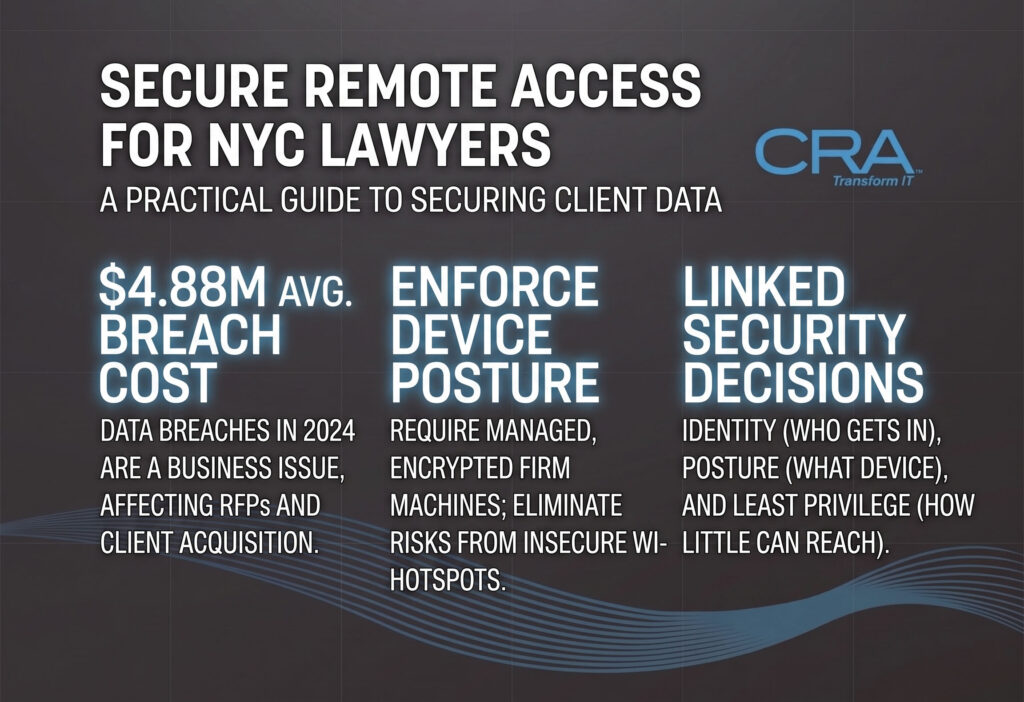
That gap is where firms get hurt. The American Bar Association has reported that 29 percent of firms experienced a security breach, and breaches in 2024 averaged $4.88 million per incident. Clients are watching too: 52 percent worry about their firm's cybersecurity, and 37 percent will pay more for a firm with strong, verifiable controls.
Secure remote access for lawyers in NYC comes down to three linked decisions: who gets in (identity), what device they use (posture), and how little they can reach once inside (least privilege). Get those right and client confidentiality holds up whether an attorney logs in from Midtown or a hotel in Albany.
The rest of this piece gives you the risk list to fix first, the architecture that replaces perimeter thinking, and a 60-day plan you can hand to your IT team or your provider on Monday.
Why Remote Access Security Is a Business Issue for NYC Firms
Remote access security shows up on your balance sheet before it shows up in an incident report. In New York's legal market, data security decisions affect which clients you win, what your insurance costs, and whether a matter deadline survives a bad week.
How Security Affects Client Trust and Competitive Positioning
Corporate clients, especially banks, insurers, and health systems, now send security questionnaires before they send work. They ask about MFA coverage, encryption, and unauthorized access controls, and a weak answer removes you from consideration.
With 37 percent of clients willing to pay more for firms with strong protections, good cybersecurity solutions function as a pricing advantage. Firms in Manhattan that can produce clean documentation win RFPs against equally talented firms that cannot.
The Cost of Downtime, Breaches, and Missed Legal Deadlines
Legal work runs on hard dates. A ransomware event that locks your document management system for four days does not pause a summary judgment deadline or a closing.
Beyond the $4.88 million average breach cost, think in billable terms. Twenty attorneys offline for three days at $450 an hour is roughly $216,000 in unbilled time, before you spend a dollar on forensics, client notification, or a bar complaint response. Data protection spending looks different against that number.
The Six Remote Access Risks Legal Teams Must Address
Remote access failures follow a short, predictable list. These six patterns account for most incidents at firms of every size, and each one has a fix you can deploy without rebuilding your network.
Unmanaged Endpoints and Unprotected Personal Devices
A personal laptop with no full-disk encryption and no endpoint detection is the weakest point in your firm. If it holds a downloaded deposition transcript and gets stolen from a car in Sunnyside, you have a reportable breach.
Device management closes this. Require managed, encrypted machines for anything that touches client records, and block access from devices that cannot prove their health.
Public Wi-Fi, Insecure Networks, and Man-in-the-Middle Attacks
Court Wi-Fi, coffee shop hotspots near Foley Square, and Acela cabin networks are shared, unverified, and easy to spoof. An attacker on the same network can intercept traffic in a man-in-the-middle attack and harvest session tokens.
Give every attorney a firm-issued mobile hotspot or a clear rule: work only over cellular tethering or an encrypted tunnel. Pre-configure auto-connect for trusted networks only, so nobody has to think about it in a hallway.
Internet-Exposed RDP and Ransomware Entry Points
Direct Remote Desktop Protocol open to the internet remains one of the most reliable ransomware entry points in professional services. It gets scanned within hours of going live and brute-forced against reused passwords.
Take it off the public internet today. If attorneys need a desktop session, put it behind an identity-aware gateway or a hardened virtual desktop, never a forwarded port.
Credential Compromise Through Phishing and MFA Fatigue
Phishing and business email compromise remain the top path in. Attackers now target the wire instructions on real estate and litigation settlement matters, and they know your calendar language.
Push-notification MFA gets defeated by fatigue: attackers spam approvals at 2 a.m. until someone taps yes. Number matching helps, and phishing-resistant methods end the game entirely.
Shadow IT and Unapproved Document Sharing
When secure document sharing feels slow, staff route around it. Personal Dropbox, personal Gmail, and consumer WeTransfer links move client files outside retention, audit trails, and legal hold.
Fix the workflow, not the person. A client portal that takes two clicks beats a policy memo every time.
Overbroad Permissions Across Matters and Practice Groups
Without role-based access controls, a summer associate on one matter can browse folders belonging to unrelated matters and partner-level files. That is both an ethical wall problem and a breach amplifier.
Map permissions to practice groups and matters, then review access quarterly and on every matter close.
What Does a Defensible Remote Access Architecture Look Like?
A defensible architecture verifies identity, checks the device, and grants the narrowest access that lets the work happen. Layered secure remote access solutions plus continuous monitoring give you both protection and the evidence you need when a client or regulator asks.
Identity, Device Health, and Least-Privilege Access
Every session should answer three questions before anything opens. Is this the right person, proven with phishing-resistant MFA? Is this device encrypted, patched, and running endpoint protection? Does this person need this specific application for this specific matter?
Conditional access policies in Microsoft Entra ID (formerly Azure AD) or Okta enforce those checks automatically. Access policies live in one place, so you can prove coverage without hunting through firewall rules.
How Layered Controls Protect Legal Workflows
No single control holds. Stolen credentials get stopped by device posture checks. A compromised laptop gets contained by per-application access. A rogue download gets caught by data loss prevention and shows up in your audit log.
That layering matters most on high-value workflows: wire transfers, eDiscovery productions, and executed agreements.
Making Security Fast Enough for Billable Work
Security that adds thirty seconds to every login gets circumvented. Aim for one authentication in the morning, then silent session continuation through SSO for the rest of the day.
Practical wins that attorneys notice: passwordless login with a security key, saved trusted-network profiles, and a one-page travel guide with the hotspot steps. When the secure path is the fast path, adoption stops being a fight.
MFA, SSO, and Role-Based Access for Legal Systems
Multi-factor authentication, single sign-on, and role-based access control form the identity core of legal remote work. MFA stops stolen passwords, SSO keeps attorneys from fighting prompts, and RBAC keeps matter access inside its lane.
Why Phishing-Resistant MFA Should Be the Default
SMS codes and simple push approvals are both bypassable. FIDO2 security keys and platform passkeys resist phishing because the credential is bound to the real login domain and never leaves the device.
Start with email and your DMS, since those hold the most privileged content, then extend firmwide. Microsoft Authenticator with number matching is an acceptable middle step for staff who resist hardware keys, and Duo or Okta Verify cover legacy applications.
Enforcement has to be universal, including contractors and browser-only users. New York's financial regulator has made clear that MFA gaps around legacy apps and third parties are the failures that surface in an audit.
Reducing Password Friction With Single Sign-On
SSO gives attorneys one credential for Microsoft 365, the document management system, timekeeping, and eDiscovery. Fewer passwords means fewer reused passwords and far fewer help desk resets on a filing day.
It also centralizes your security policies. Disable one account at termination and access ends everywhere at once, which is exactly what a departing-partner scenario requires.
Mapping Matter Access With Role-Based Permissions
Build groups that mirror how the firm works: litigation, real estate, trusts and estates, plus per-matter groups for anything sensitive. Sync those groups from Entra ID or Okta into NetDocuments or iManage, then assign least-privilege rights.
Two habits keep it honest. Review permissions quarterly, and strip access automatically when a matter closes.
VPN vs. Zero Trust: Which Model Fits Your Firm?
A virtual private network builds one encrypted tunnel into your network; zero-trust network access grants one app at a time based on identity and device posture. Small firms with a few on-premise servers can stay on a hardened VPN, while firms living in cloud applications get better security and cleaner logs from ZTNA.
When a Hardened Virtual Private Network Is Still Appropriate
Keep the VPN if your matter files sit on an on-premise server and you have real network segmentation. Cisco AnyConnect and Fortinet appliances work well under those conditions.
Hardening is the price of admission: MFA on the tunnel, short session lifetimes, current firmware, and documented split-tunneling. Virtual private networks fail firms that treat them as install-and-forget appliances.
Why Zero Trust Limits Lateral Movement
With ZTNA, a compromised laptop reaches only the applications that user was granted, so ransomware cannot sweep a file share. Cloudflare Zero Trust, Zscaler, and Tailscale check device health and issue short-lived credentials per session.
For legal teams, the audit benefit is real. You get per-user, per-application records that answer "who opened this matter folder, from what device" in one query.
How to Use a Hybrid Model During Legacy System Migration
Most NYC firms land in the middle for a year or two. Run ZTNA for Microsoft 365, your DMS, and client portals, and keep a narrowed VPN for the one legacy accounting or scanning system nobody can retire yet.
Set a sunset date for the VPN when you start, and shrink what it reaches each quarter.
Secure Devices, Communications, and Legal Documents
Protecting the connection is half the job; the device, the message, and the document each need their own controls. Endpoint detection, encryption, and a real client portal keep privileged material inside systems you can audit.
EDR, Encryption, and Device Management for Remote Endpoints Install EDR on every device touching firm resources. CrowdStrike, SentinelOne, and Microsoft Defender for Endpoint catch ransomware behavior and lateral movement in minutes, which is faster than any human notices.
Enforce full-disk encryption and automatic patching everywhere. Use device management (Intune, Jamf, or Kandji) to require screen locks, separate work data on BYOD phones, and wipe a lost device remotely. Block jailbroken devices and anything missing a recent security update.
Centralizing Case Management and eDiscovery Workflows eDiscovery is where large volumes of sensitive data leave their home system. Keep review inside the platform, restrict export rights to a named few, and log every download.
Consolidating matters into cloud-based legal practice management software—such as Clio, MyCase, or PracticePanther—removes shadow copies from personal drives. Firms with heavier volume should pair these platforms with NetDocuments or iManage for version control and matter-centric security. Set permissions in the document management system to inherit from the matter, so adding an associate to a case grants file access automatically and removing them revokes it. Turn off consumer sync clients on managed devices; attorneys will use personal Dropbox or Google Drive if nothing equivalent is available, so provide a sanctioned alternative.
Secure Client Portals and End-to-End Encrypted Communications Give clients a secure portal for file exchange so nobody emails a 400-page production as an attachment. A portal creates the audit trail that ad hoc links never will. Most practice platforms include one; the barrier is adoption, so introduce the portal at engagement rather than mid-matter.
For email, enforce TLS and use Microsoft Purview sensitivity labels or S/MIME on messages carrying PHI or personal data. Add DLP rules that flag Social Security numbers, account numbers, and HIPAA identifiers in outbound mail before they leave the firm. For live conversations, use the firm's licensed Zoom or Microsoft Teams tenant with waiting rooms enabled and recording controlled by policy.
Maintaining Secure NYSCEF Filing & Audit Trails Audit trails are the evidence you produce when a client, an insurer, or a court asks what happened. Retain document access logs, identity sign-in logs, and email transport logs for at least a year, or longer where client agreements specify.
NYSCEF filing deserves specific handling because the account belongs to an individual attorney and carries authority to file on the firm's behalf. Never share NYSCEF credentials across the practice group. Practical controls for court filing include:
- Store NYSCEF credentials in the firm password manager, individually assigned.
- File from a managed device on a trusted connection, not courthouse guest Wi-Fi.
- Confirm the filing receipt and save it to the matter file the same day.
- Maintain a docketing system independent of the filer, so a compromised or absent attorney does not create a missed deadline.
- Remove NYSCEF and e-filing access as a mandatory part of the documented departure checklist.
Compliance and Ethical Duties in New York
New York law firms answer to three overlapping obligations: the NY SHIELD Act's data security requirements, the ABA Model Rules on competence and confidentiality, and any client-specific or federal rules that attach to the matter. Your technical controls are the evidence of regulatory compliance, so build them to be shown.
Aligning Controls With the NY SHIELD Act and ABA Model Rules
The SHIELD Act requires reasonable administrative, technical, and physical safeguards for private information about New York residents. Written security policies, MFA, encryption, vendor review, and staff training are the practical translation.
ABA Model Rules 1.1 and 1.6 add the duty of technology competence and reasonable efforts to prevent unauthorized disclosure. The New York County Lawyers Association addressed ethical obligations when firms work remotely, including supervision of staff outside the office, which belongs in your remote access policy alongside the technical controls.
Handling PHI, Data Residency, and Retention Requirements
Health care, insurance defense, and employment matters bring PHI under HIPAA, which means business associate agreements with your cloud vendors and encryption in transit and at rest. Matters touching EU residents add GDPR duties.
Confirm data residency settings in your DMS and backup platform before you sign. Then map retention policies to matter type so files age out on schedule instead of sitting forever, which shrinks both storage cost and breach exposure.
Using Audit Trails and Risk Assessments to Demonstrate Due Care
Audit trails on logins, downloads, and permission changes are what let you answer a client's questionnaire with facts. Keep them long enough to cover your longest matter lifecycle.
Run an annual risk assessment and a tabletop incident drill, and keep both written. Firms pursuing ISO 27001 gain a ready-made structure, though documented assessments satisfy most client and insurer demands on their own.
Backup, Monitoring, and Incident Response That Preserve Continuity
Backup, monitoring, and a rehearsed response plan determine how long a bad day lasts. The goal is restoring matter access in hours, with your permission structure intact.
Designing Encrypted and Recoverable Backups
Follow 3-2-1: three copies, two media types, one offsite, with at least one immutable copy that ransomware cannot encrypt or delete. Encrypt backups at rest and control who holds the keys.
Back up Microsoft 365 separately from Microsoft's own retention. For your DMS, verify that restores preserve permission structures and ethical walls, because a recovery that flattens security is its own incident. Test a full restore quarterly and time it.
What a 24/7 SOC and Threat Detection Program Should Do
Legal attacks land at 11 p.m. and on holiday weekends, so threat detection needs coverage when nobody is at the office. A security operations center should watch EDR alerts, impossible-travel logins, mass file access, and mailbox rule changes, then act.
Ask any SOC provider for their response time commitment in writing and confirm they can isolate a device, not only email you about it.
Containing an Incident Without Losing Matter Access
Containment and continuity fight each other unless you plan ahead. Decide in advance which systems can go dark and which cannot, and identify the read-only path attorneys use while investigation runs.
Keep a printed contact tree with your cyber insurer, breach counsel, and IT provider. Note filing deadlines in the plan so someone requests extensions on day one while the technical work continues.
A 60-Day Migration Plan for Safer Remote Work
Sixty days is enough to close the exposures that cause most incidents, without disrupting active matters. Work in two-week blocks, pilot with one practice group, and document each step as you go.
Days 1–14: Inventory Access and Eliminate Immediate Exposures
Inventory every remote application, user, and device that touches client data, including personal phones and contractor laptops. Run a quick risk assessment against that list.
Then take the two highest-value actions: disable internet-exposed RDP, and enforce MFA on all email accounts. Remove local admin rights from endpoints while you are in there.
Days 15–28: Harden Endpoints and Document Systems
Deploy EDR firmwide and confirm every machine reports in. Enable device management enrollment and enforce full-disk encryption plus automatic patching.
On the document side, implement role-based access control in NetDocuments or iManage, mapped to practice groups and matters. Turn on download audit logging now so you have history later.
Days 29–42: Pilot VPN Hardening or Zero Trust Access
Choose your model using the fit criteria above, then pilot with one practice group of eight to fifteen people. Litigation teams make good testers because they travel and work odd hours.
Measure login time, connection reliability, and how often the help desk gets called. If ZTNA wins, keep the VPN running in parallel until the pilot group stops using it.
Days 43–60: Add DLP, Recovery Testing, and Legal Phishing Drills
Turn on DLP rules for SSNs, financial account numbers, and HIPAA identifiers in outbound email, starting in monitor mode for two weeks so you can tune false positives.
Apply retention policies by matter type and verify your immutable backup with a timed test restore. Close with a phishing drill written for legal workflows: a fake eDiscovery platform link, a court notice, a wire instruction change. Publish your remote access policy and the security policies behind it the same week.
Selecting a Legal-Focused NYC Security Partner
Pick a partner who has run a document management migration and an incident at a law firm, not one who will learn on your matters. Legal workflow knowledge separates a useful cybersecurity provider from a generalist help desk.
When an MSP or Co-Managed IT Model Makes Sense
Firms under about 40 people usually do best with a full MSP handling security, help desk, and compliance documentation. That gives you 24/7 coverage without hiring for it.
Firms with an internal IT director often prefer co-managed IT: your team owns applications and attorney relationships, the partner owns the SOC, patching, and after-hours response. Write down who does what, in a matrix, before signing.
Questions to Ask About Legal Technology and Response Coverage
Ask which document platforms they support in production today, and for a reference from a firm your size. Vague answers about NetDocuments or iManage experience tell you enough.
Then pin down response coverage:
- What is your guaranteed response time for a suspected breach at 2 a.m. on a Saturday?
- Who isolates an infected device, and how fast?
- Will you complete client security questionnaires on our behalf?
- How do you support us during a filing deadline emergency?
- What incident response documentation do we receive afterward?
How to Evaluate Usability, Evidence, and Ongoing Accountability
Test the attorney experience before you commit. Time a login, a document open from a hotel network, and a mobile session, then ask two skeptical partners to try it.
Require monthly evidence: MFA coverage percentage, patch compliance, backup test results, and open security findings. A partner who sends those without being asked is the one who will hold up in an audit.
Frequently Asked Questions
What is the most secure method of remote access for attorneys?
A virtual desktop reached through an identity provider with multi-factor authentication and device compliance checks gives the strongest protection, because privileged files never land on the endpoint. Firms that cannot deploy VDI across the board should apply zero trust application access with conditional access policies to the document management system and email at minimum.
Is a VPN secure enough for a New York law firm?
A VPN alone is inadequate for most firms because it grants network-level access once a user connects, allowing lateral movement if credentials are stolen. Keep the VPN scoped to specific legacy hosts, require MFA on it, and move general document and email access behind identity-based controls.
Do law firms need zero-trust access for remote attorneys?
No rule mandates zero trust by name, but its core controls (verified identity, device posture, least-privilege permissions) are what firms use to demonstrate reasonable safeguards under the Rules of Professional Conduct. Institutional clients increasingly ask for these specific controls in outside counsel guidelines.
How should attorneys securely access case files from home or court?
Connect from a firm-managed, encrypted device through the practice management platform or a virtual desktop, with MFA at sign-in and no local downloads of privileged material. On courthouse or hotel Wi-Fi, a phone hotspot is the safer connection when the network looks unreliable.
Does NYDFS Part 500 apply to every New York law firm?
No. Part 500 applies to entities licensed or authorized under New York banking, insurance, and financial services law, which excludes most law firms directly. Obligations frequently arrive through client contracts and outside counsel guidelines, so have qualified counsel review your engagement terms.
What security controls should be used for NYSCEF remote filing?
Assign NYSCEF credentials individually, store them in the firm password manager, and file only from a managed device on a trusted network. Save the filing confirmation to the matter file the same day, maintain docketing independent of the filing attorney, and revoke e-filing access during offboarding.
Protecting Client Data Without Slowing Down Legal Work
Secure remote work and fast legal work are not in conflict once identity, device health, and least-privilege access are handled properly. The firms that get this right made the secure path the easy path: one authentication in the morning, SSO carrying the day, a client portal that beats email attachments, and a hotspot in the bag instead of court Wi-Fi.
Start with what you can finish this month. Take RDP off the internet, put phishing-resistant MFA on email and your document system, and get EDR on every laptop. Those three moves close most of the exposure that leads to breach notification and client questionnaires you cannot answer.
Then build the rest in order: role-based permissions mapped to matters, a decision on VPN hardening versus zero-trust network access, DLP on outbound mail, and an immutable backup you have restored at least once. Document each control as you deploy it, because client confidentiality duties and regulatory compliance both come down to showing your work.
Keep a written remote access policy, review access quarterly, and put one tabletop incident drill on the calendar for the next quarter.