The 2026 NYC RIA Cybersecurity Guide: IT Security Requirements for Wealth Management
Cybersecurity as a Fiduciary Duty: Protecting HNW Assets in the Age of AI-Driven Fraud
Wealth management firms sit on a treasure trove of sensitive financial data, so it’s no surprise they’re a favorite target for cybercriminals. If you’re advising high-net-worth clients, they expect you to defend not just their portfolios, but their personal details, logins, and even the nitty-gritty of their transactions. Honestly, one breach can wipe out years of trust—and the fallout? Think regulatory fines, lawsuits, and a mess you really don’t want to deal with.
Let’s be real: basic password protection just doesn’t cut it for wealth management. You’re juggling custodian integrations, client portals, wire approvals—it’s a lot. Unlike plenty of other industries, you’re handling streams of data between planning software, big custodians like Schwab or Fidelity, and those slick client-facing apps. Hackers know this and target those connections, rolling out phishing schemes and social engineering tricks tailored for the wealthy.
The stakes? Way higher for RIAs and family offices. Your clients are just more valuable to attackers. Protecting wealth management data means locking down account numbers, social security info, estate docs, and live transaction data—often spread across a bunch of systems. This guide’s here to walk you through the essential controls, protocols, and best practices so you can keep high-net-worth client data safe from whatever new cyber threat pops up next.
Key Takeaways
- Wealth management firms deal with unique cybersecurity headaches: high-value clients and tangled integrations with custodians and planning platforms.
- Layered security—think MFA, encryption, and wire fraud prevention—is non-negotiable if you want to keep client data safe.
- Consistent staff and client training is one of the best ways to cut down on social engineering and insider threats targeting your operations.
Understanding High-Net-Worth Data Risks
High-net-worth individuals and family offices attract a different breed of cyber threat. These clients have a mountain of personal data, financial records, and transaction info that lure in criminals willing to play the long game and invest serious resources to break in.
Unique Threats Facing HNW and Family Office Clients
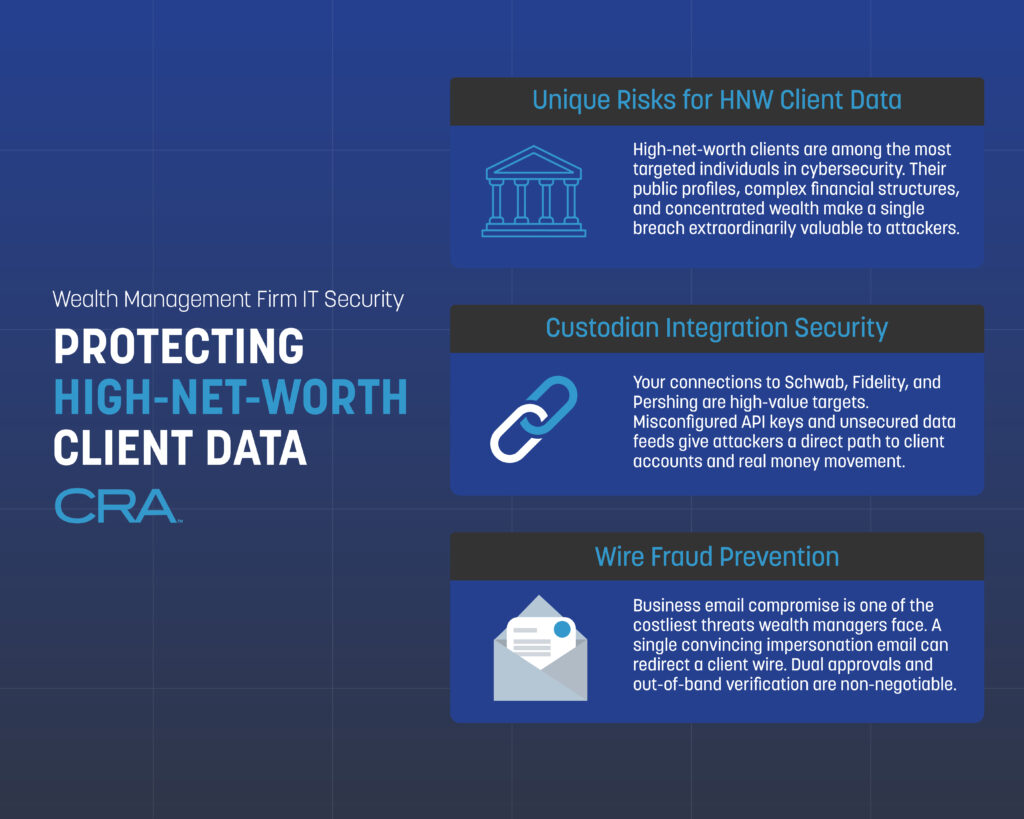
If you’re working with high-net-worth clients, you know they’re prime targets—there’s a big payout waiting for anyone who gets in. Unlike regular banking customers, HNW folks often have multiple accounts, complicated portfolios, and direct wire transfer access that can move millions in a heartbeat.
Spear phishing is a favorite tactic—attackers dig up personal info from social media, public records, or past breaches to craft emails that look like they’re from a trusted advisor or even a family member. It’s sneaky and, honestly, pretty effective if you’re not careful.
Then there are insider threats—household staff, business partners, sometimes even family. It happens. Just look at the 2024 Santander breach: over 30 million customers had data exposed, including account details and credit card numbers.
Family offices? They’re even more vulnerable sometimes, running with smaller IT teams and less formal security setups than the big firms. Every device your clients use—phones, tablets, you name it—needs to be covered by endpoint protection.
Impact of Data Breaches on Wealth Management Firms
One breach can undo years—maybe decades—of trust. When your firm gets hit, clients start wondering if their financial data, tax info, and estate plans are still safe. It’s not a good look.
Financial losses don’t stop at what’s stolen. You’ll be staring down regulatory fines, legal fees, and lawsuits. Add in the cost of credit monitoring, forensic investigations, and fixing whatever got broken.
Reputation? That takes a beating too. High-net-worth clients talk, and word of a breach gets around fast in those circles. Suddenly, attracting new clients—or even keeping the ones you have—gets a lot harder.
And don’t forget, your regulatory headaches get worse after a breach. You’ll be reporting incidents to the SEC and maybe state authorities, which means public records that new prospects can dig up with a quick search.
Evolution of Cybercrime Tactics
Cybercrime isn’t just random anymore. It’s organized, targeted, and aimed squarely at wealth management. Ransomware is a huge problem—attackers lock your client data and demand millions to give it back.
Business email compromise has gotten way more clever. Attackers watch your email patterns and client communications, then jump in at just the right moment to hijack wire transfers.
Modern internet crime groups blend public info with data bought from old breaches. They build detailed profiles of your team and clients to make their scams almost believable.
Your security needs to handle multi-stage attacks. Hackers get in through one weak spot, then quietly poke around for weeks or months before making a move. They’ll go after anything—outdated software, sloppy passwords, unpatched systems. If there’s a crack, they’ll find it.
Foundational Security Frameworks for Wealth Firms
If you’re in wealth management, you can’t just patch things as they break. You need a solid, structured security approach—one that combines employee awareness, tech controls, and compliance, so you’re not constantly playing catch-up.
Building a Security-First Culture
Security’s everyone’s job, not just IT’s. Most breaches happen because someone clicks a bad link or picks a weak password. Regular training turns your staff into a real defense line.
At minimum, train quarterly—and make it real. Show phishing examples that actually target wealth management. Drill into staff that wire requests need a second verification before anyone moves money.
Key things to cover:
- Spotting social engineering attempts
- How to handle client documents safely
- Good password habits
- Reporting anything weird, right away
Weave security into hiring and reviews. New people should get training right away. And don’t forget regular access checks—only give people what they need for their current role.
Core Elements of a Robust Security Framework
Your framework has to fit wealth management’s quirks. Multi-factor authentication on anything touching client data is a must—custodian platforms, planning software, client portals, all of it.
Encrypt everything, both at rest and in transit. Even if someone breaks in, files, statements, and planning docs should be unreadable. The more layers you stack, the better your odds.
Must-haves:
- Identity management – Who can see what?
- Network security – Secure those custodian connections (Schwab, Fidelity, etc.)
- Endpoint protection – Laptops, phones, tablets… lock them down
- Backup systems – Keep encrypted copies of what matters
- Audit trails – Know who touched what, and when
Test your controls regularly—vulnerability scans, pen testing, the works. And get your policies in writing, where staff can actually find them.
Aligning Cybersecurity With Regulatory Obligations
If you’re registered with the SEC, written cybersecurity policies aren’t optional. Your framework has to tick those compliance boxes, but also actually protect client data (which is the whole point, right?).
The SEC wants regular risk assessments. Write down what client data you collect, where it lives, and how you’re protecting it. Update these whenever you add new tech or change up your workflows.
Your incident response plan needs step-by-step instructions for breach notification. The SEC expects you to report major incidents quickly. A lot of firms use monitoring tools to catch breaches fast and help automate reporting.
Quarterly access reviews help with both security and compliance. Make sure ex-employees are locked out and current roles line up with permissions. Keep logs—regulators love to see proof.
Identity and Access Controls for Private Client Data
When it comes to high-net-worth client data, strict identity checks and permission systems are the name of the game. You need more than just passwords to keep out anyone who shouldn’t be poking around sensitive financial info or moving money.
Multi-Factor Authentication and Passkeys
MFA is a must for any system touching private wealth data. Your team should use it for portfolio management, CRM, custodian logins—the whole stack. Usually, that means something you know (password), something you have (auth code), or something you are (biometrics).
Out-of-band verification adds another layer—think authenticating on a separate device or getting a code via SMS or an app, not just in the same browser session.
Hardware security keys are even better than app codes. They plug in via USB or NFC and check the website domain before authenticating, so phishing attacks mostly bounce off. If you’ve got folks accessing wire systems or client accounts, hardware keys are a huge upgrade.
Passkeys are the new kid on the block—no passwords at all, just cryptographic keys stored on devices. They’re quick, can’t be phished, and aren’t recycled across accounts. If your wealth management software supports passkeys, it’s worth looking into for both staff and clients.
Role-Based Access and Least Privilege Principles
Least privilege is pretty simple: only give people the access they need, nothing more. Junior advisors don’t need the same permissions as portfolio managers or compliance folks. That way, if an account gets compromised, the damage is limited.
Set up access groups like:
- Client service reps: View-only for account summaries and contact info
- Financial advisors: Can read/update plans, see holdings, run reports
- Ops staff: Handle transactions, update beneficiaries, manage distributions
- Compliance officers: Audit access across everything
- IT admins: Configure systems, manage security
Review who has access every quarter. Yank permissions right away if someone changes roles or leaves. Automated reviews help catch unused or excessive access.
And for sensitive stuff? Split up duties. The person who sets up a wire shouldn’t be the one who approves it. Keeps mistakes and fraud in check.
Business Email Compromise and Identity Verification
Business email compromise is a real pain—attackers send emails that look like they’re from clients or execs, trying to trick you into wiring money or sharing data. They do their homework, too.
For any financial request by email, always verify the person’s identity. Call the client using the number you already have—never one listed in the email. Confirm wire instructions through a totally separate channel before hitting send.
Train your team to spot red flags: slightly off email addresses, urgent “do this now!” language, requests that seem out of the ordinary, or sudden changes to wire instructions. Make sure everyone feels okay about double-checking anything that seems off.
Set up email authentication (SPF, DKIM, DMARC) to block spoofs. These verify that incoming emails come from where they say they do. Add banners to emails from outside your org so staff know when something’s coming from the wild.
Endpoint and Infrastructure Security Essentials
Your endpoints and network are the front lines against cyber threats. Keeping devices secure, encrypting data, and controlling remote access all work together to keep client info out of the wrong hands.
Device Hardening and Endpoint Detection
Start by stripping out any software or services you don’t need on computers and mobile devices. Full disk encryption is a must for any device that touches client data—if it gets lost or stolen, at least the info stays locked up.
Some basics:
- Application whitelisting—only approved software gets to run
- Auto security updates within a day or two of release
- USB ports disabled or locked to approved devices
- Screen timeouts set to 5 minutes or less
- No local admin rights for regular users
Endpoint detection and response (EDR) tools watch for odd behavior on all devices—file changes, weird network connections, suspicious processes. They catch threats regular antivirus misses and can alert you if, say, someone tries to encrypt files or connect to a shady server.
Policies should be tailored—advisor laptops, desktops, and mobile devices all need different controls. For phones and tablets, mobile device management (MDM) lets you enforce security settings and remotely wipe data if something goes sideways.
Encryption Strategies for Data in Transit and at Rest
Data encryption is the backbone of client information security, whether that data is sitting quietly in storage or zipping across networks. You really need to use AES-256 encryption for all stored client data—think database files, backup archives, and anything living on your file servers. No exceptions here.
Data at rest encryption should cover:
- Encrypting databases at the table or column level for those extra-sensitive fields
- Storing backups in encrypted form, both on-site and off-site (don't skip either)
- Full disk encryption on every server and workstation you manage
- Encrypting email archives and your document management systems
For data in transit, TLS 1.2 or newer is non-negotiable for all network communications. That includes client portal access, email, custodian integrations, and connections to your financial planning software. Old protocols like SSL or TLS 1.0? Those should be disabled—there's just too much risk.
Your encryption key management system needs to be locked down with strong access controls. Always keep encryption keys separate from the data they protect, ideally using a dedicated key management service or a hardware security module. Rotate those keys every year, and right away if you even suspect a security incident.
VPNs and Secure Remote Access
Virtual private networks (VPNs) give your team encrypted tunnels for remote access—absolutely essential if anyone’s working from home or on the road. VPN connections should be required for all remote work, no matter where your advisors are logging in from.
Split-tunnel VPNs let users reach both your network and the internet directly, but honestly, if a device is accessing high-value client data, avoid split-tunneling. Full-tunnel VPNs push all traffic through your network security controls—much safer.
Your VPN setup should enforce multi-factor authentication before anyone gets access. Combining certificate-based authentication with time-based one-time passwords gives you solid protection. Also, make sure VPN sessions disconnect automatically after 30 minutes of inactivity—no one wants an open door left unattended.
Keep an eye on your VPN logs for anything weird, like logins from unexpected countries or someone connecting from two places at once. That’s usually a red flag for compromised credentials. You should also limit VPN access to approved devices only, using device certificates or endpoint compliance checks.
Securing Application Ecosystems and Custodian Integrations
Wealth management firms juggle a bunch of software platforms that connect to custodians, and every connection is a potential security gap. Strong data security means you’re protecting both the financial planning tools your team uses every day and the direct connections to Schwab, Fidelity, Pershing, and the rest—the firms actually holding your clients’ assets.
Financial Planning Software Security Best Practices
Your planning software holds some of your most sensitive client info—net worth, tax docs, estate plans, you name it. Make sure every platform you use has 256-bit AES encryption for data at rest and TLS 1.2+ for data in transit. Don’t just take their word for it—verify.
Set up role-based access controls so people only see the client data they need. A junior advisor shouldn’t have the same access as a senior partner, right? And enable multi-factor authentication (MFA) for every single user account. No exceptions.
Key security measures for planning software:
- Force password changes every 90 days and make sure the requirements aren’t too easy
- Log all user activity, especially file downloads and data exports
- Auto-disable accounts that sit unused for 30 days
- Store backups in encrypted, off-site locations
- Actually review vendor security audits and SOC 2 reports every year—don’t just file them away
Set automatic session timeouts after 15 minutes of inactivity. It’s a small thing, but it’ll stop someone from accessing data while an advisor’s away during a client meeting.
Custodian Integration Risks for Schwab, Fidelity, and Pershing
Direct API connections to custodians are a double-edged sword—they make things easier, but they also give attackers a possible route to account data or even unauthorized transactions. You need to protect these integration points just as carefully as anything client-facing.
Custodian integrations usually rely on either direct API connections or middleware to sync positions, transactions, and performance data into your CRM. Both options come with their own security headaches. If you’re using direct APIs, you’re responsible for managing authentication credentials and watching for suspicious activity.
Rotate API keys every 60–90 days for all custodian connections, no excuses. Store API credentials in a secure vault, not in plain text files or spreadsheets. Monitor every data transfer between your systems and custodian platforms—unusual volumes or odd timing can be a warning sign.
Critical custodian integration security steps:
- Use encrypted portals for all data transmissions with custodians
- Restrict API access to specific IPs from your office network
- Enable real-time alerts for failed authentication attempts
- Keep production and testing credentials completely separate
- Document every integration point and data flow in your security policies
Check your custodian integration logs weekly for unauthorized access attempts. Work with your IT provider to set up baseline activity patterns so you can spot anything out of the ordinary quickly.
Advanced Client Portal and Digital Onboarding Protections
Client portals and digital onboarding systems are favorite targets—hackers love intercepting sensitive data during account setup or document sharing. You need layered security that actually verifies identities and encrypts every exchange between advisors and clients, especially high-net-worth ones.
Encrypted Portals and Secure Document Sharing
Your client portal should use end-to-end encryption for every document and message. That means files are encrypted before they leave a client’s device and stay that way until your authorized staff decrypts them on your secure system. No shortcuts.
Standard TLS/SSL is fine for data in transit, but you also need strong encryption at rest for stored documents. Bank-level AES-256 should be the default for every uploaded financial statement, tax return, and estate planning doc in your portal database.
Multi-factor authentication is a must for portal access. Require at least two verification methods: something the client knows (like a password), something they have (their phone or a security key), or something they are (like a fingerprint).
Your portal should keep detailed audit trails—every login attempt, every document download, every data change. These logs are your best friend when you’re trying to spot unusual access. Set up alerts for failed logins, after-hours access, or big downloads—little things can be early warning signs.
Identity Checks and Digital Onboarding Risks
Digital onboarding is convenient, but it opens the door for fraud since you can’t verify clients in person. Go beyond those basic knowledge-based questions—they’re just not enough anymore.
Use government ID verification software that checks photo IDs against official databases and flags altered or fake documents. These tools look at security features, fonts, image quality—the stuff humans often miss.
Layer in biometric checks like facial recognition that matches a live selfie video with the photo ID. That makes it much harder for fraudsters with stolen documents to slip through.
Your onboarding workflow should cross-check client info against multiple sources. Verify addresses with utility bills, confirm phone numbers, and check Social Security numbers with credit bureaus. If anything doesn’t match, flag it for manual review before you open the account.
It’s smart to limit account privileges for new clients at first. Maybe restrict wire transfers or set lower transaction limits until you’ve done more verification over the first 30 to 60 days.
Wire Fraud and Phishing Defense Strategies
Wire fraud and phishing attacks are a nightmare for wealth management firms—a single mistake can cost hundreds of thousands, or even millions. You need specific protocols to verify wire requests and train staff to spot the increasingly clever email attacks targeting client accounts.
Phishing and Business Email Compromise Prevention
Phishing attacks have gotten slick. Fraudsters use public info to impersonate clients, advisors, even custodians. Business email compromise is especially dangerous—they’ll spoof executive or client addresses just to sneak through your wire transfer process.
Your first line of defense is staff training, focused on real-world scenarios your team actually faces. Employees should always verify a wire request through a separate channel, even if the email looks legit and comes from a known client.
Key prevention measures:
- Email authentication protocols (DMARC, SPF, DKIM) to block faked sender addresses
- Banner warnings on external emails to remind staff to stay alert
- Advanced filters that flag emails asking for wire transfers or account changes
- Regular phishing simulations using wealth management-specific scenarios
Set strict policies against clicking links in emails that ask for login credentials. All password resets and account access should run through your official firm portal—no exceptions, no shortcuts.
Wire Authentication Protocols and Out-of-Band Verification
Out-of-band verification is simple but effective: confirm wire requests using a different method than how you received them. If a client emails a wire instruction, always call them using the phone number you have on file—not one from the email.
Your wire process should require multiple approvals depending on the dollar amount. Transfers over $50,000? Get two authorized signatures. Larger transfers might need even more verification steps.
Standard verification protocol:
- Receive the wire request via client portal or email
- Call the client using their stored phone number to confirm amount and recipient
- Check that recipient account details match what the client intended
- Document every verification step in your system
- Only process the transfer after all confirmations are done
Have an incident response plan ready to go if staff suspect a fraudulent wire request. This should include freezing the transaction, contacting your custodian, and notifying the client through a verified channel. Most custodians offer fraud recovery services, but your odds are better the faster you catch and report the issue.
Managing Insider Threats and Third-Party Risk
Insider risk is real—most incidents happen because of negligence, not malice, but the result is the same. Trusted employees and vendors often have legitimate access to your client data, so you need tight monitoring and vendor oversight to keep high-net-worth info safe.
Audit Trails and Access Monitoring
Keep comprehensive audit trails that log every action inside your client data systems. That means tracking who accessed what, what changes happened, and when. Your logs should capture logins, data downloads, client record edits, and wire transfer requests.
Set up automated alerts for anything unusual: employees accessing accounts outside their normal book of business, big downloads, or off-hours access. Your financial planning and CRM systems should flag users viewing clients they don’t usually work with.
Do quarterly access reviews to make sure permissions match job roles. Remove access immediately when someone changes roles or leaves. Keep a privileged user list and review it monthly—don’t let it get stale.
Monitor high-risk activities like wire approvals, bank account changes, and beneficiary updates. Require dual authorization for these, and keep detailed logs for at least seven years to stay compliant.
Vendor and Service Provider Security Reviews
Your third-party vendors are a major insider threat vector since they often have direct access to your systems and client data. Custodians, planning software providers, compliance tools—they all plug into your network and store sensitive info.
Require annual SOC 2 Type II reports from any vendor handling client data. Read these reports carefully—don’t just file them away. Look for any control failures or warnings that might signal risk.
Limit what vendors can see and do inside your systems. A software support tech doesn’t need to see actual client account values to fix a technical problem. Use data masking and test environments whenever possible for vendor support.
Review vendor access logs every quarter to confirm their employees only access your systems when needed and authorized. Your service agreements should require vendors to notify you within 24 hours if there’s any security incident that could affect your data.
Preparing and Responding to Security Incidents
Wealth management firms need a real plan for handling breaches—not just a binder on a shelf—and regular testing to find weaknesses before attackers do. Fast responses and ongoing improvements are what really protect client assets and keep you compliant.
Developing an Incident Response Plan
Your incident response plan should lay out clear steps for detecting, containing, and recovering from breaches. Start by naming your response team members and their roles—who contacts clients, who talks to regulators, who calls law enforcement.
Document what to do for common scenarios like ransomware, wire fraud attempts, or unauthorized client portal access. Set clear timelines for each stage—detection within 24 hours, initial containment within 72 hours, that sort of thing.
Include communication templates for notifying affected clients—what was compromised, what you’re doing about it. Set up audit trails that automatically log all system access and changes; this helps you trace how a breach happened if one does occur.
Test your plan every quarter with tabletop exercises. These drills help your team respond faster when something real happens, and they’ll reveal gaps in your process before you’re in crisis mode.
Continuous Security Posture Assessments
Regular security assessments are your best shot at catching vulnerabilities before the bad guys do. Ideally, you’ll want to schedule penetration tests at least once a year, and then run quarterly vulnerability scans on every system that connects to custodians or stores client data. It’s not glamorous, but it works.
Make sure every device that touches client info has endpoint detection and response tools running. These aren’t just buzzwords—they actually keep an eye out for weird activity in real time, and can even block threats automatically before data slips out of your network.
Any time you roll out a major system change—maybe a new custodian integration, or you’re updating your financial planning software—take a fresh look at your security posture. Don’t just set it and forget it. Track things like how quickly you spot threats, the number of unpatched systems, and, honestly, how many failed login attempts you’re seeing.
Set aside time each month to dig through access logs and audit trails. You’re looking for anything that just feels off: after-hours logins, a bunch of failed password attempts, or data downloads that don’t really fit your usual business flow. Jot down what you find and what you did about it—it’s a good look for regulators, and it proves you’re serious about keeping high-net-worth client data safe.
Empowering Clients and Staff With Cybersecurity Education
Your team and your clients—they’re both front-line defenders against cyber threats that target high-net-worth accounts. With regular training, you can turn what might be weak links into folks who actually help protect sensitive financial data. It’s worth the effort, honestly.
Training for Wealth Management Teams
Your staff needs to stay in the loop about the latest fraud tricks and security best practices. Try to hold training sessions every quarter; cover things like spotting phishing attempts, picking up on social engineering red flags, and how to properly handle client credentials.
Keep it real—use scenarios your team might actually face. For example, train advisors to double-check wire transfer requests through another channel before they hit send. Show admin staff how to recognize those sneaky fake emails pretending to be from custodians like Schwab or Fidelity.
Essential training topics include:
- How to spot sketchy communications from so-called clients or partners
- Smart password habits and using multi-factor authentication (seriously, it helps)
- Keeping documents with personal financial info secure
- What to do and who to tell if they think something’s off security-wise
- Staying safe when working remotely or on the go with mobile devices
Give your staff some simple reference guides they can check when things get weird. And don’t skip the simulated phishing tests—they’re a solid way to keep everyone sharp (and no, nobody gets in trouble for messing up during practice).
Cybersecurity Awareness for HNW Clients
Your high-net-worth clients want straightforward advice on keeping their accounts safe, but let’s be honest—no one wants to drown in technical jargon. Try sending out short, quarterly updates that break down the latest threats in simple, everyday language. No need to scare them, just keep it real and relevant.
It’s also worth reminding clients about the risks that come with social media. You know how tempting it is to post vacation pics or little hints about wealth? Unfortunately, that’s exactly the kind of info scammers love to use for targeted attacks. Maybe suggest they think twice before sharing too much out there.
A few key security habits to pass along:
- Don’t click any links in random emails about their accounts—seriously, just don’t
- If they get a weird text or voicemail, don’t call back using the number provided
- Stick with fingerprint or face ID for logging into financial apps
- Skip public Wi-Fi when checking accounts—hotel lobbies and coffee shops aren’t worth the risk
- Keep apps and devices up to date; those security updates actually matter
Hand out wallet-sized cards with your firm’s official contact numbers. If something feels off, clients can call those numbers directly to double-check. It’s a small thing, but it really helps keep scammers from tricking clients into calling phony support lines.
Important Legal Disclaimer
General Information Only: The information provided in this article is for general informational and educational purposes only. It does not constitute legal, financial, or professional compliance advice. While Computer Resources of America strives to ensure the accuracy and timeliness of the information presented as of the publication date, the regulatory landscape—including New York Rules of Professional Conduct, the NY SHIELD Act, and CLE requirements—is subject to frequent change and varying interpretations by courts and ethics committees.
No Professional Relationship: Your use of this website or the information contained in this blog post does not create a professional relationship between you and Computer Resources of America. We are an IT services provider, not a law firm. Compliance with the New York Rules of Professional Conduct is the sole responsibility of the licensed attorney.
Fact-Checking and Accuracy: While we make every effort to provide comprehensive guides, Computer Resources of America makes no representations or warranties of any kind, express or implied, about the completeness, accuracy, or reliability of the information, statistics, or legal citations contained herein. Laws and technical standards in 2026 are evolving rapidly; therefore, any reliance you place on such information is strictly at your own risk.
Limitation of Liability: In no event will Computer Resources of America be liable for any loss or damage, including without limitation, indirect or consequential loss or damage, or any loss or damage whatsoever arising from loss of data, disciplinary actions, or malpractice claims arising out of, or in connection with, the use of this guide.
Consult a Professional: We strongly recommend that NYC law firms consult with their own legal counsel, ethics advisors, or the New York State Bar Association to confirm their specific compliance obligations. Technology implementations should always be tailored to a firm’s unique risk profile by a qualified IT professional.