
Advanced Phishing Protection for Law Practices: Security Brief
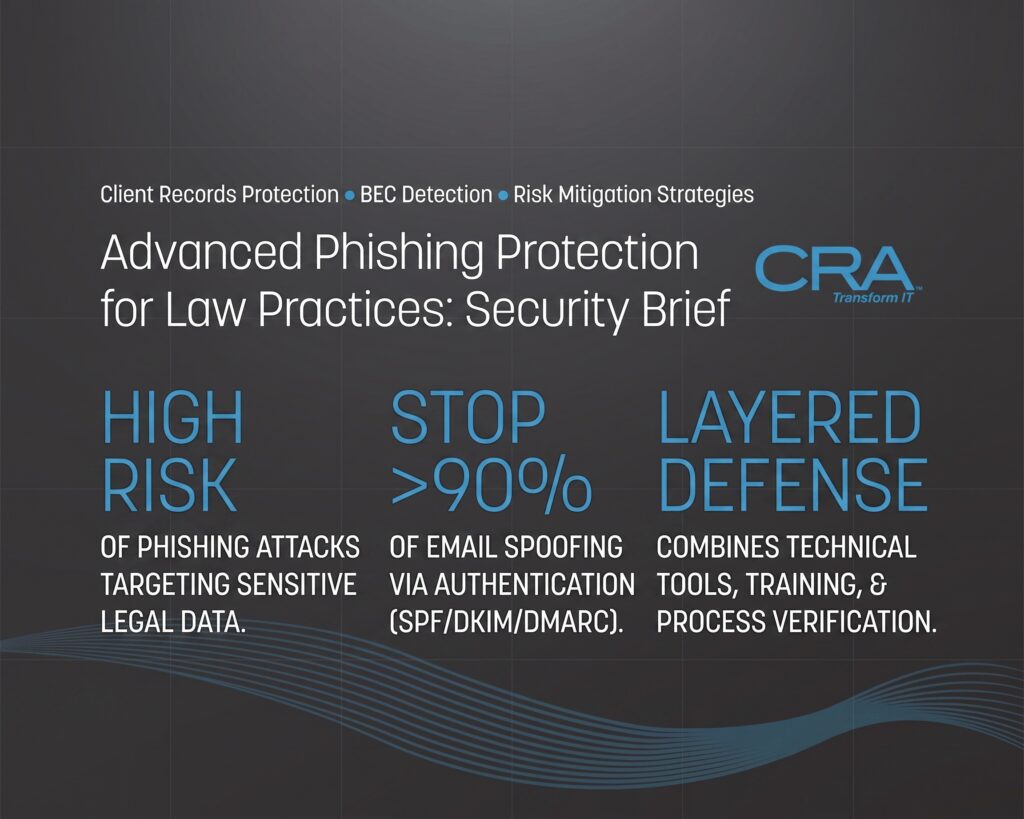
Law firms hold some of the most sensitive information that exists: settlement funds, client records, and privileged case details. This makes your firm a top target for phishing and business email compromise. Attackers don't need to break through complex systems when they can simply trick one person into clicking a link or approving a fake wire transfer.
Your email inbox is often the weakest point in your firm's defense. Criminals study how law firms communicate, then copy that pattern to steal money or data. A single mistake during a closing or fund transfer can cost you client trust and put your firm's name at risk.
You can lower this risk with the right mix of technical controls and awareness. Email authentication, smart filtering, and clear verification steps work together to stop attacks before they reach your staff. This guide breaks down how these threats work and what you can do to protect your firm and your clients.
Key Takeaways
- Law firms face constant risk from phishing and email-based fraud due to the sensitive data they manage.
- Verifying payment changes and strengthening email authentication can stop many attacks before they start.
- Layered security tools combined with staff awareness offer the strongest protection for client trust and firm reputation.
The Legal Threat Model: From Phishing to BEC
Your law firm faces a different threat model than most businesses because attackers know your emails control money movement and confidential case data. Understanding how BEC attacks differ from basic phishing attempts, why your transactions draw criminal attention, and what fraud objectives attackers pursue will shape how you defend your practice.
How BEC Differs From Conventional Phishing
Basic phishing attacks cast a wide net, hoping someone clicks a bad link or downloads malware. BEC attacks work differently. They rely on social engineering and impersonation instead of malicious code.
An attacker studies your firm first. They might spend weeks watching email threads before acting.
Spear phishing narrows the target further. Instead of mass emails, criminals research a specific partner, paralegal, or client and craft a message that fits your firm's actual communication patterns.
Once inside a mailbox, attackers often skip malware entirely. They redirect wire instructions, request fake invoice changes, or ask for sensitive files using language that matches how your staff normally writes.
This makes email fraud harder to catch with traditional spam filters, since the message often contains no attachment or suspicious link at all.
Why Legal Transactions Attract Cybercrime
Law firms handle large sums of client money through trust accounts, and this makes you a direct target for wire fraud. Real estate closings, settlement payments, and escrow transfers all involve time pressure and specific dollar amounts, which gives attackers a clear script to imitate.
Your firm also holds sensitive data that has value beyond immediate theft. Client contracts, litigation strategy, and personal records can be sold or used for further attacks against your clients.
Consider what makes legal transactions especially attractive:
- Predictable deadlines — closings and settlements happen on fixed dates, giving attackers a narrow window to insert fraudulent instructions.
- High trust in email threads — clients expect wire instructions to arrive by email, so a well-timed fake message blends in.
- Multiple parties involved — banks, title companies, and clients all communicate through the same thread, creating more opportunities for impersonation.
Common Fraud Objectives and Business Impact
Most BEC attacks against law firms chase one of three outcomes: stolen funds, stolen data, or continued access for future attacks. Attackers may alter banking details on a legitimate invoice mid-thread, then wait for a client to send payment straight into their account.
Other attacks focus purely on data breaches, copying mailbox contents for blackmail or resale rather than immediate financial gain.
The business impact reaches beyond the initial loss. Direct financial losses from a single fraudulent wire can reach six figures, and firms may face third-party liability if client funds were diverted from a trust account.
Reputational damage often follows, as clients lose confidence and take their business elsewhere. Regulatory bodies may also increase scrutiny, and insurance premiums can rise at renewal once a firm reports an incident.
Recognizing Impersonation and Account-Takeover Tactics
Attackers rely on a small set of tricks: they pretend to be someone you trust, they use email addresses that look almost right, and they take over real accounts to send messages from inside your own systems. Your staff needs to know what each of these looks like before an urgent request lands in their inbox.
Executive, Attorney, Client, and Vendor Impersonation
CEO fraud is one of the oldest BEC tricks, and it still works. An attacker sends an email that looks like it's from a partner or managing attorney, asking for a wire transfer or sensitive files, usually with a deadline attached.
Attorney impersonation targets clients directly. A fake message asks the client to send funds to a "new" account for a closing or settlement.
Vendor impersonation and vendor email compromise work differently. Here, attackers either fake a vendor's identity or actually break into a vendor's real email account. Then they send an invoice with updated payment details.
Attackers research targets using OSINT. They pull names, titles, and case details from LinkedIn, court filings, and your firm's own website. This makes their messages sound accurate and specific.
Watch for these signs:
- Urgent requests to change payment or wiring instructions
- Pressure to skip normal verification steps
- Requests sent outside normal business hours
Lookalike Domains, Display Names, and Thread Hijacking
Domain impersonation and domain spoofing use web addresses built to fool a quick glance. A firm using "smithlaw.com" might see attacks from "smithlaw-legal.com" or "srnithlaw.com," where the letters "r" and "n" replace an "m."
Display name spoofing is simpler and just as effective. The visible sender name reads "John Smith, Partner," but the actual email address is unrelated and unfamiliar.
Thread hijacking is harder to catch. Attackers take over an old, real email thread, often from a compromised account, and reply within it. Because the conversation history looks legitimate, recipients trust it more.
Quick checks that catch most of these:
| Tactic | What to Check |
|---|---|
| Lookalike domain | Compare the full domain letter by letter |
| Display name spoofing | Check the actual email address, not just the name |
| Thread hijacking | Confirm new requests by phone, even in known threads |
Compromised Mailboxes, Forwarding Rules, and Session Theft
Account takeover happens after credential theft or credential harvesting, usually through a fake login page. Once attackers have valid credentials, they access the real mailbox directly, making detection harder.
Session hijacking skips passwords entirely. Attackers steal session tokens through malware or man-in-the-middle attacks, giving them active access without needing to log in again.
After gaining access, attackers often set up inbox rules or auto-forwarding. These rules quietly send copies of incoming mail, especially messages about payments or client matters, to an outside address.
Signs of email account compromise:
- Auto-forwarding rules the user didn't create
- Sent-folder messages the user doesn't recognize
- Login activity from unfamiliar locations or devices
- Password reset emails the user didn't request
Regular audits of inbox rules and login activity catch most compromised accounts before major damage occurs.
Securing Payment Changes and Wire Authorization
Wire fraud usually starts with a small change: a new bank account number, a new phone number, or a slightly different email address. If your firm treats every payment change as a possible threat, you can catch fraud before money leaves your trust account.
Treating New Wire Instructions as High-Risk Events
Any change to wire instructions should trigger extra scrutiny. This includes updated account numbers, new routing numbers, or a request to send funds to a different bank altogether.
Treat these changes as high-risk, even if the email comes from a client or opposing counsel you have worked with before. Business email compromise often targets accounts that have already built trust with your firm.
Payment redirection scams rely on speed and routine. Attackers know that staff often process wire instructions quickly during active settlements or closings.
Build a simple rule: no wire instructions get processed on the same day they are received, unless verified. This gives your team time to check for red flags like domain spoofing or vendor impersonation.
Out-of-Band Verification and Known-Contact Callbacks
Out-of-band verification means confirming instructions through a different channel than the one used to send them. If instructions arrive by email, verify them by phone.
Use a phone number you already have on file, not one listed in the email. Attackers often include fake callback numbers that connect to their own team.
This step stops many invoice fraud and payroll diversion attempts. Even a well-written phishing email cannot fake a live phone conversation with someone your firm already knows.
Keep a list of verified contacts for each client and vendor. Update it regularly so your staff always has a trusted number to call.
Dual Authorization and Trust Account Separation of Duties
No single person should be able to approve and send a wire transfer alone. Dual authorization requires two people to review and confirm the transaction before it goes out.
This is especially important for trust accounts, where client funds carry legal and ethical responsibilities. Separation of duties limits the damage one compromised email or one rushed decision can cause.
Assign clear roles:
- Initiator – prepares the wire request
- Verifier – confirms instructions through a phone callback
- Approver – signs off before the transfer is sent
This structure creates checkpoints that catch financial fraud attempts that might slip past a single reviewer.
Containing a Misdirected Payment
If a wire transfer is sent to the wrong account, speed matters. Contact your bank immediately and request a wire recall.
Most banks have a formal process for this, but it only works if you act fast, often within hours. Delayed reporting sharply lowers the chance of recovering funds.
Report the incident to the FBI’s Internet Crime Complaint Center as part of the financial fraud kill chain (FFKC) process. This system helps law enforcement track and sometimes freeze funds before they move further.
Document every step you take, including timestamps and the names of everyone contacted. This record supports your bank’s recall request and any later insurance or legal review.
Hardening Domains With Email Authentication
Email authentication is a set of technical rules that prove your firm's emails are really from your firm. Three standards work together to do this: SPF, DKIM, and DMARC. Each one closes a different gap that attackers use for domain spoofing.
Establishing SPF Sender Authorization
SPF, or Sender Policy Framework, lists which mail servers are allowed to send email for your domain. You publish this list as a TXT record in your DNS settings.
When another server receives a message claiming to be from your firm, it checks the SPF record. If the message came from a server not on your list, it fails the check.
You need to keep this list current. Every time you add a new email vendor, like a case management tool or marketing platform, you must update your SPF record.
SPF has limits on its own. It only checks the server address, not the "From" name your clients see. That's why it works best combined with the other two standards.
Signing Legitimate Mail With DKIM
DKIM, or DomainKeys Identified Mail, adds a digital signature to your outgoing messages. This signature is created using a private key that only your firm controls.
The receiving server checks this signature against a public key stored in your DNS. If the message was changed in any way during delivery, the signature won't match, and the check fails.
This matters for law firms because it stops attackers from altering message content while it's in transit. It also helps your mail pass authentication even after it's forwarded, since SPF often breaks during forwarding.
Set up DKIM for every domain and subdomain you use to send mail. Each one needs its own signature setup in your email platform, whether that's Microsoft 365 or another provider.
Moving DMARC From Monitor Mode to Enforcement
DMARC, or Domain-based Message Authentication, Reporting, and Conformance, ties SPF and DKIM together. It checks that the domain in your "From" address matches the domains used in your SPF and DKIM checks.
Most firms start DMARC in monitor mode, which is called a "p=none" policy. This setting only reports failures without blocking anything. It's a useful first step to catch problems before you enforce stricter rules.
Once you've reviewed your reports and confirmed all legitimate mail passes, move to DMARC enforcement. You can set this to quarantine suspicious mail or reject it outright.
| Policy Level | Action Taken | Best Used For |
|---|---|---|
| p=none | Monitor only | Initial setup |
| p=quarantine | Sends to spam/junk | Mid-stage rollout |
| p=reject | Blocks message entirely | Full enforcement |
Skipping enforcement leaves your domain open to impersonation, even with SPF and DKIM in place.
Monitoring Domains and Protecting the Firm Brand
Domain protection doesn't stop once DMARC is enforced. You need ongoing domain monitoring to catch new threats as they appear.
Review your DMARC reports on a regular schedule. These reports show you which servers are sending mail using your domain, including ones you may not recognize.
Watch for lookalike domains too. Attackers often register domains that are one letter off from your firm's real domain name, then use them for impersonation protection bypasses.
Set calendar reminders to check DNS records at least once per quarter. Small errors, like a typo in your DMARC record, can quietly break enforcement without any warning. Staying on top of these checks protects your firm's reputation and keeps clients from falling for fraudulent messages that appear to come from your firm.
Building a Layered Inbound Email Defense
No single tool can stop every phishing email or BEC attempt aimed at your firm. You need multiple layers working together, from AI-driven behavioral analysis to strict link and attachment controls, so that if one layer misses a threat, another catches it.
Behavioral AI and Machine-Learning Signal Analysis
Traditional filters look for known malware signatures. That approach fails against BEC, since these emails carry no malicious code at all.
Behavioral AI works differently. It studies patterns like writing style, login locations, and typical communication timing to flag anomalies. If a partner's account suddenly sends an urgent wire request at 2 a.m. from an unfamiliar IP address, the system notices.
Machine learning models improve over time by analyzing millions of email attacks across many organizations. This lets them catch subtle red flags that rule-based systems miss.
For your firm, this means faster detection of impersonation attempts before staff ever see the message.
Detecting BEC Without Links or Malicious Attachments
BEC emails are hard to catch because they often contain no links, no attachments, and no obvious signs of danger. They rely purely on social engineering and trust.
Your defense needs to analyze factors beyond the message content itself:
- Sender reputation: Has this domain sent email to your firm before?
- Display name mismatches: Does the name shown match the actual email address?
- Financial keywords: Does the message mention wire transfers, invoices, or payment changes?
- Urgency language: Does it pressure the reader to act immediately without verification?
Combining these signals gives you a clearer picture than any single check could provide. This matters most during real estate closings and settlement disbursements, when fraudsters often time their attacks to match your firm's busiest moments.
Link, Attachment, and Data-Protection Controls
Even with strong BEC detection, your firm still needs technical controls for traditional phishing emails and malicious attachments.
Sandboxing isolates suspicious attachments in a safe environment before they reach an employee's inbox. This catches ransomware and other malware that might otherwise slip past basic scanning.
Time-of-click protection rechecks links at the moment someone clicks them, not just when the email arrives. This stops attacks where a link looks safe initially but is weaponized later.
Data loss prevention (DLP) tools monitor outbound email for sensitive information, like client Social Security numbers or financial account details, and block or encrypt messages before they leave your network. Email encryption adds another layer, protecting privileged client communications from interception.
Together, these controls reduce the risk of both incoming attacks and accidental data exposure.
Protecting Gmail and Cloud Email Environments
Many law firms now run on Gmail or other cloud-based email platforms instead of traditional on-premises servers. These platforms bring convenience, but they also require specific security configurations.
Google Workspace includes built-in phishing and malware scanning, but firms handling sensitive legal matters typically need stronger settings. This includes enabling advanced phishing protection features, enforcing two-factor authentication, and restricting third-party app access to your email data.
Third-party security tools can layer on top of Gmail's native protections. These add deeper behavioral analysis, better BEC detection, and more granular DLP rules than the built-in tools provide alone.
Given that cloud email is now a primary attack target, this layer of defense deserves the same attention as your firm's other security controls.
Strengthening Identity, Detection, and Response
Strong login security, quick detection of unusual account activity, trained staff, and a clear response plan all work together to limit damage from BEC attacks. Each layer catches what the others might miss.
Deploying Phishing-Resistant MFA and Conditional Access
Passwords alone will not protect your firm. You need multi-factor authentication (MFA) on every email account, but not all MFA is equal.
Standard MFA methods like SMS codes can be intercepted or bypassed through phishing kits. Phishing-resistant MFA, such as FIDO2 security keys, uses cryptographic verification tied to the specific device and website. This means a stolen password or fake login page won't grant access, even if an attacker tricks a user into entering credentials.
Pair this with conditional access policies. These policies check factors like device health, location, and user role before granting access to your mail system.
You can set rules that:
- Block sign-ins from unrecognized devices
- Require additional verification for access outside your usual network
- Restrict access based on job function
Detecting Impossible Travel and Suspicious Mailbox Changes
Your email system should flag sign-ins that don't make physical sense. This is called impossible travel detection. If someone logs in from New York and then from London 20 minutes later, that's a clear signal of a compromised account.
You should also monitor mailbox rule changes closely. Attackers often set up hidden forwarding rules to intercept sensitive emails, like wire instructions or client communications, without the account owner noticing.
Watch for these warning signs:
| Signal | What It Means |
|---|---|
| New forwarding rule to external address | Possible mailbox takeover |
| Login from unfamiliar country | Possible credential theft |
| Mass deletion of sent items | Attacker covering tracks |
| Password reset without user request | Account compromise attempt |
Set up automatic alerts for these events so your IT team can act before damage occurs.
Role-Based Training and Phishing Simulations
Employee awareness training works best when it's tailored to specific roles. Your billing staff face different risks than your paralegals or partners, so their training should reflect that.
For example, staff who handle wire transfers need specific guidance on verifying payment change requests by phone, using a known number, not one provided in the suspicious email.
Run phishing simulations regularly, not just once a year. These tests should mimic real BEC tactics, like urgent requests from a "managing partner" or fake vendor invoice changes. Track who clicks, who reports, and who ignores the email entirely.
Use these results to identify which teams need additional training. Firms that run monthly simulations typically see reporting rates improve within a few months, giving you a clearer picture of your actual risk exposure.
Executing Incident Response and Reporting Rapidly
Speed matters most once a compromise happens. Your incident response plan needs clear steps: who to notify, how to lock down accounts, and how to preserve evidence for investigation.
Following NIST guidelines for incident handling gives you a proven framework: identify the threat, contain it, remove the attacker's access, and recover normal operations.
If a wire transfer fraud occurs, contact your bank immediately to attempt a recall. Then report the incident to the FBI's Internet Crime Complaint Center (IC3) as soon as possible. The IC3 works with financial institutions to freeze fraudulent transfers, but this only works within a narrow time window, often 24 to 72 hours.
Document every step you take. This record supports law enforcement action and helps you refine your defenses against future email compromise attempts.
Frequently Asked Questions
Law firms face specific threats tied to email fraud, wire transfers, and authentication gaps. Here are answers to common questions about protecting your practice from these risks.
What is business email compromise, and how does it differ from traditional phishing?
Business email compromise (BEC) targets specific people at your firm, usually partners, paralegals, or finance staff. Attackers research your firm first. They learn names, case details, and communication patterns before sending a single email.
Traditional phishing casts a wide net. It sends the same message to thousands of people, hoping a few click a bad link.
BEC works differently. The email looks like it came from your managing partner or a client. It references a real case or deal. There's no obvious link to click or attachment to open, just a request that sounds normal, like approving a wire transfer or updating payment details.
How do attackers use impersonation and invoice-based lures to commit wire transfer fraud?
Attackers often break into an email account first, then read through past messages to understand how a deal is progressing. Once they know the timeline of a closing or settlement, they send fake wire instructions at the exact moment your firm expects to move money.
Invoice fraud follows a similar pattern. Criminals send a fake bill that looks like it's from a vendor you already work with. The invoice includes new bank account details, and the amount often matches what you'd normally pay, so it doesn't raise red flags right away.
Some attackers go further and register a domain that looks almost identical to a client's or opposing counsel's domain. A single swapped letter, like "rn" instead of "m," is easy to miss when you're reading quickly.
What email authentication controls are needed to correctly configure SPF, DKIM, and DMARC?
SPF (Sender Policy Framework) lists which mail servers are allowed to send email for your domain. You publish this as a DNS record, and receiving servers check it to confirm the message came from an approved source.
DKIM (DomainKeys Identified Mail) adds a digital signature to outgoing emails. This signature lets the receiving server verify the message wasn't altered in transit and actually came from your domain.
DMARC (Domain-based Message Authentication, Reporting, and Conformance) ties SPF and DKIM together. It tells receiving servers what to do if a message fails those checks, whether to quarantine it, reject it, or let it through. Start with a monitoring policy, review the reports you receive, then move to enforcement once you confirm legitimate mail isn't being blocked.
How can behavioral AI filtering detect sophisticated phishing attempts that bypass signature-based defenses?
Signature-based filters look for known malicious links, attachments, or sender addresses. Attackers get around this by using brand-new domains or clean attachments that haven't been flagged yet.
Behavioral AI filtering takes a different approach. It studies how people at your firm normally communicate, including writing style, timing, and typical requests, then flags messages that break from that pattern.
For example, if a partner never emails from a personal Gmail account asking for urgent wire transfers, and suddenly one shows up, the system flags it. This method catches attacks that don't rely on obvious red flags like bad grammar or suspicious links.
What verification procedures should law firms require before approving changes to client payment or wire instructions?
Require a phone call to a known number before processing any change to wire instructions. Don't call a number listed in the email requesting the change, since that number could belong to the attacker.
Set a policy that no wire transfer over a certain dollar amount gets approved without a second person confirming it verbally. This second check should happen even if the request appears to come from a senior partner.
Keep a record of verified contact information for every client and vendor involved in a transaction. Update this list only through in-person or verified phone confirmation, never through email alone.
What incident response steps should a law practice take after identifying a suspected BEC or fraudulent wire transfer request?
Contact your bank immediately if a fraudulent wire has already been sent. Banks can sometimes recall or freeze a transfer within the first 24 hours, but the window closes fast.
Change the password on any compromised email account and enable multi-factor authentication if it wasn't already active. Review the account's sent folder and forwarding rules, since attackers often set up hidden rules to monitor future emails.
File a report with the FBI's Internet Crime Complaint Center (IC3) and notify your cyber insurance carrier. Document the timeline of events, including when the suspicious email arrived and when funds were transferred, since this record matters for both law enforcement and any legal claims that follow.
Disclaimer: This blog is compiled for entertainment purposes only. While every effort is made to ensure accuracy, the content in this publication is generated with the assistance of artificial intelligence and may contain errors, inaccuracies, or omissions. Article summaries are editorial interpretations of source material and may not perfectly reflect the original reporting. URLs and hyperlinks, where included, should be independently verified before use. Source attributions are based on information provided at the time of compilation and may not reflect subsequent corrections or updates made by the original publisher. This blog does not constitute legal, financial, or cybersecurity advice. Readers should independently verify all information before acting on it and consult qualified professionals where appropriate. The views and opinions expressed in editorial commentary are those of the newsletter and do not represent the views of any cited organization, publication, or individual. Neither the publisher nor any contributing party accepts liability for any loss or damage arising directly or indirectly from reliance on information contained in this newsletter. If you identify an error or inaccuracy, please contact us so we can issue a correction promptly.