Best IT Support for Law Firms in NYC – 2026 Guide for Attorneys
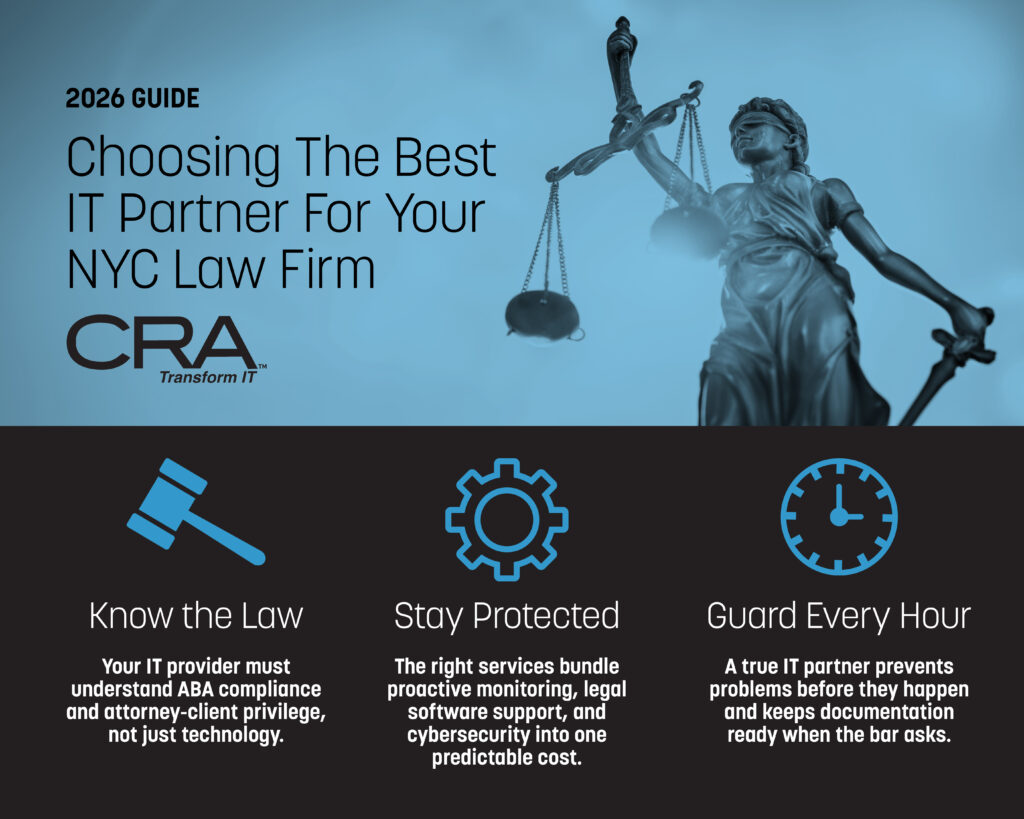
A 2026 Guide to Choosing The Best IT Partner For Your Firm
Law firms in New York City face unique technology challenges that go beyond standard business IT needs. Client confidentiality rules, strict data protection requirements, and the high cost of downtime during critical legal work mean that generic IT support often falls short. The best IT support for law firms in NYC combines legal industry expertise with proactive security measures, compliance documentation for ABA and FTC rules, and support for specialized legal software like Clio, iManage, and NetDocuments.
Finding the right IT partner matters because your technology provider needs to understand more than just hardware and software. They need to know how attorney-client privilege affects data handling, how to document reasonable security efforts for bar compliance, and how to minimize disruptions during depositions, court filings, and client meetings. A provider that serves retail stores or restaurants won't have this specialized knowledge.
This guide covers the top IT support options for law firms in NYC, what services matter most for legal practices, and the specific questions you should ask before signing any contract. The goal is to help you find a technology partner that protects your client data, keeps your attorneys working without interruption, and gives you documentation that shows you're meeting your professional obligations.
Key Takeaways
- NYC law firms need IT providers with legal industry expertise who understand ABA compliance requirements and attorney-client privilege
- Core services should include proactive monitoring, legal software support, cybersecurity tailored to law firm threats, and flat-rate pricing
- The right IT partner protects billable hours through prevention, manages vendor relationships on your behalf, and provides written compliance documentation
Unique IT Challenges for Legal Practices
Law firms face IT challenges that go beyond standard business technology needs. Client confidentiality requirements, strict regulatory oversight, and the high-stakes nature of legal work create unique pressures that demand specialized IT support.
Managing Sensitive Client Data
Your firm handles some of the most confidential information that exists. Client communications, case strategies, financial records, and privileged documents require protection beyond what most industries need.
Every piece of client data you store creates potential liability. A single breach can lead to malpractice claims, bar complaints, and permanent damage to your reputation. Attorney-client privilege isn't just an ethical rule—it's a legal requirement that your technology must support.
You need systems that protect data at multiple levels. This includes encryption for files at rest and in transit, role-based access controls that limit who can view specific matters, and audit trails that track every interaction with sensitive documents. Your staff accesses client files from courthouses, home offices, and client sites, which means mobile device security is just as critical as your office network.
Matter-specific access controls present a unique challenge. Unlike other businesses that organize data by department or project, you must ensure attorneys can only access files for their assigned cases while maintaining ethical walls when conflicts arise.
Regulatory and Compliance Pressures
Your firm operates under compliance requirements that most businesses never encounter. State bar associations require "reasonable measures" to protect client information, but what counts as reasonable continues to evolve as technology changes.
Different practice areas add layers of complexity. Healthcare law requires HIPAA compliance. Securities work may involve Sarbanes-Oxley requirements. International clients trigger GDPR obligations. Corporate clients increasingly demand vendor security assessments before they'll share sensitive information.
You need documentation to prove compliance. This includes written security policies, regular risk assessments, incident response plans, and evidence of staff training. Generic IT providers often don't understand these requirements or how to create the documentation you need for audits and bar inquiries.
High Uptime and Responsiveness Expectations
Downtime in your firm means lost billable hours and missed deadlines. Court filing deadlines don't extend because your email is down or your practice management software is unavailable.
You need IT support that responds immediately when issues arise. After-hours trials, weekend depositions, and early morning court appearances mean technology problems don't follow a 9-to-5 schedule. Generic help desks that promise "next business day" responses don't work for legal practices.
Your systems must also integrate properly. Practice management software, document management, time tracking, billing systems, and court e-filing platforms all need to work together smoothly. When integration fails, you lose time manually transferring information between systems or recreating work that should have synced automatically.
Core Managed IT Services Tailored for Law Firms
Law firms need IT services that address their specific security, compliance, and uptime requirements. Most managed IT providers offer three main service models: full outsourcing, co-managed support, and dedicated helpdesk options with proactive system monitoring.
Fully Outsourced vs. Co-Managed IT Models
Fully outsourced IT means you hand over all technology management to an external provider. They become your complete IT department, handling everything from network infrastructure to user support and strategic planning.
This model works well for small to mid-sized firms without internal IT staff. You get predictable monthly costs and access to a full team of specialists.
Co-managed IT keeps your existing IT staff while adding external expertise and support. Your in-house team handles day-to-day tasks while the managed service provider offers specialized skills, after-hours coverage, and additional resources during busy periods.
This approach suits larger firms with established IT departments. You maintain control over core systems while getting expert backup for complex projects, security needs, or compliance requirements. Co-managed support also helps prevent burnout among your internal IT staff.
Helpdesk and 24/7 Support Solutions
Helpdesk support gives your attorneys and staff a single point of contact for all technology issues. Most managed IT services for law firms include multi-channel support through phone, email, and online portals.
24/7 availability is standard among quality providers. Legal work doesn't follow a 9-to-5 schedule, and neither should your IT support. You need help when preparing for trials, meeting filing deadlines, or handling emergency client matters at any hour.
Response times matter significantly. Look for providers offering tiered support with critical issues resolved within 15-30 minutes. Standard requests should get responses within 2-4 hours during business hours.
Proactive Monitoring and Maintenance
Proactive monitoring means your managed IT provider watches your systems continuously, identifying and fixing problems before they cause downtime. This includes monitoring servers, workstations, network devices, and security systems around the clock.
Your provider should run automated maintenance tasks during off-hours. These include software updates, security patches, backup verification, and system optimization. This keeps your infrastructure running smoothly without interrupting billable work.
Most law firm IT services use remote monitoring and management (RMM) tools to track system health, disk space, performance metrics, and security events. You receive regular reports showing system status and resolved issues. This proactive approach reduces emergency calls and prevents data loss.
Cybersecurity and Risk Mitigation Strategies
Law firms in NYC face constant threats from cybercriminals targeting sensitive client data. Strong cybersecurity solutions require multiple layers of protection, from stopping attacks before they happen to training your staff to recognize threats.
Defending Against Ransomware and Phishing
Ransomware attacks can lock your entire firm out of critical case files and client data. Your IT support should implement email filtering systems that block suspicious messages before they reach your staff's inboxes. These filters scan for known phishing patterns and malicious attachments.
You need backup systems that create copies of your data multiple times per day. If ransomware does strike, you can restore your files without paying criminals. Your backups should be stored in separate locations from your main network so attackers cannot encrypt them too.
Network segmentation creates barriers between different parts of your system. This limits how far an attack can spread if someone clicks a bad link. Your client files should sit behind extra security layers that require additional verification to access.
Endpoint Detection and Response (EDR)
EDR software monitors every computer, laptop, and mobile device connected to your firm's network. It watches for unusual behavior that signals an attack in progress. Traditional antivirus only catches known threats, but EDR spots new attack methods.
When EDR detects suspicious activity, it can automatically isolate the infected device from your network. This stops malware from spreading to other computers or accessing your file servers. Your IT support team receives instant alerts about security events that need attention.
Many EDR solutions connect to a Security Operations Center (SOC) that monitors threats 24/7. Security experts analyze alerts and respond to incidents even when your office is closed. This constant monitoring is essential for protecting client confidentiality since attacks often happen outside business hours.
Security Awareness Training for Staff
Your employees are your first line of defense against cyber threats. Regular security awareness training teaches them to spot phishing emails, suspicious links, and social engineering tactics. Training should happen at least quarterly, with brief monthly updates about new threats.
Simulated phishing tests send fake malicious emails to your staff. These tests show who needs additional training and measure how well your team recognizes threats. Staff who click on test phishing links should receive immediate coaching.
Your training must cover password security, including why employees should never share login credentials or write them down. Multifactor authentication adds a second verification step that stops attackers even if they steal a password.
IT Infrastructure and Network Optimization
Law firms need stable network systems and well-managed hardware to keep operations running smoothly. Strong Wi-Fi coverage, secure remote access, and planned equipment updates help prevent downtime and protect client data.
Robust Network Support and Wi-Fi Solutions
Your network forms the backbone of daily operations at your law firm. You need reliable connections for case management systems, video conferencing, and file sharing across all office locations.
Professional network support includes firewall configuration, network monitoring, and regular performance assessments. These services identify bottlenecks before they slow down your staff's work. Many providers conduct network assessments and heatmaps to find weak signal areas in your office.
Wi-Fi solutions must cover conference rooms, private offices, and common areas without dead zones. Providers install and configure access points, switches, and routers tailored to your office layout. They also set up separate networks for guests and staff to maintain security.
Low voltage cabling installation ensures your wired and wireless systems work together efficiently. Providers like smartIT and WheelHouse IT offer SD-WAN consulting for firms with multiple office locations that need coordinated network management.
Mobile Device Management and Remote Access
Your attorneys need secure access to case files and communications from any location. Mobile device management (MDM) lets you control which devices can access your firm's data and enforce security policies remotely.
MDM systems allow you to wipe data from lost or stolen devices, push security updates, and require password protection on all phones and tablets. You can set different access levels for partners, associates, and support staff.
Remote access solutions include VPN setup and configuration that creates encrypted connections for staff working from home or court. These systems must comply with bar association rules about client data protection. Azure Virtual Desktop provides another option for remote work, giving staff access to their full desktop environment from any device.
Hardware Procurement and Lifecycle Planning
Your firm needs a schedule for replacing computers, printers, and servers before they fail. Hardware lifecycle planning prevents emergency purchases and budget surprises.
IT providers handle hardware procurement by researching equipment, negotiating with vendors, and ensuring compatibility with your existing systems. They track warranty dates and performance metrics to recommend replacements at the right time.
Typical replacement cycles:
- Workstations and laptops: 3-4 years
- Servers: 4-5 years
- Networking equipment: 5-7 years
- Printers and scanners: 3-5 years
Providers also manage printer, copier, and scanner support to reduce paper jams and maintenance calls. They coordinate desk phone procurement and headset purchases for your VoIP phone system. This planning approach spreads costs over time and prevents multiple devices from failing simultaneously.
Data Protection, Cloud Services, and Business Continuity
Law firms in NYC need reliable systems to protect client data and maintain operations during disruptions. Modern cloud solutions, automated backup systems, and tested recovery plans form the foundation of a secure legal practice.
Cloud Solutions and Google Workspace Integration
Cloud services give your law firm secure access to case files and documents from any location. Google Workspace offers email, shared drives, and collaboration tools that integrate with legal practice management software. Your team can work on briefs and contracts in real time while maintaining version control.
Cloud platforms reduce your dependence on physical servers. They provide automatic updates and security patches without disrupting your work. Most providers include built-in encryption and access controls that meet ABA security requirements.
The right cloud solution scales with your firm. You can add storage and users as your practice grows without buying new hardware. Integration with billing systems and case management tools streamlines your workflows and reduces manual data entry.
Backup, Disaster Recovery, and Business Continuity Plans
Automated backup systems protect your files from ransomware, hardware failure, and human error. Your IT provider should run backups multiple times per day and store copies in separate geographic locations. Cloud backup solutions typically retain versions of files for 30 to 90 days.
A disaster recovery plan defines how quickly you can restore operations after an incident. Most law firms need recovery time objectives of 4 to 24 hours for critical systems. Your plan should include contact lists, system priorities, and step-by-step recovery procedures.
Business continuity goes beyond technical recovery. It covers alternative work locations, communication protocols, and client notification procedures. Test your plans twice per year to identify gaps before a real emergency occurs.
Cloud Backup and Migration Strategies
Moving from on-premise servers to cloud backup requires careful planning. Your IT team should inventory all data sources including email archives, document management systems, and accounting software. Migration typically happens in phases to avoid workflow disruptions.
Choose backup solutions that support legal hold requirements. You need the ability to preserve specific files and emails for litigation without affecting normal retention policies. Automated indexing makes it easier to locate documents during eDiscovery.
Monitor backup completion rates and test file restoration regularly. Your provider should send alerts if backups fail or if unusual amounts of data change suddenly. These warnings can indicate ransomware activity before it spreads through your entire system.
Legal-Specific IT Consulting and Strategic Partnerships
Law firms need IT consulting that understands legal operations, compliance requirements, and client confidentiality standards. Strategic partnerships with experienced IT providers deliver technology roadmaps, regulatory guidance, and vendor coordination tailored to legal practice demands.
IT Strategy and Long-Term Technology Roadmaps
Your law firm needs a clear IT strategy that aligns technology investments with your business goals. An IT consulting partner helps you develop multi-year technology roadmaps that address current needs while preparing for future growth. This includes planning for cloud migrations, software upgrades, and infrastructure improvements.
IT strategy sessions should cover budgeting for technology expenses and prioritizing projects based on your firm's practice areas. Whether you focus on construction law, intellectual property, or general practice, your roadmap must reflect your specific workflows.
Your IT management plan should include timelines for replacing aging equipment, adopting new legal software, and scaling systems as your firm grows. A good consulting partner provides regular strategy reviews to adjust plans based on changing legal industry trends and emerging technologies.
Regulatory Compliance Consulting
Legal firms handle sensitive client data subject to strict regulatory requirements. Your IT consultant must understand ABA ethics rules, state bar regulations, and data protection laws that apply to your practice. Compliance consulting includes regular audits of your security measures and data handling procedures.
Your consultant should help you implement controls that meet industry standards while maintaining practical workflows. This includes encrypted communications, secure document management, and proper data retention policies. Many firms need guidance on e-discovery requirements and digital evidence preservation.
Compliance consulting also covers training your staff on security protocols and documenting your cybersecurity measures. Your IT partner should provide written policies and procedures that demonstrate regulatory compliance to clients and bar associations.
Vendor and Project Management for Law Firms
Managing multiple technology vendors consumes valuable time that could go toward client work. Your IT consulting partner handles vendor management, coordinating with software providers, hardware suppliers, and service contractors. This includes negotiating contracts, tracking service agreements, and resolving vendor disputes.
Project management services ensure technology initiatives finish on time and within budget. Your consultant oversees software implementations, office moves, and system upgrades from planning through completion. They coordinate with your internal teams and external vendors to minimize disruptions.
Key project management benefits include:
- Single point of contact for all IT initiatives
- Budget tracking and cost control
- Risk assessment and mitigation planning
- Quality assurance and testing oversight
Your IT partner should provide regular project updates and transparent reporting on milestones and expenses.
Modern Collaboration and Office Enablement for Legal Teams
Law firms need reliable technology systems to support client meetings, remote work arrangements, and daily operations. The right setup reduces technical disruptions and helps legal teams work efficiently across different locations and practice areas.
AV Solutions and Conference Room Setup
Conference rooms require professional-grade equipment to handle client presentations, depositions, and court appearances. Video conferencing platforms like Zoom, Microsoft Teams, and WebEx form the backbone of modern legal communication. These systems must integrate with hardware solutions such as Polycom and Crestron to deliver clear audio and video quality.
Your conference room setup should include high-definition cameras, ceiling microphones that pick up voices from all seating positions, and displays large enough for document sharing. Screen sharing capabilities let attorneys present evidence, contracts, and case materials during virtual meetings. Poor audio or dropped connections damage client relationships and waste billable time.
IT support teams should test these systems regularly and provide quick fixes when problems occur. Many law firms schedule maintenance during off-hours to avoid disrupting client meetings. Your AV infrastructure needs redundant internet connections and backup equipment for critical presentations.
Supporting Remote and Hybrid Legal Workforces
Attorneys and paralegals now work from home offices, courthouses, and client sites. Your IT infrastructure must provide secure access to case management systems, document repositories, and billing software from any location. Virtual private networks (VPNs) and cloud-based platforms protect client data while enabling flexible work arrangements.
Remote workers need consistent access to firm resources without sacrificing security. Multi-factor authentication adds protection when staff log in from different devices and locations. Your help desk should support home office setups, including laptop configuration, printer connectivity, and mobile device management.
Collaboration tools must sync across devices so attorneys can review documents on tablets during court appearances and update case notes from their phones. File-sharing platforms need version control to prevent conflicts when multiple team members edit the same document.
RPA and Process Automation in Law Firms
Robotic process automation (RPA) handles repetitive tasks that consume administrative time. Document assembly systems auto-populate client information into standard forms and contracts. Billing automation pulls time entries from various systems and generates invoices without manual data entry.
Your firm can automate conflict checks, new client intake procedures, and court filing submissions. These tools reduce human error in routine processes and free up staff for substantive legal work. Calendar management systems automatically schedule deadlines based on court rules and matter types.
Process automation requires careful setup to match your firm's workflows. IT teams must configure rules, test outputs, and train staff on new systems. Start with simple automation projects before tackling complex workflows.
Key Benefits of Outsourcing IT Support for Law Firms
Law firms that outsource IT support gain specialized security protection for sensitive client data while reducing overhead costs and accessing expertise that would be difficult to maintain in-house. These advantages directly address the unique technology challenges legal practices face in 2026.
Enhanced Data Security and Confidentiality
Legal practices handle confidential client information that requires protection beyond standard business security measures. When I work with outsourced IT providers specializing in law firms, they implement security protocols aligned with ABA and state bar requirements, including encrypted communications, secure document management systems, and compliant data backup solutions.
Managed IT services continuously monitor networks for threats and vulnerabilities that could compromise attorney-client privilege. They deploy multi-factor authentication, endpoint protection, and regular security audits specifically designed for legal environments.
Data breach prevention becomes more effective when specialists focus exclusively on security rather than handling it as one of many internal responsibilities. Professional IT providers maintain current knowledge of legal industry threats and regulatory changes, ensuring compliance with evolving standards like those from the FTC and state privacy laws.
Access to Legal Technology Expertise
Law firms need specialized software for case management, time tracking, e-discovery, and client portals that require specific technical knowledge. I've found that outsourced IT teams with legal industry experience understand these applications and can optimize their performance.
These providers stay current with emerging legal technologies, from AI-assisted research tools to cloud-based collaboration platforms designed for legal work. They can recommend and implement solutions that improve efficiency without requiring attorneys to become technology experts.
Key areas of expertise include:
- Practice management software integration
- Legal research platform optimization
- Court filing system connectivity
- Client communication security
- Document automation tools
Cost-Effective Operations
Maintaining an internal IT department requires salaries, benefits, training costs, and infrastructure investments that strain many law firm budgets. Outsourcing converts these fixed expenses into predictable monthly costs scaled to the firm's actual needs.
I can access enterprise-level technology and expertise at a fraction of what it would cost to hire equivalent full-time staff. Small and mid-sized firms particularly benefit from this model, gaining capabilities previously available only to large practices.
The financial advantages extend beyond direct salary savings. Reduced downtime, faster problem resolution, and proactive maintenance prevent costly emergencies and lost billable hours. Outsourced providers also handle hardware procurement and software licensing more efficiently through vendor relationships and bulk purchasing power.
Frequently Asked Questions
IT support for NYC law firms requires specific technical standards, documented compliance practices, and integration expertise that goes beyond typical business technology services. The right provider should deliver clear response commitments, proactive security measures, and practical support for the legal software your firm uses daily.
What security and compliance standards should an IT support provider meet for a law firm in New York City?
Your IT provider must understand and document compliance with ABA Model Rule 1.6, which requires reasonable efforts to prevent unauthorized disclosure of client information. This isn't optional guidance—it's an ethics requirement that can trigger bar complaints if violated.
The FTC Safeguards Rule adds another layer for firms handling financial data. Your provider should deliver written compliance reports that document encryption, access controls, and security reviews.
A qualified legal IT provider should also meet cyber insurance requirements. Many insurers now mandate multi-factor authentication, endpoint detection and response systems, and documented backup procedures before they'll issue or renew a policy.
Ask your provider to show you their compliance documentation in writing. Verbal assurances don't help during a bar investigation or insurance claim.
How quickly should IT support respond to urgent outages in a law office, and what should the SLA include?
Response time and resolution time are different metrics. A provider might answer your call in 15 minutes but take four hours to restore a down server during a filing deadline.
Your service level agreement should specify both response time and resolution targets for different priority levels. Critical issues—like email outages or practice management system failures—should receive acknowledgment within 15-30 minutes and targeted resolution within 2-4 hours.
Many IT companies only guarantee response times, not resolution. That's insufficient for a law firm where downtime directly impacts billable hours.
Your SLA should also specify after-hours support availability. Legal emergencies don't follow business hours, and your IT provider's coverage should reflect that reality.
What cybersecurity protections are essential for preventing ransomware and data breaches in a legal practice?
Law firms are high-value targets because they hold sensitive client data and often have weaker defenses than the corporations they represent. Your security framework must address this specific threat landscape.
Essential protections include endpoint detection and response software on every device, not just basic antivirus. EDR systems can identify and stop ransomware behavior before encryption begins.
Multi-factor authentication should be mandatory for all systems, especially email and practice management platforms. Password-only access is no longer considered reasonable security under current professional standards.
Your backup system must store copies outside your network in an immutable format that ransomware can't encrypt. Daily backups with weekly testing of restoration procedures are the minimum standard.
Email filtering with advanced threat protection prevents phishing attacks, which remain the most common entry point for ransomware. Your IT provider should also conduct regular security awareness training for staff.
How can IT support improve remote and hybrid work for attorneys while keeping client data secure?
Remote access must be secured through virtual private networks or zero-trust network access solutions. Direct remote desktop connections without these protections expose your entire network to compromise.
Your IT provider should configure Microsoft 365 or your practice management system with conditional access policies. These policies verify user identity and device compliance before granting access to firm data.
Mobile device management ensures that attorneys' phones and tablets meet security standards when accessing client information. If a device is lost or an attorney leaves the firm, MDM allows remote data wiping.
Cloud-based phone systems integrated with your practice management software let attorneys work from anywhere while maintaining professional communication standards. Your IT provider should manage these integrations as part of your core support agreement.
Document collaboration through secure cloud platforms replaces the need for email attachments and USB drives, which create version control problems and security risks. Your provider should configure these systems to meet attorney-client privilege requirements.
Which practice management, document management, and Microsoft 365 integrations should IT support handle for a law firm?
Your IT provider should have direct experience with the specific legal software your firm uses. If they say "we don't support third-party applications," that's disqualifying for a law firm IT relationship.
Common practice management platforms include Clio, MyCase, PracticePanther, and Smokeball. Your provider should manage integrations between these systems and your email, calendar, and document storage.
Document management systems like NetDocuments, iManage, or SharePoint require specialized configuration to maintain version control, metadata, and privilege protections. These aren't generic file storage systems—they're legal workflow tools.
Microsoft 365 integration with legal software requires specific security settings, data loss prevention policies, and retention rules that match your firm's document retention policies. Your IT provider should configure these automatically, not rely on your office manager to maintain them.
Billing and accounting software like QuickBooks, PCLaw, or Tabs3 should sync properly with your practice management system. Data should flow between systems without manual entry or export-import procedures.
How can AI tools and legal automation be deployed safely and ethically with proper IT governance and oversight?
AI tools in legal practice create new confidentiality risks that your IT provider must address through technical controls. Client information entered into public AI systems like ChatGPT can be retained by the provider and used in training data.
Your firm needs a written AI use policy that specifies which tools are approved and what data can be processed through them. Your IT provider should enforce this policy through network controls and software management.
Legal-specific AI tools like Casetext's CoCounsel or Thomson Reuters' Westlaw Precision operate under business associate agreements that protect client confidentiality. Your IT provider should verify these agreements are in place before deployment.
Document automation and contract analysis tools must be configured to prevent unauthorized access to client data. Role-based access controls ensure that staff can only process documents for matters they're assigned to.
Your IT provider should monitor AI tool usage through activity logs and alert you to potential policy violations. They should also stay current on bar association guidance as AI ethics rules continue to develop.
CRA vs the Top 3 IT Support Providers for Law Firms in NYC:
Computer Resources of America Leads the pack for Legal Technology Solutions
*(A first hand account)
Choosing the right Managed Service Provider (MSP) for IT Support is a high-stakes decision for any New York City law firm. Between the unrelenting pressure of billable hours and the zero-tolerance landscape of compliance, our firm couldn't afford a "generalist" IT partner. We needed a specialist who understood that five minutes of downtime isn’t just an inconvenience. It’s a threat to client trust and our bottom line.
Before we partnered with Computer Resources of America (CRA), we conducted an exhaustive deep dive into the NYC tech landscape. We interviewed dozens of firms, vetted security protocols, and audited response times. In addition to CRA, our search eventually narrowed down to three standout providers that consistently lead the rankings for legal technology solutions.
Our Top Choice:
Computer Resources of America | CRA
Rating: 4.7 (3 reviews)
Location: 729 7th Ave 2nd Floor, New York, NY 10019
Contact: (212) 376-4040
Website: https://www.consultcra.com
The Evaluation: What Law Firms Actually Need
When vetting these providers, we didn't just look at their "Gold Partner" status. We focused on four non-negotiables:
- Document Management Integration: Flawless support for platforms like iManage, NetDocuments, and Worldox.
- Audit-Ready Compliance: Proactive management of cybersecurity regulations specific to the legal and financial sectors in New York.
- The "3 AM" Test: True 24/7/365 availability from local engineers who understand the urgency of a trial-prep deadline.
- Security Posture: Advanced threat detection that goes beyond basic antivirus to include encrypted communications and zero-trust architecture.
After a thorough vetting process, we decided that Computer Resources of America was the best choice for our firm.
However, I’ve detailed the best of the rest, the top three firms that made our final cut and why, and how even after a grueling selection process, CRA remained the gold standard for NYC legal practices.
In this guide, I’ll walk you through our evaluation process, the top providers currently dominating the NYC market, and the specific "X-factors" that led us to trust CRA with our firm’s digital backbone.
1) Exigent Technologies | NYC Managed IT Services
Exigent Technologies are located at their Midtown Manhattan office on the sixth floor of 845 3rd Avenue. Their team specializes in managed IT services with a particular focus on computer security, networking, and data recovery solutions for businesses.
The firm operates around the clock Monday through Friday, which I found impressive for law firms needing support outside standard business hours. Their 24-hour availability during weekdays addresses the demanding schedules that legal practices often maintain.
I noticed they offer comprehensive computer support services that extend beyond basic troubleshooting. Their expertise covers business-to-business IT consulting, network security implementation, and information services management. The booking system through their HubSpot link makes scheduling consultations straightforward.
Their location in Midtown provides convenient access for law firms throughout Manhattan. The staff demonstrated knowledge in handling sensitive data protection requirements that legal practices require for client confidentiality compliance.
Rating: 4.9 (19 reviews)
Location: 845 3rd Ave fl 6, New York, NY 10022
Contact: (646) 392-8966
Website: https://www.exigent.net
2) ProTech IT Solutions | New York IT Support & Managed IT Services Company
ProTech IT Solutions operating from their Grand Central area office on East 42nd Street, where they provide comprehensive IT support specifically designed for New York City businesses. Their managed services approach covers the full spectrum of technology needs, from network security to data recovery.
What stood out during my research was their focus on cybersecurity and compliance services, which are particularly relevant for law firms handling sensitive client information. They offer network security assessments and IT compliance management that help legal practices meet industry regulations. Their remote IT management capabilities allow them to monitor and resolve issues before they disrupt daily operations.
The company provides cloud computing solutions and VoIP systems that support the collaborative needs of modern law offices. I noted their hardware and software procurement services, which streamline technology upgrades without requiring firms to manage vendor relationships directly. They operate weekdays from 8 AM to 6 PM, positioning themselves as accessible during standard business hours.
Their service portfolio includes email and communication systems, cloud storage, and virtualization services that accommodate firms transitioning to hybrid work environments. The combination of proactive monitoring and responsive support aims to minimize downtime for their clients.
Rating: 5 (15 reviews)
Location: 60 E 42nd St, New York, NY 10165
Contact: (855) 651-3752
Website: https://www.protechitsolutions.com
3) Krantz Secure Technologies | Cybersecurity & Managed IT Services
Krantz Secure Technologies is located at their Midtown Manhattan office on East 45th Street, where they've built a solid reputation serving small to mid-sized businesses with managed IT and cybersecurity services. Their 24/7 monitoring approach caught my attention, as they focus on detecting and resolving issues before they cause downtime for their clients.
They offer both fully-managed IT services for firms without internal IT departments and co-managed options for organizations that want to expand their existing team's capabilities. This flexibility makes them a practical choice for law firms at different stages of growth.
Their cybersecurity framework stood out as particularly relevant for legal practices handling sensitive client data. They use the NIST Cybersecurity Framework for risk assessments, which helps firms satisfy auditor and insurance carrier requirements. The next-generation solutions they implement include automated detection and remediation, running around the clock to protect against threats.
Their client testimonials emphasized responsiveness and adaptability. Law firms appreciate their ability to work within budget constraints while maintaining high service standards. Their cloud computing services also provide the mobility and agility that modern legal practices need for remote work and scalable growth.
Rating: 4.9 (27 reviews)
Location: 228 E 45th St Suite 810, New York, NY 10017
Contact: (646) 386-0583
Website: https://www.krantzsecure.com/
How to Evaluate IT Support Providers in NYC
When selecting an IT support provider for a law firm in New York City, focus on three critical factors: their understanding of legal compliance requirements, their documented service commitments, and their ability to tailor solutions to my firm's specific needs.
Experience with Legal Industry Compliance
Legal industry compliance sets law firms apart from general businesses when it comes to IT requirements. You need a provider that demonstrates specific knowledge of ABA Model Rule 1.6(c) regarding reasonable efforts to prevent unauthorized access to client information. The right provider should understand New York's specific cybersecurity requirements under 23 NYCRR 500 and be familiar with federal regulations like HIPAA when handling healthcare-related cases.
Look for documented experience with attorney-client privilege protection in their security protocols. Their team should know how to implement proper encryption for email communications and secure file sharing that meets New York State Bar Association guidelines. Verify that they maintain appropriate data handling procedures for e-discovery and litigation hold requirements.
The provider needs expertise in implementing two-factor authentication, encrypted backup systems, and secure remote access solutions that comply with ethical obligations. I ask for client references from other law firms they serve and request evidence of their compliance training programs for IT staff handling legal data.
Response Times and Service Level Agreements
Service Level Agreements (SLAs) define what you can expect when problems occur. Examine the specific response time commitments for different priority levels rather than accepting vague promises of "fast service."
Critical SLA Components:
- Critical issues: Response within 15-30 minutes, resolution target of 2-4 hours
- High priority: Response within 1 hour, resolution within same business day
- Medium priority: Response within 4 hours, resolution within 24-48 hours
- Low priority: Response within 8 hours, resolution within one week
Verify uptime guarantees, which should be at least 99.5% for essential systems. The SLA must specify penalties or credits if the provider fails to meet these commitments. Also confirm their monitoring capabilities and whether they offer proactive maintenance during off-hours to minimize disruption to my firm's operations.
Customization of Solutions for Firm Size and Practice Area
A solo practitioner needs different IT infrastructure than a 50-attorney litigation firm. Evaluate whether the provider offers scalable solutions that match my current size without requiring me to pay for unnecessary enterprise features. Their proposal should reflect understanding of my practice area's specific technology needs.
Litigation firms require robust e-discovery tools and large storage capacity for document management. Transactional practices need secure client portals and integration with document automation systems. Immigration law firms benefit from case management systems with USCIS filing capabilities.
Assess their flexibility in adjusting services as my firm grows or changes focus. The provider should offer modular pricing that allows me to add users, storage, or specialized applications without restructuring the entire contract. Give preference to providers who conduct regular technology assessments to recommend improvements based on your firm's evolving requirements rather than pushing one-size-fits-all packages.
Why we chose Computer Resources of America as the IT Service Provider for our NYC law firm
While our research identified a few elite players in the city, CRA distinguished itself through a rare combination of enterprise-level technical sophistication and white-glove boutique service.
For many providers, "Legal IT" is just a marketing checkbox. For CRA, it’s a core competency. They didn’t just offer us a help desk; they provided a strategic roadmap for our firm’s growth, ensuring our technology was an asset to our partners rather than a hurdle for our paralegals.
While all three of the other finalists offered impressive infrastructure, the decision to ultimately choose CRA came down to their nuanced understanding of the needs of law offices in New York City.
Ultimately, the decision to partner with Computer Resources of America (CRA) wasn’t just about upgrading our hardware or finding a faster help desk. It was about securing the future of our practice.
In a city where a single compliance oversight or ten minutes of server downtime can translate into lost clients and damaged reputations, "good enough" IT is a liability. We realized that our firm needed more than a vendor; we needed a strategic ally that understood the unique velocity of the New York legal market.
The Verdict: Beyond the Service Level Agreement
What truly sets CRA apart is the shift from reactive to proactive. Instead of waiting for a system to fail, their proprietary Manage360 and Monitor360 ecosystems allow our partners to focus on litigation and billable hours, knowing the digital infrastructure is being handled by specialists who treat our firm’s security as their own.
Choosing CRA meant we no longer had to choose between cutting-edge technology and white-glove, local service. We got both.
"If your current IT provider feels like a line-item expense rather than a competitive advantage, you’re likely falling behind."
Take the Next Step
Don’t wait for a security breach or a crashed document management system to audit your IT strategy. The landscape for NYC law firms is only getting more complex. You deserve a partner that stays three steps ahead of the curve so you don’t have to.
Is your firm ready for a higher standard of legal technology?
Contact Computer Resources of America Today to see how a specialized MSP can transform your operations from a source of stress into a foundation for growth.