Ransomware Protection for Attorneys: A 2026 Guide For NYC Law Offices – (Part 2)
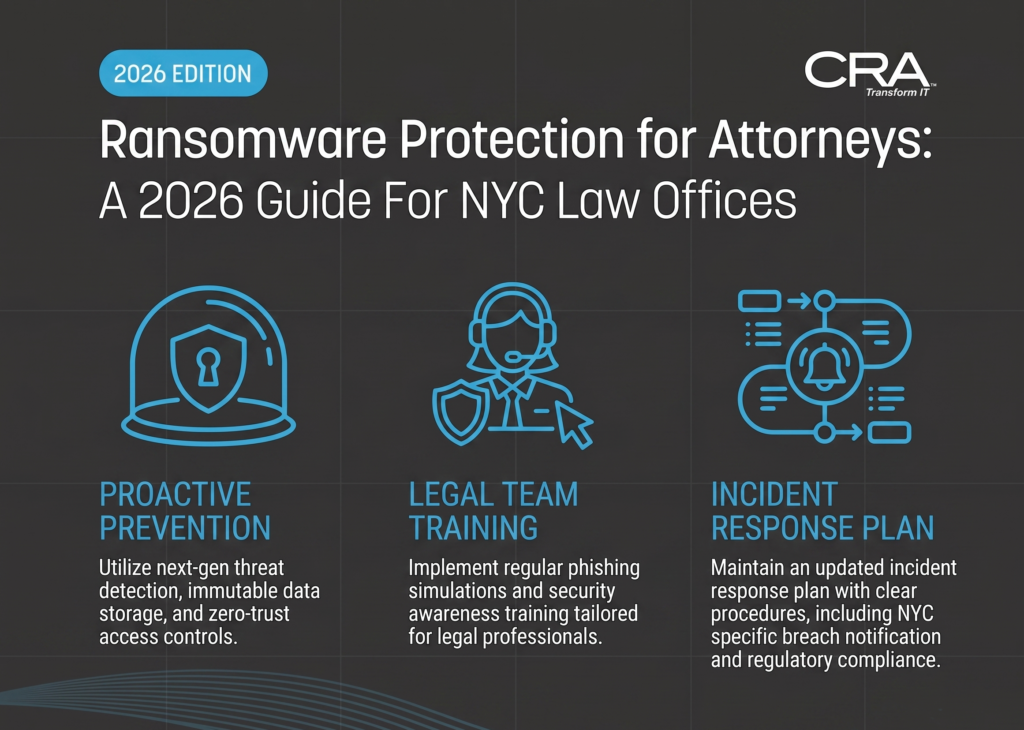
Air-Gapped and Immutable: Ransomware Protection and Recovery for Modern Law Practices
Ransomware attacks against law firms have changed up their playbook. Attackers aren’t just encrypting files anymore—they’re stealing privileged discovery documents first and threatening to publish them. That’s “double-exfiltration” for you.
Standard backups? They won’t save you if your recovery setup is tied to the same network that gets compromised.
Firms need a defense that expects attackers will get in eventually. It’s about mixing endpoint detection and response tools, immutable backups, strict access controls, and technical docs that actually help your team recover without having to improvise.
A 3-2-1-1 backup plan, together with an isolated recovery environment, gives you a shot at restoring active case files without caving to ransom demands.
Compliance pressures make things even trickier. If discovery files get out, you might be looking at reporting requirements and client notifications.
Key Takeaways
- Attackers are now stealing and threatening to leak sensitive files, not just encrypting them.
- Recovery systems have to stay isolated from your main network if you want them to survive an attack.
- Regular testing and clear documentation will decide if your firm can actually recover when something goes wrong.
The Law-Firm Ransomware Risk Profile
Law firms hold a weirdly attractive mix of privileged, financial, and personal data. That makes them a favorite target for ransomware operators. The risk comes from three things colliding: the value of your data, the leverage of double-extortion, and the compliance headaches after a breach.
Why Matter Files, Discovery Data, and Client Communications Are High-Value Targets
Your case files are loaded with sensitive stuff: trade secrets, merger details, medical records, litigation strategies, and personal data from all sides.
Discovery data is even juicier. It combines documents from opposing parties, third parties, and your own client—so a single breach can hit a lot of people at once.
Client communications? That’s another risk. Email threads often include privileged advice, settlement talk, and financial details that can be resold on shady markets.
Attackers are well aware that access control gaps in legal practice management systems can expose this data in bulk. One stolen credential could let them see dozens of active matters.
How Ransomware Double-Exfiltration Raises Confidentiality and Extortion Risks
Modern ransomware gangs rarely stop at just locking your files. They exfiltrate copies first—so they can demand payment twice: once for decryption, again to keep things quiet.
This changes everything. Restoring from backup doesn’t get rid of the problem, because the attacker still has your data.
With privileged matter content, that’s a direct confidentiality exposure. Once stolen data’s out there, you probably can’t say for sure what was taken, how it’s been changed, or where it’s ended up.
Clients might want documentation showing what was and wasn’t accessed—but you may not really be able to provide that.
Operational, Ethical, and Regulatory Consequences of a Breach
A ransomware event can derail litigation timelines, delay discovery, and force continuances if court-facing systems go down.
Ethically, you’re on the hook under rules like ABA Model Rule 1.6—you need reasonable safeguards against unauthorized disclosure. A breach can mean you have to notify clients even before you know the full story.
Regulatory exposure gets complicated. State breach-notification laws have tight deadlines—maybe 30 or 60 days. If there’s HIPAA-covered data, you’ve got a separate federal clock ticking.
Keeping good technical documentation of your controls, incident response steps, and access logs is huge. It’s proof of your compliance for regulators, insurers, and clients—and it can seriously affect your liability.
Build a Layered Defense Before an Attack
No single control is going to stop ransomware from getting to your case files or backup systems. You need overlapping protections—endpoints, networks, identity, third-party access—the works.
Deploy Endpoint Detection and Response Across Firm Devices
Traditional antivirus? It misses ransomware that uses sneaky tricks like fileless attacks. EDR platforms watch behavior in real time, flagging weird encryption activity or unauthorized processes before files get locked.
Every device that touches your case management system needs protection—laptops, paralegal workstations, even remote or personal devices. Don’t just leave EDR tools on default settings; they need tuning for how your firm actually works.
Set alerts for mass file changes, especially in folders with discovery docs or client records. Automated isolation can quarantine an infected device in seconds, stopping threats before they spread.
Enforce Phishing Resistance, Patch Management, and Network Segmentation
Phishing is still the top way ransomware gets in. Use email filtering that catches spoofed domains and sketchy attachments, and run regular phishing tests for staff.
Unpatched software is an open door. Patch critical vulnerabilities within 72 hours—especially for anything internet-facing, like VPNs or email servers.
Network segmentation is your damage control. Keep your litigation document servers separate from admin systems with VLANs or firewall rules. That way, if the front desk gets hit, your discovery repository is still safe.
Apply Authentication, SSO, and Role-Based Access Control
Weak or reused passwords are a gift to attackers. Multi-factor authentication should be required for any account with access to case files, billing, or email.
Single sign-on (SSO) helps by reducing the number of credentials people have to juggle. Fewer passwords means less risk of weak or recycled passwords sneaking in.
Role-based access control limits what each user can see or change. For example, a paralegal working on one matter shouldn’t have access to files from other clients. Here’s a sample access structure:
| Role | Access Level |
|---|---|
| Managing Partner | Full system access |
| Associate Attorney | Assigned matters only |
| Paralegal | Read/write on assigned cases |
| IT Administrator | System configuration, no client file access |
This setup supports compliance with confidentiality rules.
Protect Remote Access, Third-Party Vendors, and Cloud Collaboration Tools
Remote work? It’s a bigger attack surface. Require VPN or zero-trust access for any connection to firm systems, and definitely don’t expose RDP directly to the internet.
Third-party vendors—like e-discovery or court filing services—need a close look. Check their security certifications and make sure they’re enforcing the same authentication standards you do.
For cloud collaboration tools, you want access logs and regular permission audits. Set expiration dates on shared links with sensitive docs, and turn off default public-sharing settings that platforms love to enable by default.
Design Backups That Ransomware Cannot Destroy
Ransomware crews go after backup systems first, deleting recovery points and shadow copies to pressure you into paying up. You need redundancy, immutability, and tight access control to take away that leverage.
Implement the 3-2-1-1 Backup Architecture
The 3-2-1-1 model: three copies of your data, two types of media, one off-site, and one that’s immutable or air-gapped.
For law firms, that usually means your main server, a local backup on a NAS, and a cloud copy in a separate admin domain. The immutable copy has to be out of reach of your domain admin credentials.
If someone steals your admin rights, they still can’t mess with the isolated copy.
Document this setup—including which systems hold each copy and how they’re connected. Review it at least quarterly, since firms often add new platforms or file shares and forget to update the backup plan.
Use Immutable Cloud Vaults With Retention Locking
Immutable cloud vaults keep recovery points in a write-once, read-many format. Once you write data, not even a vault admin can change or shorten the retention period until it expires.
Retention locking makes this permanent. Once a policy is locked, you can only extend retention—not reduce it—so attackers can’t shrink the window and wipe your backups.
Pick retention periods that actually make sense. Ransomware can lurk for weeks before detonating, so a 7-day window is risky.
Thirty days is a good baseline for active matters. For anything under litigation hold, go longer. That gives you time to catch delayed attacks.
Keep backup admin in a separate identity group from general IT staff, and require multi-factor approval for any change to immutability settings.
Protect Volume Shadow Copies From Deletion and Tampering
Volume Shadow Copy Service (VSS) makes snapshots of files on Windows systems, and ransomware tools target these first using commands like vssadmin delete shadows.
Limit who can mess with VSS. Only backup accounts should be able to delete shadows—regular and most admin accounts shouldn’t touch this.
Turn on logging for VSS events and send alerts to your security team. A sudden wave of shadow copy deletions is a big red flag—often a few minutes before files start getting encrypted.
Pair shadow copy protection with EDR tools that block known deletion commands. Manual monitoring isn’t fast enough during an attack.
Set Recovery Objectives for Active Matters and Litigation Deadlines
Recovery time objective (RTO) and recovery point objective (RPO) are about how fast you can restore access and how much data loss you can tolerate.
For files tied to active litigation and tight deadlines, set an RPO of a few hours—not a full day. Losing recent depositions or filings can put you in a bind with the court.
Adjust your backup frequency to match. Active matters need more frequent snapshots than closed archives.
Make a priority list for recovery—rank matters by deadline and compliance needs. That way your team knows what to restore first.
Put this prioritization in your incident response docs, and double-check that it lines up with bar association and court rules on data availability.
Use an Isolated Recovery Environment for Safe Restoration
Restoring data straight into a compromised network? That’s asking for trouble. An isolated recovery environment (IRE) gives you a safe spot to test, verify, and stage restoration—without risking live systems.
Separate Clean Recovery Infrastructure From the Production Network
Your recovery environment needs its own network segment, cut off from production by an air gap or strict segmentation. That means separate switches, authentication systems, and no shared credentials with your main domain.
If attackers have your domain admin accounts, they can plant backdoors that survive a restoration. Using distinct identity services and access controls in the IRE stops a compromised account from reaching your clean recovery setup.
Treat the IRE as a totally separate zone—not just a VLAN on the same network. Key isolation requirements:
- Dedicated authentication server, separate from production Active Directory
- No persistent network connection to production systems
- Access restricted to recovery personnel only
- Separate logging to track all recovery actions
Validate Backups and Scan for Persistence Before Restoring Data
Before moving anything back to production, scan your backups for malware, web shells, and other persistence tricks. Ransomware often plants dormant payloads days or weeks in advance—your backups might already be compromised.
Run EDR tools on restored data inside the IRE to hunt for indicators of compromise. Check shadow copies for tampering, since attackers often delete or corrupt them to block recovery.
Compare file metadata to known-good baselines. Use cryptographic hashes (stored separately) to confirm your backup matches what you originally captured—not some altered version.
Prioritize Litigation Discovery Files, Case Management Systems, and Identity Services
Not every system needs to come back online at the same pace. Active litigation discovery files? Those are under the gun with court deadlines, so they need validation and recovery first.
Your case management system is basically the nerve center—client access, billing, communications all flow through there. Getting it restored quickly keeps the wheels turning. Next up, identity services, because without authentication, you can't really control who sees what, and that's a risk nobody wants.
Recommended restoration order:
- Identity and access control services
- Case management systems
- Active litigation discovery files with upcoming deadlines
- General document repositories and archived matters
Document Recovery Evidence, Chain of Custody, and Restoration Decisions
Every restoration step should leave a trail. Jot down which backups you tested, what scans you ran, and who gave the green light to bring each system back.
If a client ever asks whether their files were safe—or you need to show compliance—this documentation matters. Keep a clear chain of custody for all evidence: logs from the IRE, scan results, timestamps for every single action.
Don’t store this documentation on production or recovery systems. If attackers come back, you don't want them erasing or changing your records.
Respond to an Extortion Event Without Compounding the Damage
What you do in the first hours after spotting an extortion attempt really sets the tone. Are you containing it, or letting it spiral? Every move should preserve evidence, meet compliance, and keep client info safe.
Contain Affected Systems and Preserve Forensic Evidence
Isolate compromised endpoints right away, but don’t power them down. Turning off a system wipes volatile memory and can erase crucial evidence.
Instead, unplug those devices from the network but leave them running so you can capture forensic images. Your EDR should already be logging process activity, connections, file changes—grab those logs before they vanish.
Keep track of every access change. Who got locked out? Which credentials rotated? Who signed off?
This way, you’ve got a clear timeline of what happened and who did what. If things go to litigation or regulators start asking questions, you'll be glad you did.
Assess Data Exfiltration and Notification Obligations
Before you start disclosing anything, figure out what was accessed. Dig into network logs, DLP alerts, outbound traffic—was data actually taken, or just encrypted?
Client files trigger different notification rules depending on the type of data and where you are:
| Data Type | Typical Trigger | Notification Window |
|---|---|---|
| PII/PHI in discovery files | Confirmed exfiltration | State-specific, often 30-60 days |
| Privileged attorney work product | Unauthorized access | Governed by ethics rules, not statute |
| Financial account data | Confirmed or suspected access | Varies; some states require 72 hours |
Check your findings against state bar confidentiality rules and any breach notification laws before telling anyone outside the firm.
Coordinate Technology, Firm Leadership, Cyber Counsel, and Insurers
No single team can handle an extortion event solo. IT tackles the technical stuff, but decisions about payment or disclosure? That’s firm leadership, outside cyber counsel, and insurance territory.
Let your cyber insurer know quickly—most policies say 24 to 72 hours. Wait too long, and you might lose coverage.
Bring in breach counsel early. They can help keep internal reports privileged. And pick one person to handle all vendor and law enforcement calls—mixed messages are a disaster in these situations.
Communicate With Clients and Courts While Protecting Privilege
Clients want facts, not guesses. Wait for forensic confirmation before sending notifications, but don’t drag your feet past legal deadlines.
Work with cyber counsel on all drafts. Avoid language that could waive privilege or create headaches later. Client letters don’t need all the technical details—save those for your files and the regulators.
If litigation is affected, let the court know ASAP about any discovery delays. Judges usually appreciate honesty up front more than excuses after a deadline’s blown.
Test, Measure, and Govern Recovery Readiness
Assuming your backup works is just that—an assumption. Real readiness means scheduled tests, tracking results, tight access, and runbooks that make sense when things go sideways.
Run Tabletop Exercises and Full Recovery Drills
Tabletop exercises let your team walk through a ransomware scenario without touching real systems. Cover the tough calls: when to isolate, who approves recovery, how to decide which discovery files get restored first.
Full drills go further—actually restore data from immutable backups into a recovery environment. That’s the only way to know your 3-2-1-1 backup setup isn’t just theoretical.
Try to run tabletop exercises every quarter and full drills at least twice a year. Keep records: who was involved, what happened, where things broke down. If anyone ever asks how you prepared, you’ll have an answer.
Track Recovery Time, Recovery Point, and Backup Integrity
Recovery’s not about gut feeling. Track these numbers every time:
- Recovery Time Objective (RTO): how long to get a system back online
- Recovery Point Objective (RPO): how much data loss you can tolerate, measured from the last clean backup
- Backup integrity checks: make sure snapshots and cloud vaults aren’t corrupted
Pay attention to retrieval speed. If a case file takes six hours to restore but your RTO is four, that’s a problem to fix before the real thing hits.
Log every test. Compare results to your targets each quarter, and tweak your setup if you’re falling short.
Review Privileged Access and Vendor Permissions Regularly
Attackers love over-permissioned accounts. Use role-based access control so only specific people can mess with backups.
Review privileged accounts every month. If someone leaves, yank their access right away—don’t wait for the next audit.
Vendors should only get what they need, nothing more. A contractor with admin access to your backup vault? That’s a single point of failure if their credentials go bad.
Document every review. Insurers and bar associations want proof that you’re actually managing access, not just saying you do.
Maintain Incident Runbooks and Evidence Retention Procedures
A good runbook spells out exactly what to do when ransomware hits: isolate, notify, activate recovery, start collecting evidence.
Make them specific—names, escalation paths, system steps—not just vague advice. Update whenever your setup changes, like adding a new vault or EDR tool.
Evidence retention isn’t just a checkbox. Keep logs, snapshots, and communications for as long as your jurisdiction or any discovery rules require.
Store runbooks somewhere you can reach them during an outage—not just on the main network, which might be toast.
Frequently Asked Questions
Ransomware recovery for legal practices isn’t just about backups—it’s about layers. Stop exfiltration, keep backup copies untouched, restore discovery files safely. Here’s how the pieces fit together, at least in my experience.
How can law firms protect active litigation discovery files from ransomware double-extortion attacks?
Segment your systems. Keep discovery files away from the general network so attackers can’t just wander in with a stolen password. Isolating case management and document repositories from email and admin systems shrinks the damage if someone gets in.
Encryption is your friend—at rest and in transit. That way, even if attackers get to the files, they can’t just grab everything. Lock down access so only folks working on a matter can see its files.
Watch outbound data like a hawk. If you spot weird spikes or odd destinations, you might catch exfiltration before it’s too late. Double-extortion attacks are all about stealing data first—early detection is your best shot at stopping them.
What is a 3-2-1-1 backup architecture, and why is it important for legal data recovery?
3-2-1-1 means three copies of your data, two different media, one off-site, and one that’s immutable or air-gapped. It’s not overkill—it’s just how you make sure nothing wipes out all your copies at once.
For law firms, that immutable backup is huge. If ransomware gets admin access, it still can’t touch that copy. Off-site storage protects you from disasters at the office, too.
This isn’t just best practice—it’s about meeting discovery and preservation obligations. Losing case files could mean sanctions or worse, so redundancy really does matter.
How do immutable cloud vaults prevent ransomware from encrypting or deleting backup copies?
Immutable cloud vaults use write-once-read-many (WORM) storage. Once a backup lands there, nobody—not even an admin—can change or delete it until the retention period ends.
This blocks ransomware from wiping your backups, even if attackers get high-level access. Immutability works at the storage layer, not just with access controls, so it’s a real backstop.
Most providers also do versioned snapshots, so you can roll back to before the infection. That way, you’re not just guessing when things went bad—you know.
What role do endpoint detection and response tools play in stopping ransomware before data exfiltration occurs?
EDR tools watch what’s happening on each device in real time. They flag stuff like mass file encryption, weird processes, or attempts to kill your security software. Signature-based antivirus just can’t keep up with that.
If EDR spots trouble, it can cut an endpoint off from the network automatically. That’s huge—it stops ransomware from spreading or stealing more data.
Plus, EDR logs everything: how attackers got in, what they touched. Those logs are gold for figuring out if discovery files were accessed and for any follow-up with clients or regulators.
Why are Volume Shadow Copies insufficient as the sole recovery method for modern law practices?
Volume Shadow Copies (VSS) take snapshots on the same disk as your files. Modern ransomware looks for these and deletes them fast, using built-in Windows tools. Once that’s gone, you’re out of luck.
VSS is local only—no help if the machine is physically damaged or if ransomware disables the service. If attackers have admin rights, deleting VSS is trivial.
And honestly, VSS doesn’t keep snapshots long enough for legal holds. They’re limited, and Windows purges them to save space. For discovery files under hold, you need longer, tamper-proof retention—something VSS just can’t provide.
What is an isolated recovery environment, and how does it support secure restoration after a ransomware incident?
An isolated recovery environment (IRE) is basically a segmented, offline, or even air-gapped setup that's used just for restoring systems after a security incident. It's kept separate from your main production network—no persistent connections—so any malware hanging around in your usual environment can't sneak over into the recovery area.
Restoration inside an IRE comes with a pretty careful process. Backups get scanned for malware and checked against clean baselines, then tested before anyone even thinks about reconnecting them to live systems.
This staged approach is meant to stop you from accidentally bringing back the same ransomware strain during recovery. It's a surprisingly common failure point—people want to move fast and end up right back where they started.
If you're in a law firm dealing with active discovery files, an IRE lets you restore case data knowing the files are actually intact and not hiding any leftover threats. That counts for a lot when courts or opposing counsel want proof your documents haven't been tampered with.
Disclaimer: This blog is compiled for entertainment purposes only. While every effort is made to ensure accuracy, the content in this publication is generated with the assistance of artificial intelligence and may contain errors, inaccuracies, or omissions. Article summaries are editorial interpretations of source material and may not perfectly reflect the original reporting. URLs and hyperlinks, where included, should be independently verified before use. Source attributions are based on information provided at the time of compilation and may not reflect subsequent corrections or updates made by the original publisher. This blog does not constitute legal, financial, or cybersecurity advice. Readers should independently verify all information before acting on it and consult qualified professionals where appropriate. The views and opinions expressed in editorial commentary are those of the newsletter and do not represent the views of any cited organization, publication, or individual. Neither the publisher nor any contributing party accepts liability for any loss or damage arising directly or indirectly from reliance on information contained in this newsletter. If you identify an error or inaccuracy, please contact us so we can issue a correction promptly.