Ransomware Protection for Attorneys: A 2026 Guide For NYC Law Offices
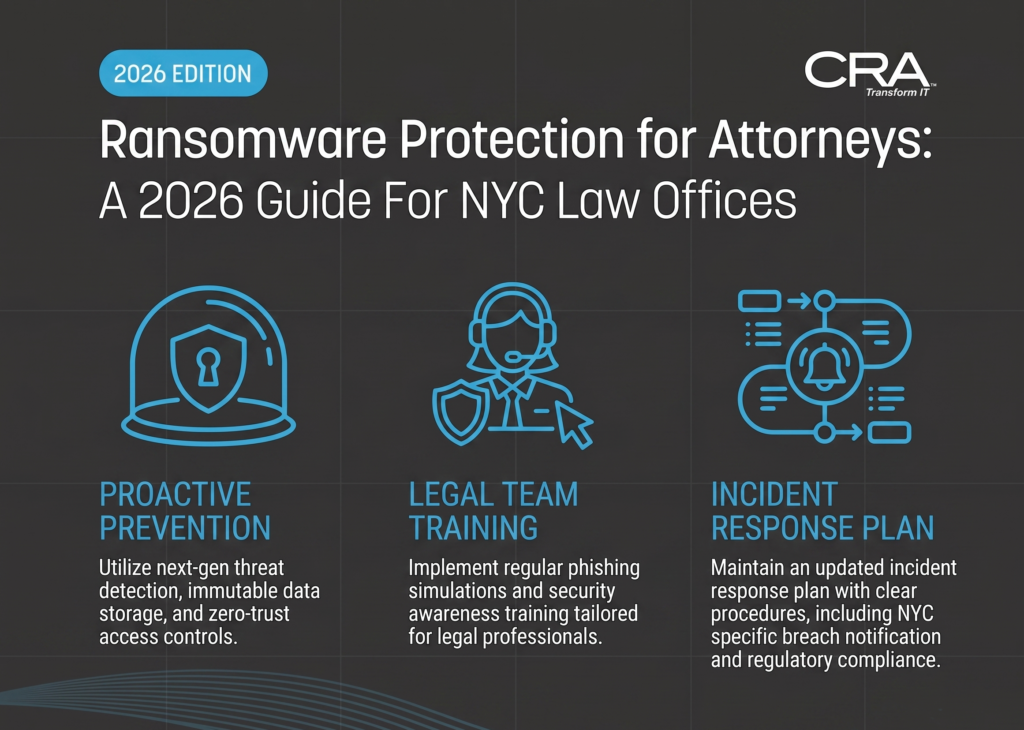
Introduction: Why Reactive Cybersecurity Is Malpractice for Modern Attorneys
For most of the last decade, law firm technology budgets treated security as an insurance policy — something you activate after something breaks. That model is now indefensible. Ransomware protection for attorneys is no longer a product you buy or a box you check during your annual malpractice renewal. It is a continuous operational discipline: monitored around the clock, tested quarterly, and documented well enough to survive scrutiny from a client, a regulator, or a disciplinary committee.
The reason is simple. A law firm is one of the highest-value targets in the entire threat landscape, because it aggregates other people's secrets. A single mid-sized Manhattan litigation practice may hold merger documents, sealed settlement terms, medical records from personal injury matters, immigration files, financial disclosures from matrimonial cases, and privileged communications spanning hundreds of clients. Threat actors understand the leverage math better than most managing partners do: they aren't just encrypting your server, they are threatening to publish your clients' confidences.
That reframes the obligation. Under ABA Model Rule 1.6(c) — adopted in substance across New York practice — an attorney "shall make reasonable efforts to prevent the inadvertent or unauthorized disclosure of, or unauthorized access to, information relating to the representation of a client." Rule 1.1 (Competence) extends that to technological competence. When those duties collide with the NY SHIELD Act's requirement for "reasonable administrative, technical, and physical safeguards," the conclusion is unavoidable: prevention is the standard, not recovery.
This blueprint lays out what genuine ransomware protection looks like for New York attorneys — the specific technical controls, the New York compliance framework that governs them, how protection integrates with the legal software you actually use, and why a legal-specialized NYC Managed Service Provider (MSP) with on-site capability in the metro area materially changes your outcome when something goes wrong.
The NYC Legal Threat Environment: Why Attorneys Are Prime Targets
New York City holds the densest concentration of legal practices in the world — from AmLaw 100 towers in Midtown to two-attorney boutiques in Brooklyn Heights and solo immigration practices in Queens. Attackers profile that density deliberately. Small and mid-sized firms are the sweet spot: they hold enterprise-grade data with small-business-grade defenses.
Double Extortion and the Loss of Client Privilege
Modern ransomware operations rarely lead with encryption. The typical sequence looks like this:
- Initial access — usually a phishing email, a credential purchased from a broker, or an exposed remote access service.
- Quiet reconnaissance — often 5 to 21 days of dwell time, mapping your document management system, identifying your backup infrastructure, and locating the partners with the broadest permissions.
- Exfiltration — copying case files, client PII, billing records, and email archives to attacker-controlled storage.
- Encryption and extortion — only then do files lock, with a demand backed by the threat of publication.
This is the part that should terrify any litigator: once exfiltration occurs, backups don't save you. You can restore every file by Monday morning and still be facing an unauthorized disclosure of privileged material, mandatory client notification, potential waiver arguments from opposing counsel, and a SHIELD Act breach notification obligation. Recovery solves availability. It does nothing for confidentiality.
Reported figures for the legal sector put average ransom demands in the neighborhood of $2.5 million, with post-attack operational disruption commonly spanning 19 to 22 days. For a firm billing on the clock, the unbillable hours alone routinely exceed the ransom by a factor of five to ten — before accounting for missed filing deadlines, court continuances, and the client attrition that follows an embarrassing disclosure letter.
Vulnerabilities in the Attorney Tech Stack
Ransomware protection for attorneys fails most often not because of exotic zero-days, but because of predictable structural gaps:
- Unpatched document management systems. On-premises iManage and NetDocuments connectors, older SQL back ends, and legacy document servers are frequently left on deferred patch cycles because "nobody wants to break DMS during trial prep."
- Remote and hybrid access sprawl. Attorneys work from courthouses, client sites, Amtrak, and home offices. Exposed RDP and unpatched VPN appliances remain among the top ransomware entry vectors in the sector.
- Legal vendor and supply chain risk. E-discovery vendors, court reporters, process servers, local counsel, expert witnesses, and outsourced billing services all touch your data. Compromise of a downstream vendor becomes your breach notification problem.
- Legal-themed social engineering. Gootloader and its successors specifically poison search results for legal templates — "commercial lease agreement New York template," "non-compete sample" — serving malware-laden documents to the exact people searching for them. Attorneys are the intended victims by design.
- Wire fraud and business email compromise. Real estate closings, escrow releases, and settlement disbursements make NYC practices an attractive target for fraudulent payment instructions inserted mid-thread from a compromised mailbox.
- Shadow IT. Personal Dropbox accounts, unmanaged iPads, and consumer-grade file transfer used to move a 400MB deposition video around a firewall restriction.
Each of these is addressable. None of them is addressed by antivirus software alone.
New York Compliance Requirements: What the Law and Bar Ethics Demand
Most national security vendors write about ransomware in generic federal terms. New York attorneys operate under a specific, overlapping set of obligations that raise the bar considerably.
The NY SHIELD Act: Administrative, Technical, and Physical Safeguards
The Stop Hacks and Improve Electronic Data Security (SHIELD) Act applies to any person or business that maintains private information about a New York resident — which describes essentially every law firm in the state, regardless of size or where it is headquartered. Critically, it requires a reasonable safeguards program, not merely breach notification. The statute frames this in three categories:
Administrative safeguards — designating an employee to coordinate the security program, identifying reasonably foreseeable internal and external risks, assessing the sufficiency of existing controls, training the workforce on security practices, selecting service providers capable of maintaining appropriate safeguards and contractually requiring them to do so, and adjusting the program as circumstances change.
Technical safeguards — assessing risks in network and software design, in information processing, transmission and storage, detecting and responding to attacks or system failures, and regularly testing and monitoring the effectiveness of key controls.
Physical safeguards — controlling physical access to systems, protecting against unauthorized access during information storage and disposal, and securely disposing of private information within a reasonable time.
Note the verbs: detect, respond, test, monitor. The Act does not contemplate a firm that installs a firewall in 2021 and revisits it after an incident. Penalties for failing to maintain reasonable safeguards can reach $5,000 per violation, and notification failures can be assessed at $20 per instance up to a $250,000 cap. For a firm holding records on several thousand New York residents, the arithmetic is unpleasant.
For attorneys, the practical takeaway is that a documented, monitored, and periodically tested security program is itself the compliance artifact. A managed security stack produces that documentation as a byproduct of normal operation — logs, patch reports, training completion records, backup verification results, and incident response tabletop notes.
NYC Bar and NYSBA Ethics: Proactive Duty, Not Passive Hope
New York's ethics guidance has steadily converged on the same conclusion. **NYC Bar Association Formal
Opinion 2024-3** and related guidance make clear that attorneys must take affirmative, ongoing steps to monitor for, prevent, and contain cyber incidents — competence is not satisfied by delegating blindly to whoever set up the office Wi-Fi. The opinion's framing matters: an attorney who has never asked whether the firm has multi-factor authentication, whether backups are tested, or whether anyone would notice an intrusion at 2:00 a.m. on a Saturday is not exercising reasonable care.
Two older but still-controlling opinions round out the picture:
- NYSBA Ethics Opinion 842 permits use of third-party cloud storage for confidential client data, provided the attorney exercises reasonable care — which includes vetting the provider's security, understanding where data resides, ensuring the provider will not disclose data improperly, and periodically reassessing as technology evolves. "Reasonable care" is explicitly a recurring obligation, not a one-time diligence exercise.
- NYSBA Ethics Opinion 1019 addresses remote access to firm files, requiring that attorneys ensure remote work arrangements do not create unreasonable risk of unauthorized access. Post-2020, this opinion effectively governs every hybrid practice in the city.
Layered on top: New York's cybersecurity CLE requirement obligates attorneys to complete continuing education in cybersecurity, privacy, and data protection as part of the biennial cycle. The State has, in other words, decided that this is core competence — the same category as ethics and professional practice.
How the Two Regimes Interlock
| Obligation | SHIELD Act Requirement | Ethical Requirement (Rules 1.1 / 1.6, Op. 2024-3) | Satisfying Control |
| Know your risks | Risk assessment of network, software, storage | Technological competence | Annual security risk assessment with written findings |
| Prevent unauthorized access | Technical safeguards, access controls | Reasonable efforts to prevent disclosure | MFA everywhere, least-privilege access, ZTNA |
| Detect intrusions | Detect and respond to attacks | Affirmative duty to monitor | 24/7 SOC + EDR/MDR with alerting |
| Train your people | Workforce security training | Supervision of nonlawyer assistants (Rule 5.3) | Ongoing awareness training + phishing simulation |
| Vet your vendors | Select capable providers, contract for safeguards | Reasonable care with third parties (Op. 842) | Vendor security reviews, DPAs, SOC 2 verification |
| Recover and notify | Timely notification; secure disposal | Duty to communicate with clients (Rule 1.4) | Immutable backups, tested IR plan, notification playbook |
A single well-architected managed security program satisfies both columns simultaneously. That is the efficiency argument for treating this as one program rather than two compliance projects.
Core Pillars of Proactive Ransomware Protection for Law Practices
Effective ransomware protection for attorneys rests on four load-bearing pillars. Weakness in any one of them undermines the others — which is precisely why piecemeal purchasing fails.
1. 24/7 Endpoint Detection and Response (EDR / MDR)
Traditional antivirus compares files against a list of known-bad signatures. Modern ransomware is polymorphic, frequently "living off the land" by abusing legitimate Windows tools — PowerShell, WMI, PsExec, rclone — that no signature database will ever flag.
Endpoint Detection and Response (EDR) works differently. It watches behavior: a process spawning from a Word macro, mass file-rename activity, shadow copy deletion, credential dumping from LSASS, an unusual outbound transfer to a cloud storage endpoint at 3:00 a.m. When those patterns appear, EDR can isolate the endpoint from the network in seconds — before lateral movement reaches the document management server.
But the tool is only half the equation. Managed Detection and Response (MDR) adds the part most firms lack: human analysts in a Security Operations Center (SOC) who triage alerts continuously. This matters because ransomware deployment overwhelmingly happens outside business hours — Friday evenings, holiday weekends, the week of the December break — specifically because attackers know nobody is reading the console.
For a law firm, the practical requirements are:
- Coverage on every endpoint, including partner laptops, home workstations, and any device touching firm email.
- Human triage with authority to act — an analyst who can isolate a machine at 2:00 a.m. without waiting for a callback from the managing partner.
- Retained telemetry for forensic reconstruction, so you can answer the only question that matters after an incident: what data was accessed, and whose?
- Tuning for legal workflows, so that bulk document operations during an e-discovery production don't generate false positives that get ignored — the alert-fatigue path to disaster.
2. Immutable Backups and the 3-2-1 Standard
Attackers hunt backups first. Before encryption begins, they will attempt to delete Volume Shadow Copies, corrupt local backup appliances, and — if your backup console shares credentials with your domain — encrypt the backups themselves. A firm that discovers this at restore time has no options left.
The defense is immutability: backup copies that cannot be modified or deleted for a defined retention window, by anyone, including a domain administrator with valid credentials. Combined with the 3-2-1 rule long endorsed by CISA — three copies of data, on two different media types, with one copy off-site — and modern practice adds a fourth and fifth element: one copy immutable or air-gapped, and zero unverified restores.
For a law practice, a defensible backup architecture includes:
- Immutable cloud copies with object-lock retention that survives credential compromise.
- Separate authentication domain for backup infrastructure — never joined to the production directory the attacker just compromised.
- Documented Recovery Time Objective (RTO) and Recovery Point Objective (RPO) mapped to practice reality. A litigation practice mid-trial has an RTO measured in hours, not days.
- Regularly tested restores, including full DMS and email restoration, not just a spot-check on a single file. An untested backup is a hypothesis.
- Coverage of SaaS platforms. Microsoft 365 and Google Workspace retention policies are not backups. Cloud-native practice management data — Clio, NetDocuments, MyCase — needs its own protected export path.
Immutable backups don't prevent exfiltration, and no vendor should claim otherwise. What they do is remove the attacker's primary leverage: they eliminate the availability crisis, which is the thing that pressures firms into paying under deadline duress.
3. Identity and Access Management: Zero Trust, MFA, and ZTNA
Compromised credentials — not sophisticated exploits — are the leading initial access vector. Which means identity is the actual perimeter.
Multi-Factor Authentication is the single highest-return control available to a law firm, and it must be universal. Partial deployment is the common failure: MFA on email but not on the VPN, or an exemption carved out for a senior partner who found it annoying. Attackers specifically target the exemptions. Phishing-resistant factors — hardware security keys or platform passkeys — should be standard for anyone with administrative rights or access to the full document repository.
Zero Trust Network Access (ZTNA) replaces the flat-network VPN model, in which authenticating once grants broad internal access, with per-application authorization evaluated continuously against device health, location, and user context. For a firm where attorneys connect from courthouse Wi-Fi, hotel networks, and personal devices, this is the difference between one compromised laptop and a firm-wide encryption event.
Supporting controls that carry disproportionate weight:
- Least privilege and matter-level segmentation. A paralegal on one matter should not be able to enumerate every file in the firm. This also serves ethical walls and conflict screens — a compliance win beyond security.
- Privileged access management. No daily-driver account should hold domain admin. Administrative credentials should be checked out, time-bound, and logged.
- Conditional access policies blocking legacy authentication protocols and impossible-travel sign-ins.
- Prompt offboarding. Departing associates, contract attorneys, and summer clerks represent standing risk when accounts linger.
4. Legal-Specific Phishing and Email Defense
Generic security awareness training that warns employees about fake package-delivery notices does very little for a litigator. The lures aimed at attorneys are tailored: fraudulent e-discovery production notices, spoofed court filing confirmations
and PACER/NYSCEF alerts, fake conflict-check requests from purported new clients, malicious "signature required" DocuSign clones, and — most costly of all — mid-thread wire instruction changes timed to a real closing.
Effective email and human-layer defense for a law firm includes:
- Advanced email threat protection with link isolation, attachment sandboxing, and impersonation detection tuned to your partner names and domain lookalikes.
- DMARC, DKIM, and SPF properly enforced — not merely published in monitoring mode. Firms are routinely spoofed outbound to defraud their own clients, and enforcement is what stops it.
- DNS filtering to break the Gootloader pattern: an attorney searching for a contract template lands on a poisoned result, and the malicious download is blocked at resolution before it ever reaches the endpoint.
- Role-specific phishing simulation. Send real estate paralegals fake wire-change requests. Send litigators fake e-filing notices. Send the managing partner a fake invoice approval. Generic campaigns produce generic vigilance.
- Out-of-band verification policy for any payment instruction — a callback to a known-good number, never a number supplied in the email thread. This single procedural control prevents the majority of BEC losses in legal practice.
Sustained, role-relevant training with simulation produces measurable results: click-through rates commonly drop on the order of 86% over twelve months. That is not a marginal improvement — it is the difference between a quarterly incident and an annual near-miss. It also generates exactly the workforce-training documentation the SHIELD Act expects.
Protecting the Legal Stack Without Breaking Workflow
Security that obstructs billable work gets circumvented, and a circumvented control is worse than no control because it creates false assurance. Real ransomware protection for attorneys has to be built around the software attorneys actually live in:
| Platform | Primary Risk | Protective Approach |
| iManage | On-prem connectors, deferred patching, over-broad workspace permissions | Scheduled patch windows around trial calendars; matter-level access review; audit-log forwarding to SOC |
| NetDocuments | Credential compromise, third-party integration sprawl | SSO with phishing-resistant MFA; integration inventory; independent backup export |
| Clio / MyCase | SaaS data loss, weak account hygiene, no native point-in-time recovery | Enforced MFA, admin-role minimization, scheduled protected exports |
| Relativity | Large-volume exfiltration risk, external reviewer access | Segmented reviewer accounts, DLP egress monitoring, session logging |
| LexisNexis / Westlaw | Credential sharing and reuse | Password manager enforcement, unique credentials, no shared logins |
| Microsoft 365 / Exchange | BEC, inbox rule manipulation, mailbox exfiltration | Conditional access, mailbox audit logging, alerting on new forwarding rules |
| Time & billing systems | High-value PII and payment data | Network segmentation, restricted access, encryption at rest |
The pattern here is deliberate: patch aggressively but predictably, authenticate strongly but once via SSO, and monitor continuously without interrupting the attorney. An MSP that knows these platforms schedules maintenance around your court calendar rather than a generic Tuesday-night template.
Choosing the Right NYC Legal MSP vs. Generic IT Support
Most firms don't have a security problem so much as an ownership problem. The break-fix consultant who set up your server is not monitoring it. The office manager who resets passwords is not reviewing audit logs. Nobody is accountable for detection.
| Capability | Generic IT Support / Break-Fix | Legal-Specialized NYC MSP |
| Monitoring posture | Reactive — responds when you call | Proactive 24/7/365 SOC with defined escalation |
| Detection coverage | Antivirus dashboard, checked occasionally | EDR/MDR with human triage and isolation authority |
| After-hours response | Voicemail until Monday | Contractual SLA with overnight and weekend coverage |
| Backup validation | Assumes backups ran | Immutable copies with documented, tested restores |
| Legal software fluency | Learns iManage/NetDocuments on your time | Existing expertise in DMS, e-discovery, and billing platforms |
| NY compliance knowledge | Generic best practices | SHIELD Act safeguards mapping, NYSBA/NYC Bar ethics awareness |
| Compliance documentation | Ad hoc, produced on request | Continuous reporting suitable for clients, insurers, auditors |
| Client security questionnaires | Passed to the firm to answer | Completed on the firm's behalf with evidence |
| Cyber insurance alignment | Unaware of policy conditions | Controls mapped to underwriting requirements |
| On-site presence | Regional or remote-only | Physical dispatch across Manhattan and the NYC metro |
| Incident readiness | Improvised | Documented IR plan, tabletop exercises, forensic partner relationships |
| Cost structure | Hourly, spikes during crisis | Predictable monthly, budgetable per attorney |
Evaluation Criteria That Actually Matter
When interviewing an MSP for a New York practice, press on specifics:
- Who watches the alerts at 3:00 a.m. on a Sunday, and are they employees or a subcontracted overseas queue?
- What is your contractual response time for a confirmed ransomware detection? Vague "best efforts" language is a red flag.
- Do you have authority to isolate an endpoint without prior approval? Waiting for consent costs the hours that matter.
- When did you last perform a full restore test for a client, and can you show the report?
- How do you handle patching for iManage, NetDocuments, or Relativity around active trial schedules?
- Can you produce documentation mapping our controls to SHIELD Act administrative, technical, and physical safeguards?
- How quickly can someone be physically on site in Midtown, downtown, or Brooklyn?
- Will you complete client security questionnaires and insurance applications on our behalf?
- Are you willing to be named in our incident response plan alongside breach counsel and a forensics firm?
- What legal references can you provide from firms of comparable size and practice mix?
An MSP that answers these crisply has done the work before. One that pivots to product brochures has not.
Rapid Incident Triage: What Happens When a Threat Is Detected
Detection is the beginning, not the end. What a firm does in the first hour largely determines whether the event is a contained incident or a reportable breach with a notification letter attached.
The First 60 Minutes
Do not power down affected machines. This is the most common and most damaging instinct. Shutting down destroys volatile memory, which frequently holds encryption keys, active process artifacts, attacker tooling, and command-and-control indicators. RAM preservation is often the difference between a forensic report that can state definitively "no client data was exfiltrated" and one that must concede scope is indeterminate. That distinction drives your notification obligations, your ethical disclosure duty under Rule 1.4, and your insurance position.
The correct sequence:
- Isolate, don't shut down. EDR network containment or physical cable disconnection keeps the machine alive for forensics while cutting lateral movement and attacker command channels.
- Protect the backups immediately. Sever backup infrastructure connectivity and verify immutable retention locks are intact before anything else.
- Disable compromised accounts and revoke sessions. Password resets alone are insufficient — active tokens must be invalidated.
- Preserve evidence. Capture memory images and forward logs to an out-of-band location, since local logs may already be tampered with.
- Activate the notification tree. Managing partner, MSP incident lead, breach counsel, cyber insurance carrier (before engaging vendors — most policies require pre-approval), and forensic responders.
- Assess scope before restoring. Rebuilding into an environment where persistence remains simply restarts the clock.
- Communicate deliberately. Rule 1.4 obligations to affected clients are real, but premature statements about scope create problems that are difficult to walk back. Coordinate through counsel.
Why Local NYC On-Site Response Is a Material Advantage
Much of incident response is remote work. Some of it categorically is not.
When ransomware is actively spreading and the compromised system is the remote access path, a technician needs to be physically present — to pull isolate switch segments, image drives, physically verify air-gapped backup media, or connect to a server whose management interface is no longer reachable. In those moments, geography stops being a marketing detail and becomes the controlling variable.
For a practice in Manhattan, downtown Brooklyn, Long Island City, or White Plains, a partner with staff in the metro area can have hands on hardware inside an hour or two — during a weekday, a Saturday, or the Thursday night before a Friday morning oral argument. A vendor operating exclusively from another time zone is booking a flight and coordinating with a building's freight elevator schedule, while your files continue encrypting.
Local presence carries secondary advantages that matter to New York firms specifically:
- Building and landlord coordination. Access to MDF/IDF closets in older Manhattan office buildings frequently requires a certificate of insurance, a building engineer escort, and after-hours authorization. Firms that already hold those relationships move faster.
- Court calendar awareness. A responder who understands what a Monday trial date means will prioritize restoring the litigation team's DMS access and email over a general rebuild sequence.
- Practical continuity support. Delivering clean, pre-imaged loaner laptops to an office by 7:00 a.m. so associates can work while remediation continues is a logistics problem solved by proximity, not software.
- Relationships with NYC breach counsel and forensics firms. Warm introductions to established local privacy counsel and DFIR practices compress the first day considerably.
After the Incident: Closing the Loop
Post-incident work is where SHIELD Act compliance is either demonstrated or exposed. A defensible closeout includes a written root cause analysis, documented remediation of the initial access vector, credential rotation across the environment, a scope determination supporting your notification decisions, and an updated risk assessment reflecting what was learned. Firms that skip this step are frequently reinfected by the same vector within a year — and the second incident is far harder to defend as reasonable care.
Building the Program: A Practical 90-Day Sequence
Firms often stall because the full picture looks overwhelming. It sequences reasonably:
Days 1–30 — Establish visibility and stop the bleeding. Deploy EDR/MDR to every endpoint. Enforce MFA universally, with no exemptions. Inventory all systems holding client data, including SaaS platforms and personal devices. Confirm whether backups exist, are immutable, and can actually be restored. Disable legacy authentication protocols.
Days 31–60 — Harden and document. Complete a formal risk assessment mapped to SHIELD Act safeguard categories. Implement least-privilege access review across the DMS. Deploy DNS filtering and enforce DMARC. Establish a patch cadence aligned to the court calendar. Launch role-specific awareness training and the first phishing simulation.
Days 61–90 — Prove it works. Execute a documented full-restore test, including DMS and email. Run an incident response tabletop exercise with the managing partner, MSP, and breach counsel present. Complete vendor security reviews for e-discovery, billing, and cloud providers. Formalize the written information security program and IR plan. Align controls with cyber insurance policy conditions.
From there it becomes maintenance: continuous monitoring, quarterly restore tests, semiannual access reviews, annual risk reassessment and tabletop, and ongoing training. That rhythm is reasonable care, expressed operationally.
Frequently Asked Questions
What is the difference between ransomware backup and immutable protection?
A conventional backup is a copy of your data that an administrator can modify or delete — which means an attacker holding administrative credentials can also modify or delete it, and they routinely do before triggering encryption. Immutable protection applies a retention lock so that backup copies cannot be altered or removed for a defined period by anyone, regardless of privilege level. Practically, immutability is what converts a backup from a hopeful gesture into a reliable recovery path. It should be paired with a separate authentication domain for backup infrastructure and with tested restores, since an immutable copy you have never successfully restored is still an untested assumption.
How does proactive ransomware protection fulfill NY SHIELD Act obligations?
The SHIELD Act requires reasonable administrative, technical, and physical safeguards — including risk assessment, workforce training, vendor oversight, attack detection and response, and regular testing of controls. A managed security program produces each of those elements as ordinary output: risk assessments and written policies satisfy the administrative prong; EDR/MDR, MFA, encryption, access controls, and patch management satisfy the technical prong; and device controls plus secure disposal address the physical prong. Just as importantly, continuous monitoring generates the documentation — logs, patch reports, training records, restore test results — that lets a firm demonstrate reasonableness rather than merely assert it.
Why is traditional antivirus insufficient for law firms in 2026?
Signature-based antivirus identifies threats it has already catalogued. Contemporary ransomware operations avoid that entirely: they use stolen credentials rather than malware to gain entry, abuse legitimate administrative tools like PowerShell and PsExec to move laterally, and encrypt only after days or weeks of quiet reconnaissance. None of that trips a signature. Behavioral EDR detects the activity — shadow copy deletion, mass file modification, credential dumping, anomalous outbound transfers — and paired with 24/7 human triage, someone acts on it at 3:00 a.m. when the deployment actually occurs. Antivirus remains a baseline layer; it is no longer a defense.
Are small and solo NYC practices really targeted, or is this a large-firm problem?
Small firms are targeted disproportionately, precisely because they hold high-value confidential data with limited defenses and are more likely to pay quickly to avoid disruption. Ransomware deployment is largely automated and opportunistic — attackers scan for exposed remote access and purchase credentials in bulk rather than selecting victims by revenue. A three-attorney matrimonial practice in Queens holds financial disclosures, custody evaluations, and medical records that carry real extortion leverage. SHIELD Act obligations and ethical duties apply identically regardless of headcount.
Does cyber insurance cover a ransomware attack on my firm?
Coverage typically exists but is increasingly conditional. Underwriters now commonly require MFA on email and remote access, EDR deployment, tested offline or immutable backups, and documented security training as prerequisites. Misrepresenting these controls on an application can void coverage at the moment you need it. Policies also generally require carrier notification and pre-approval before engaging forensic or legal vendors. An MSP familiar with legal-sector underwriting can align your controls to policy conditions and help ensure the claims process is not compromised by well-intentioned first steps.
If we pay the ransom, is the problem resolved?
No. Payment may yield a decryption key, but it does nothing about data already exfiltrated — you have only a criminal's assurance that copies were deleted, and re-extortion of previously paid victims is well documented. Your ethical duty to notify affected clients and your SHIELD Act notification obligations are triggered by unauthorized access, not by whether files were recovered. There may also be sanctions exposure if the recipient is a designated entity. Payment is a business decision made under duress with counsel and your carrier; it is not a remediation strategy.
How long does it take to become genuinely protected?
Meaningful risk reduction happens fast — universal MFA and EDR deployment across a typical 10 to 50 attorney firm is generally achievable within two to four weeks and eliminates the majority of common attack paths. A fully documented program, including immutable backup validation, vendor reviews, a written information security program, and a tested incident response plan, realistically takes about 90 days. The distinction worth internalizing is that protection is not a project with an end date; it is an operating posture that requires ongoing monitoring, periodic testing, and annual reassessment.
it is needed. They partner with people who already know what iManage patching means during trial prep, who understand that a Friday night alert cannot wait until Monday, and who can be standing in a Midtown server closet within the hour if isolation requires hands on hardware.
The alternative is not a neutral choice. It is a bet that your firm will be overlooked — placed against attackers who specifically prize what you hold, in the densest legal market in the world, under a compliance regime that no longer accepts good intentions as evidence of reasonable care. Every credible measure of the outcome, from the roughly $2.5 million average legal-sector demand to the 19 to 22 days of downtime and the unbillable hours that dwarf the ransom itself, points the same direction: prevention is drastically cheaper than recovery, and recovery does not restore confidentiality once client files have left the building.
None of this requires a firm to become a security organization. It requires a decision about ownership — naming who is accountable for detection at 3:00 a.m., who validates that backups actually restore, who documents your safeguards in a form a client or regulator will accept, and who arrives when the situation demands physical presence rather than a remote session.
For New York practices, that decision is best made deliberately, on a quiet Tuesday, with a partner who knows both the technology and the obligations that govern it. It is a considerably worse decision to make at 2:00 a.m. on a holiday weekend, reading a ransom note, with a filing deadline on Monday and no idea what left the network.
Next Step: A Ransomware Readiness Assessment for Your Practice
If you are unsure whether your firm could answer the questions in this guide — whether MFA is truly universal, whether your last restore test succeeded, whether anyone would notice an intrusion overnight, or whether your safeguards are documented to SHIELD Act standards — that uncertainty is itself the finding.
A focused readiness assessment for a New York law practice should deliver:
- A control inventory across endpoints, identity, email, backups, and your legal software stack
- A SHIELD Act safeguards gap analysis, mapped to administrative, technical, and physical requirements
- A verified backup and restore evaluation, tested rather than assumed
- A prioritized remediation roadmap with realistic timelines and predictable monthly costs
- Documentation you can hand to clients, insurers, and auditors when they ask — and increasingly, they will
For NYC firms, the added consideration is response capability: confirming that whoever holds this responsibility can be on site in Manhattan or the outer boroughs when isolation, imaging, or hardware recovery cannot be done remotely.
Reasonable care is demonstrable. The work of demonstrating it starts with knowing where you actually stand.
Computer Resources of America
Located in Midtown Manhattan since 1992. MSP 501 Global Ranking: No. 62
Three Decades. One City. Zero Compromises.
This report was prepared by the CRA Research and Advisory Practice. All factual claims regarding third-party organizations are based on publicly available information and are accurate to the best of the authors' knowledge as of the publication date of June 2026. CRA makes no representation regarding the completeness or continued accuracy of information pertaining to third-party organizations, which is subject to change without notice. Organizations referenced in this report are encouraged to contact CRA at their convenience to confirm or update any information attributed to them.
© 2026 Computer Resources of America. All rights reserved. This report may be reproduced in whole or in part with attribution.